
Intended audience: developers administrators
AO Platform: 4.5
Overview
The Agent pages include configurations for Micro App Templates used by the Easy Answers Agent. Micro App Templates are used to easily add (or customize) preconfigured visualizations for answers provided for questions in the Easy Answers Agent. The Templates are done for the core Micro App chart, whereas the Template Variables provide options to change the elements of a given visualization, eg, axis, legend, colors, columns, aggregationsetc.
The pages in this section offer the following general actions:
-
Search/Filter - use a search term to find an entry from existing configurations.
-
Delete - batch deletion of any/all selected items.
-
Add New - create a new entry on the page.
-
Refresh - refreshes the page.
-
Import from Excel - allows the provision to import the configuration of one or more entries of the selected configuration page.
-
Download Data - exports the content of the page to a CSV or Excel file.
-
Settings - allows configuration of which columns can be seen on the page.
-
Go to (or select by page number) - allows moving to another page in case of too many entries for one page.
Additionally, these are the actions on individual entries:
-
View - views the properties of an entry in read-only mode.
-
Edit - allows the properties of an entry to be edited.
-
Delete - deletes an entry.
-
Add to Transport - adds the configuration record to Transport.
Agent > Micro App Templates
This page contains all available visualization Templates. The Templates include a JSON structure for the Template content.
Agent > Micro App Templates Knowledge Mapping
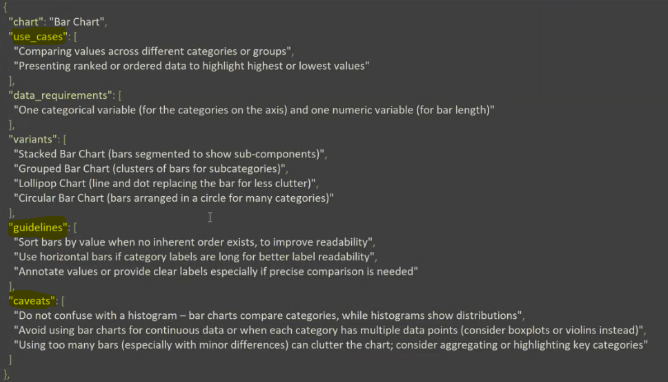
This page contains the Knowledge Type and a Knowledge Description identifying how a given Template can be used. The Knowledge Type includes the following options:
-
USECASE - descriptions for when to use the particular visualization template can be used.
-
GUIDELINE - descriptions for how the visualization can be “optimized/formatted” based on the data available.
-
CAVEAT - descriptions for when not to use the visualization template based on the data available.
Example
Agent > Micro App Template Variables
This page contains all available visualization Template Variables for each Micro App Template. Variables in a Template identify elements where data can be added to provide configuration and customization of the visualization Template. Examples are Aggregation Color Field, Aggregation Field, Application Description, Application Icon, Application Title, Background Color, Bucketing Field, Category Fields, Color, Columns, Column Order, etc.
Agent > Micro App Template Variables Knowledge Mapping
This page contains the Knowledge Type and a Knowledge Text identifying how a given Template Variable can be used. The Knowledge Type for Template Variables is always RULE, and the Knowledge Text provides the instructions on what kind of data can be used for the Variable.
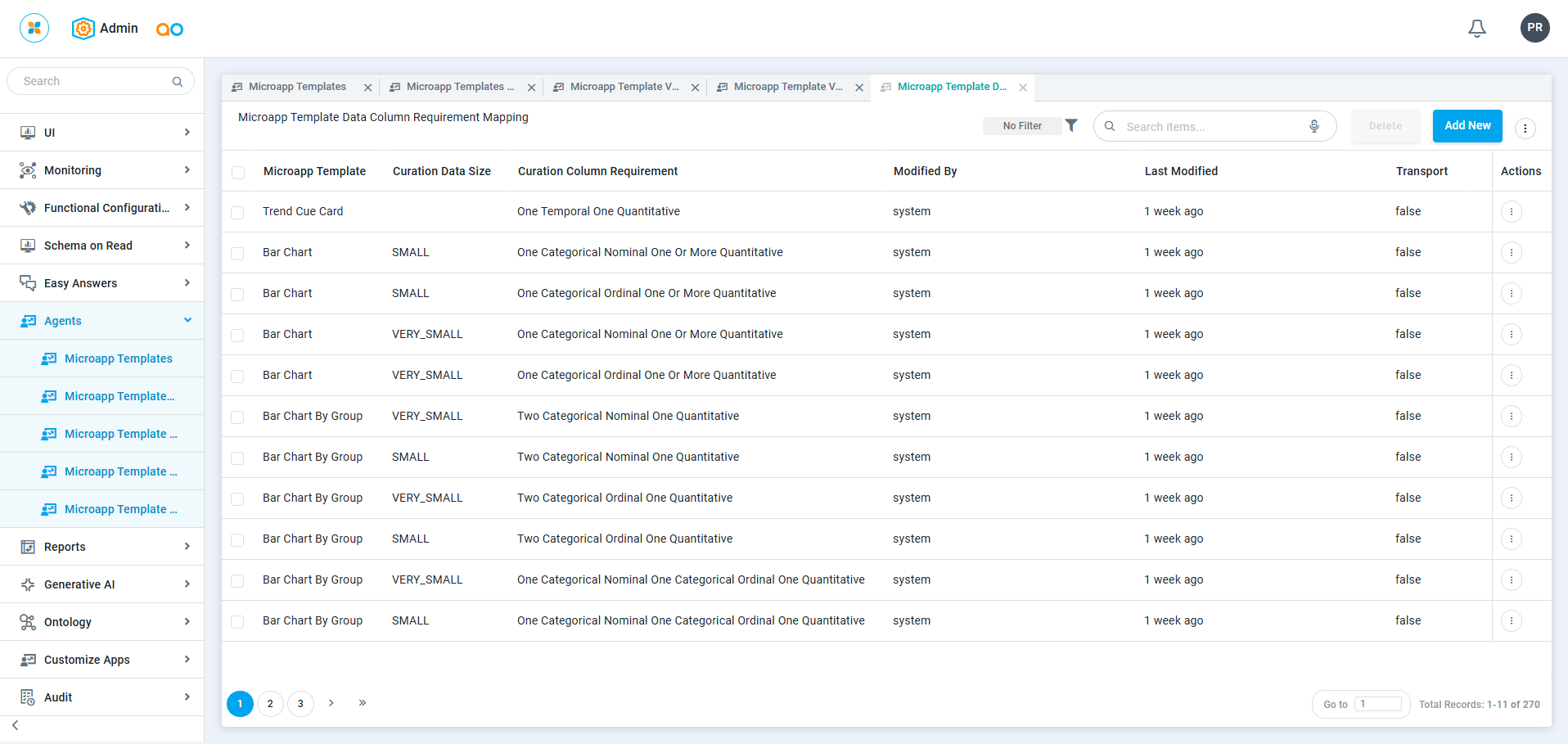
Agent > Micro App Template Data Column Requirement Mapping
This page contains the configurations for Data Column Requirements for each MicroApp Template and associated Curation Data Size.
Contact App Orchid | Disclaimer