
Intended audience: developers administrators
AO Platform: 4.5
Overview
The Easy Answers pages allow the user to create configurations and manage both Natural Language Queries (plain English queries) and Semantic SQL for the purpose of testing both input and output by doing a Test Run, then analyzing the results.
Many of the pages in this section offer the following general actions:
-
Search/Filter - use a search term to find an entry from existing configurations.
-
Delete - batch deletion of any/all selected items.
-
Add New - create a new entry on the page.
-
Refresh - refreshes the page.
-
Import from Excel - allows the provision to import the configuration of one or more entries of the selected configuration page.
-
Download Data - exports the content of the page to a CSV or Excel file.
-
Settings - allows configuration of which columns can be seen on the page.
-
Go to (or select by page number) - allows moving to another page in case of too many entries for one page.
Additionally, these are the actions on individual entries:
-
View - views the properties of an entry in read-only mode.
-
Edit - allows the properties of an entry to be edited.
-
Delete - deletes an entry.
-
Add to Transport - adds the configuration record to Transport.
Easy Answers > Data Indexing Cleanup
The Data Indexing Cleanup page contains Easy Answers questions and related Semantic SQL as indexed by the system. Individual items can be deleted from the index, or all questions in an Ontology can be re-indexed to the configured Vector Store.
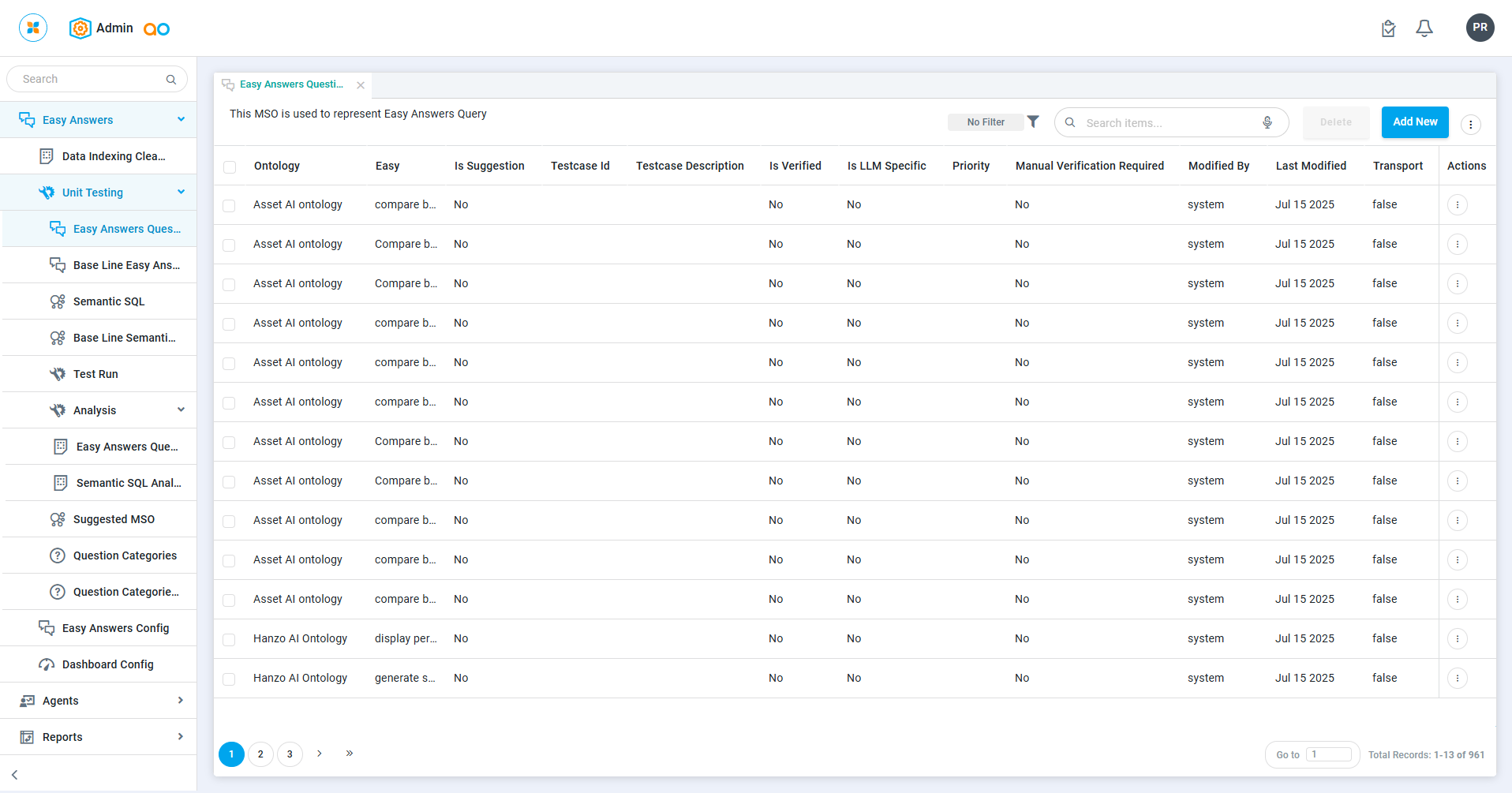
Easy Answers > Unit Testing > Easy Answers Questions
The Easy Answers Questions display all solution-specific Easy Answers questions available in test.easy_answer_qry. During testing in the easy answer mode, only these queries will be considered.
Easy Answers > Unit Testing > Base Line Easy Answers Questions
The Base Line Easy Answers Questions will display all data from the test.easy_answer_qry_base_line_data table, which serves as the golden dataset for comparison. Ensure that this data is accurate and reliable.
Easy Answers > Unit Testing > Semantic SQL
The Semantic SQL displays all solution-specific Semantic SQL available in test.mso_qry. During Semantic SQL testing, only these queries will be considered.
Easy Answers > Unit Testing > Base Line Semantic SQL
The Base Line Semantic SQL displays all data from the test.mso_qry_base_line_data table, used as the golden dataset for comparison. Ensure this data is accurate and flawless.
Easy Answers > Unit Testing > Test Run
The Test Run displays the history of tests whenever the user runs tests for Easy Answers or Semantic SQL.
Easy Answers > Unit Testing > Analysis > Easy Answers Questions Analysis
The Easy Answers Questions Analysis provides information on how many Easy Answers queries passed or failed for each Test Run.
Easy Answers > Unit Testing > Analysis > Semantic SQL Analysis
The Semantic SQL Analysis provides information on how many Easy Answers queries passed or failed for each Test Run.
Easy Answers > Unit Testing > Suggested MSOs
This page lists Suggested MSO Topics and the associated Ontology available from the Easy Answers home page.
Easy Answers > Unit Testing > Question Categories
This page lists Categories for Suggested Questions available from the Easy Answers home page.
Easy Answers > Unit Testing > Question Categories Mapping
This page lists all Suggested Questions and associated Question Categories available from the Easy Answers home page.
Easy Answers > Easy Answers Config
This Easy Answers Configuration outlines the configuration settings and options available for the Easy Answers system, detailing how to customize and optimize its functionality
Easy Answers > Dashboard Config
This Dashboard Configuration describes the configuration options available for setting up and customizing the Easy Answers dashboard, including how to adjust its layout and functionality to meet specific needs.
Contact App Orchid | Disclaimer