
Intended audience: DEVELOPERS ADMINISTRATORS
AO Platform: 5.0
What’s an AO Platform License?
A license is required for the AO Platform server to be used. Consider the license a key you put in the door to walk into a house. Without a license key, the door will always be locked! If a license key has not be applied to the AO Platform server deployment, then a “License Not Found” dialog will appear after the user has signed in.
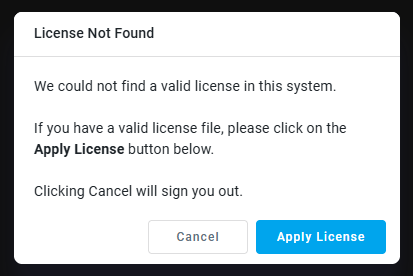
If you are not the Administrator, or otherwise are in possesion of a valid license key, then please click the Cancel button in the dialog and notify the Administrator of your AO Platform deployment.
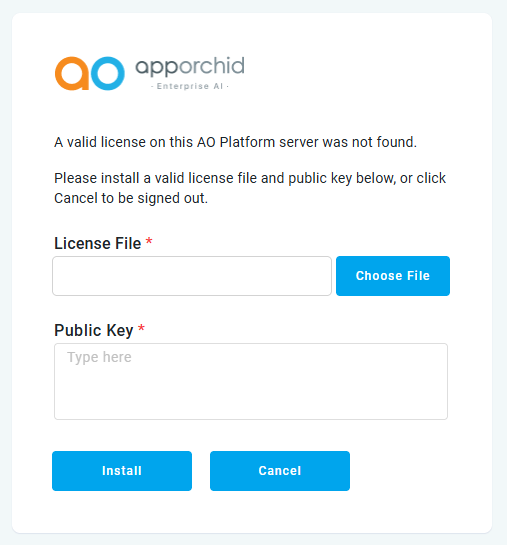
If you are the Administrator and you have a license key, click the Apply License button to open the following dialog where you can provide the required License File and Public Key.
-
License File - click the Choose File button to select the License File from the file system. The filename has the following extension: .l4j. This file is encrypted, but basically contains information about which components and solutions can be used once signed in.

-
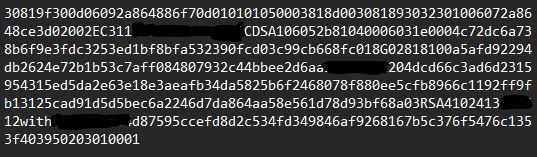
Public Key - this is a long string of letters and numbers that needs to be pasted into the license key field.
Finally, click the Install button to activate the AO Platform deployment.
Contact App Orchid | Disclaimer