
Intended audience: users DEVELOPERS ADMINISTRATORS
AO Platform: 4.5
Solution Menu
Once logged in, there may be multiple Solutions available to the user. On a new system, the Admin solution is the default solution that open after login. The Administrator can use permissions to grant/revoke access to Solutions.
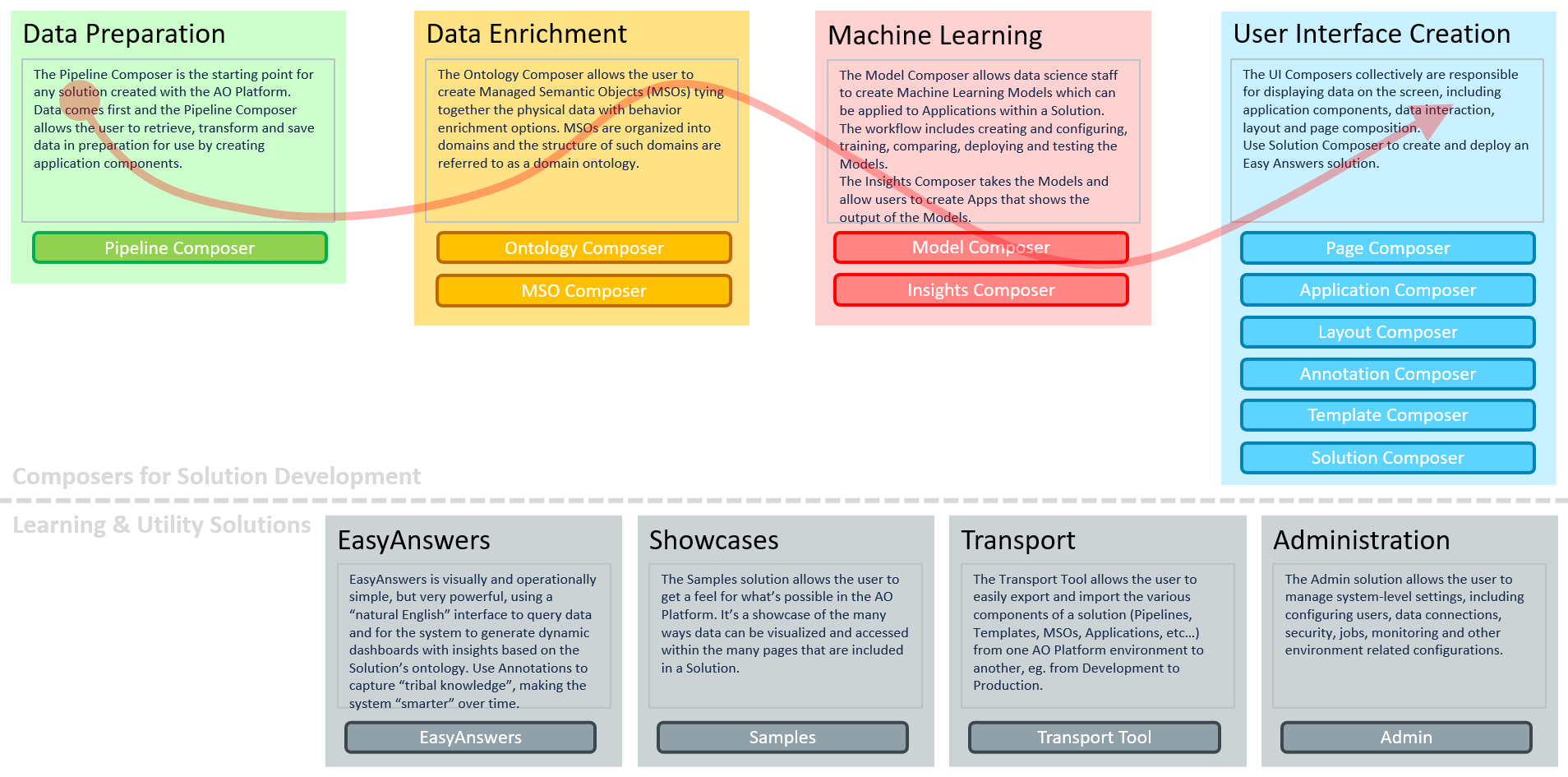
To better understand the purpose of each Solution and how a Solution developer will use the various Solutions, see the following diagram.
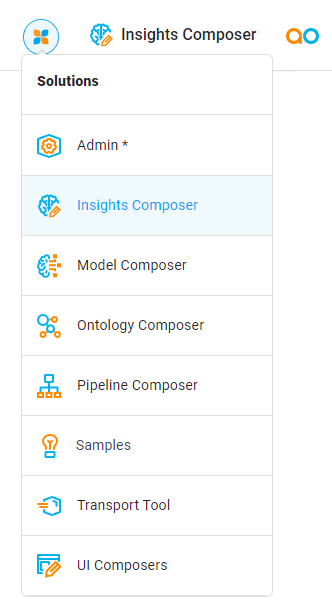
Click the icon in the top-left corner of the screen to see a list of current Solutions available to the user. Then click any available Solution from this list to open it. Alternatively, click on the “external” icon (available by hovering over a Solution entry) to open a Solution in a different browser tab. For a quick insight into what each Solution is designed to do, see Solution Development.
Video
Contact App Orchid | Disclaimer