
Intended audience: Developers administrators
AO Platform: 5.0
Overview
This topic provides insight into how to access the AO Platform Semantic Layer using the SparQL interface via Ontop Virtual Knowledge Graph.
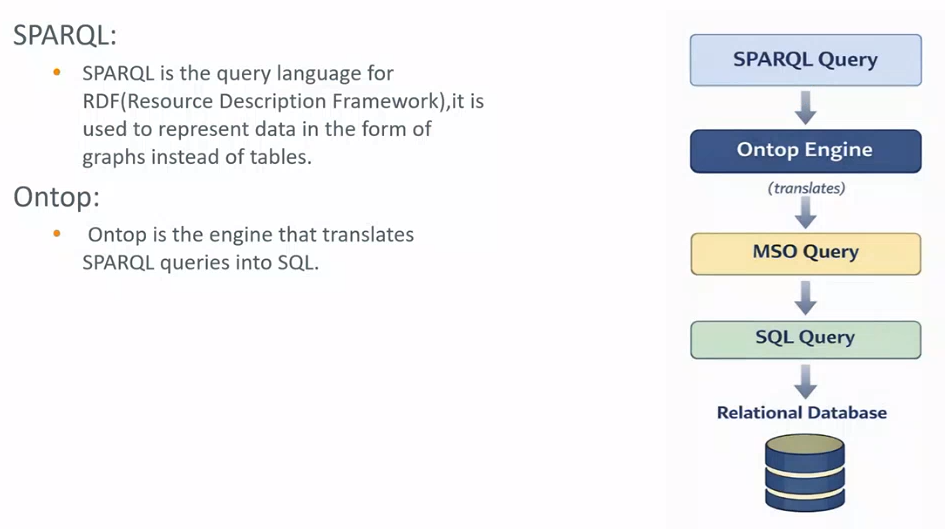
This integration should be considered a Preview in the 5.0 release. More functionality is expected to become available in future releases.
Resources
For details about the SparQL Query Language and the Ontology-Based Data Access (OBDA) mapping, please see these resources:
Configuration
-
Configure Header (example), including Authorization token.
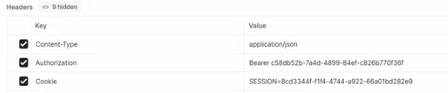
Use of SparQL Connection to AO Platform
-
Execute a SparQL query by using a REST endpoint -
/api/ontology/{ontology_uid}/sparql/execute- and return results in multiple formats -?outputFormat=:-
SPARQL_JSON (default)
-
RDF_XML
-
OWL
-
JSON
-
TURTLE
-
-
Generate a SparQL query from SQL using Ontology-Based Data Access (OBDA) mapping - in ChatGPT
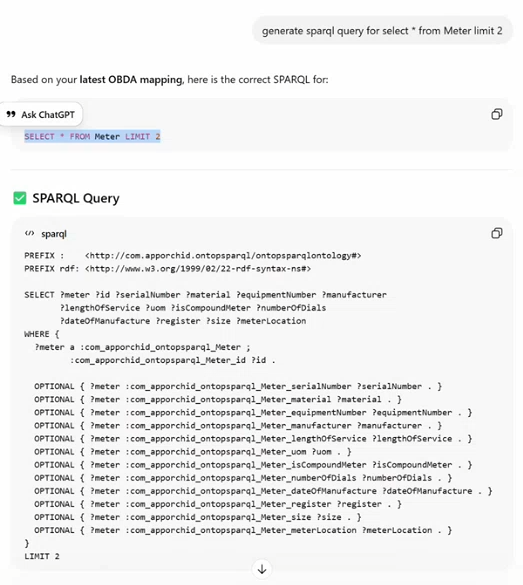
-
Enter the SparQL query in eg. Postman.
-
URL:
https://{ao-server}/api/ontology/{ontology_uid}/sparql/execute?outputFormat=OWL -
Body (raw): full SparQL query
-
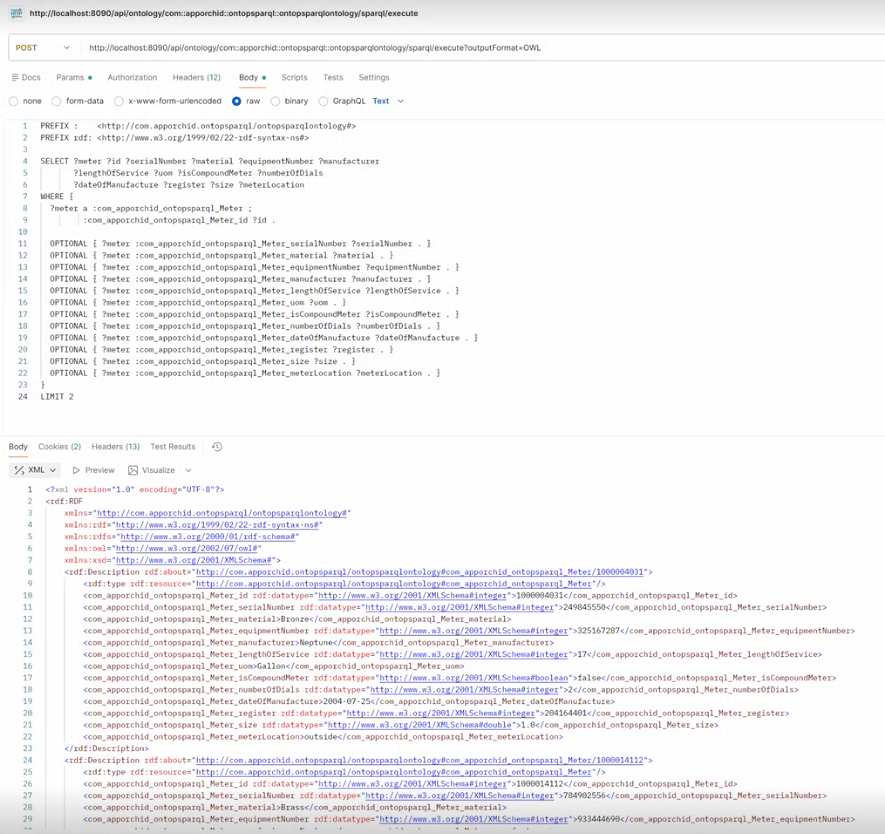
-
Copy the outputFormat result to ChatGPT and ask it to generate the graph.

Contact App Orchid | Disclaimer