
Intended audience: Developers administrators
AO Platform: 5.0
High-Level Architecture
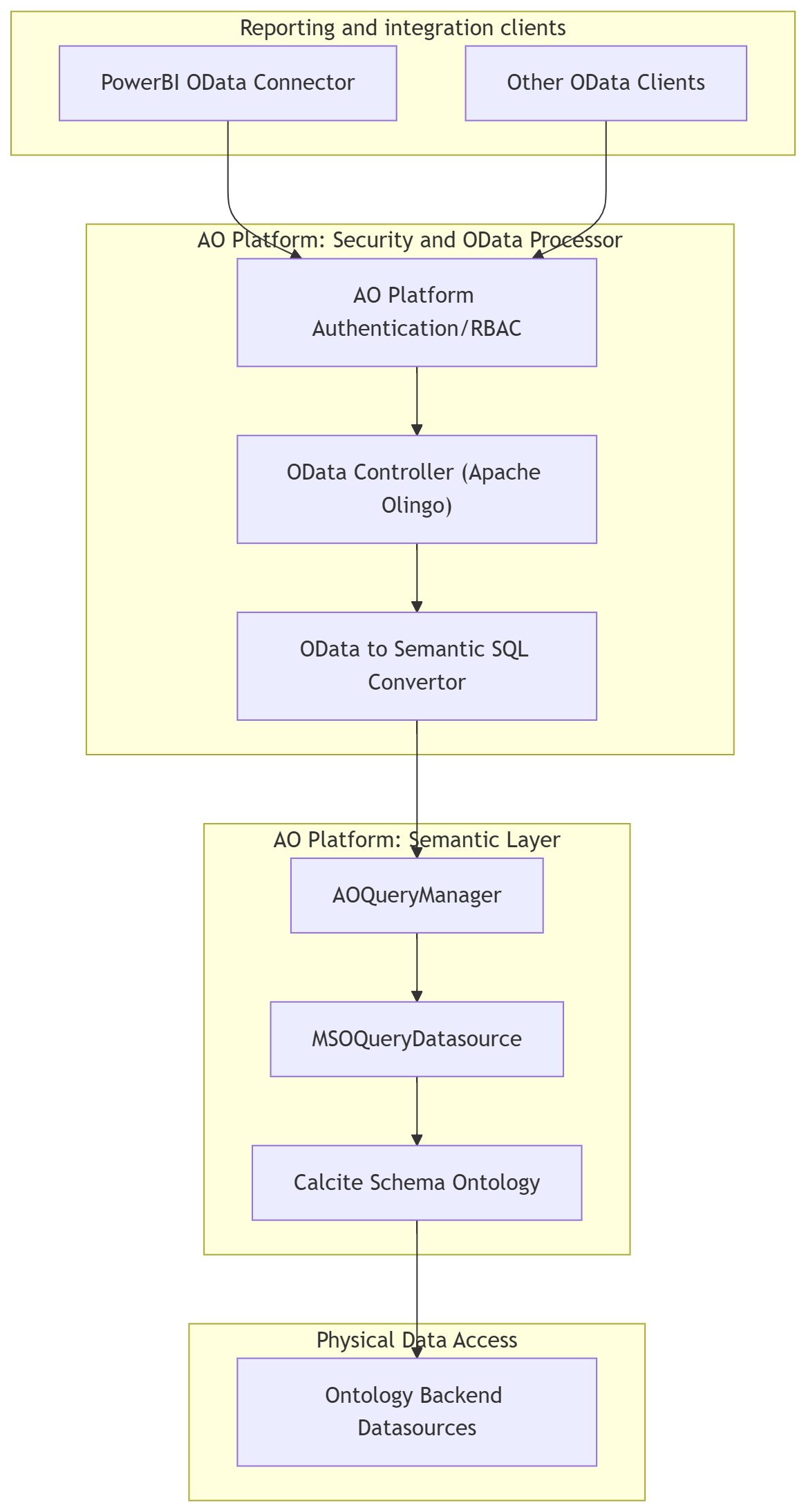
The following diagram shows how OData requests flow through the same security, semantic SQL, and datasource stack as JDBC/Avatica (read path only).
-
OData endpoint: Hosted in the AO Platform server under a path like
/odata/{schemaPrefix}/.... -
Schema/ontology: Each ontology is exposed as a separate “service” by using its schema prefix in the URL (e.g.
/odata/UTforAssetAIontology with prefixUT). This aligns with the existing JDBC/Avatica SCHEMA connection property. -
Backend: OData requests are translated to semantic SQL and executed via the same engine used for JDBC (i.e., AOQueryManager → MSOQueryDatasource). There is no separate database; the Calcite schema (MSOs as tables, properties as columns) is the source of metadata and data.
-
Security: The same platform authentication and RBAC apply: only authenticated users with access to an ontology can use its OData endpoint. For OData + Power BI, only database with Basic credentials are treated as certified in this implementation. Single sign-on scenarios using OpenID (Bearer / Organizational account from the client) and SAML are not currently certified for OData; they are documented below as guidance only, and formal certification, test coverage, and hardening for those flows are planned as a separate enhancement.
Main URLs (per ontology)
|
Purpose |
URL pattern (relative to server base) |
|---|---|
|
Service document |
|
|
Metadata (EDM) |
|
|
Entity set (list) |
|
Example base URL for one ontology (schema prefix UT):
-
https://platform-host:port/odata/UT
Power BI will use this base URL when connecting via the OData connector.
Contact App Orchid | Disclaimer