
Intended audience: USERS
AO Platform: 5.0
Overview
The installation of the AO MCP Server into Claude (or other MCP Server-supporting AI products or tools) is typically done by the IT staff in an organization. See MCP Server - for Developers and Admins topics for details. The following section assumes that the AO MCP Server has already been installed and configured within Claude.
MCP Server - Checking Installation
Once the MCP Server has been installed inside Claude, here are a few ways that the user can check the installation.
Open the Settings entry in the User menu in bottom/left corner.
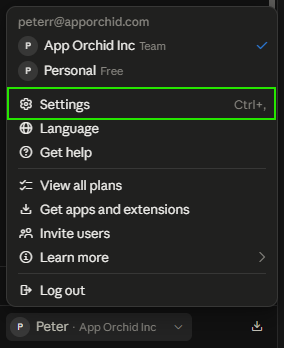
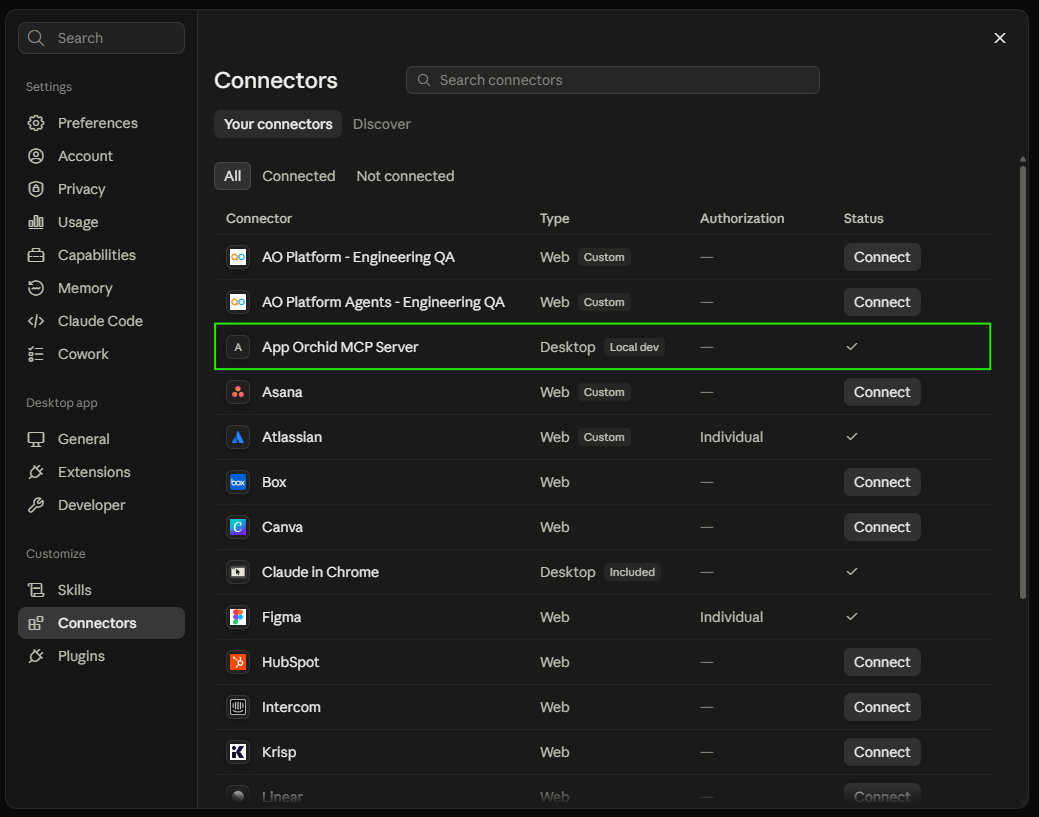
When the Settings dialog opens, select the Settings > Connectors entry in the Customize section. You should see a Connector called “App Orchid MCP Server”.
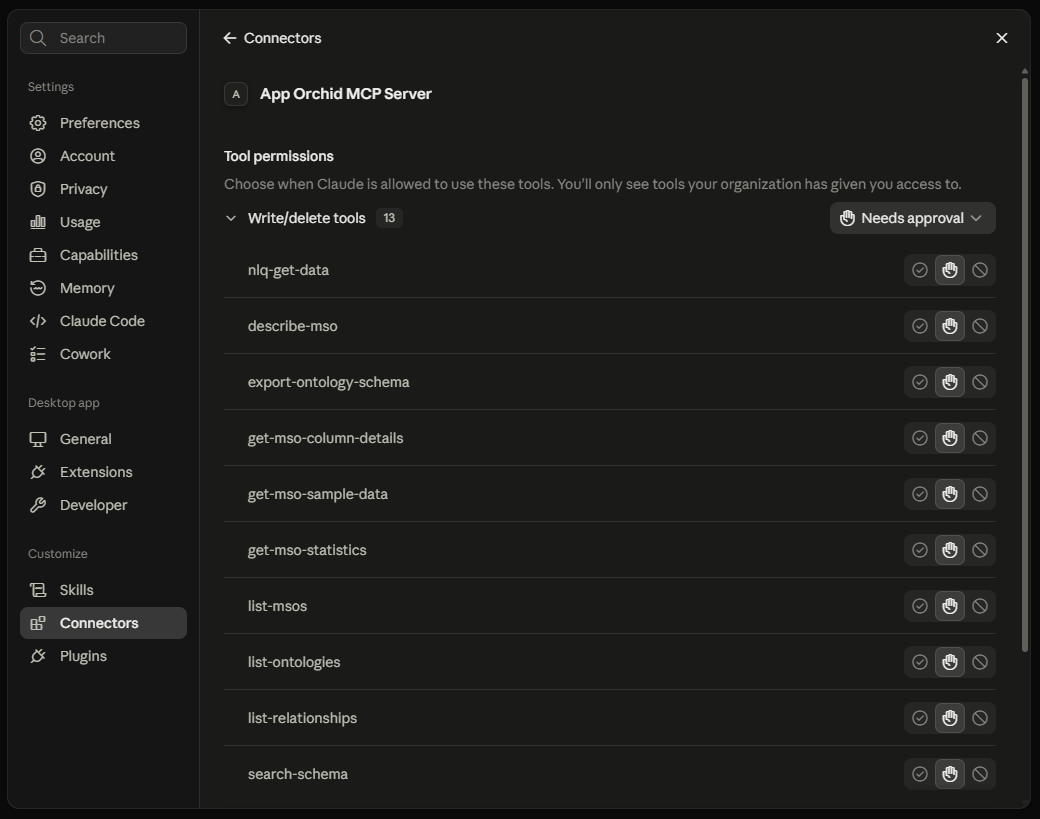
Click the connector entry to see a list of tools and their current permission level. Options available include: Always allow, Needs approval, Blocked, or Custom (if different permissions are set for different tools).
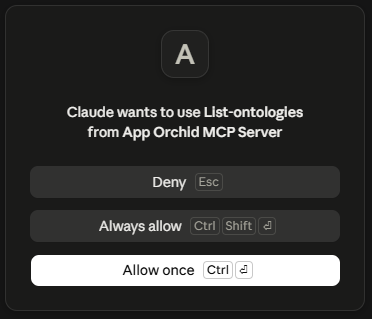
When prompting Claude to use the AO MCP Server tools and the given tool does not have adequate permissions to run, a dialog will appear prompting the user to consider giving permissions for the tool to execute; otherwise, the request will be denied.
If it is necessary to configure the installation of the AO MCP Server and assuming the user has the permissions to do so, then the configuration can be reached when selecting the Settings > Developer entry in the Desktop app section on the left. A typical property of the installation is the API Key that may expire and therefore will need to be updated.
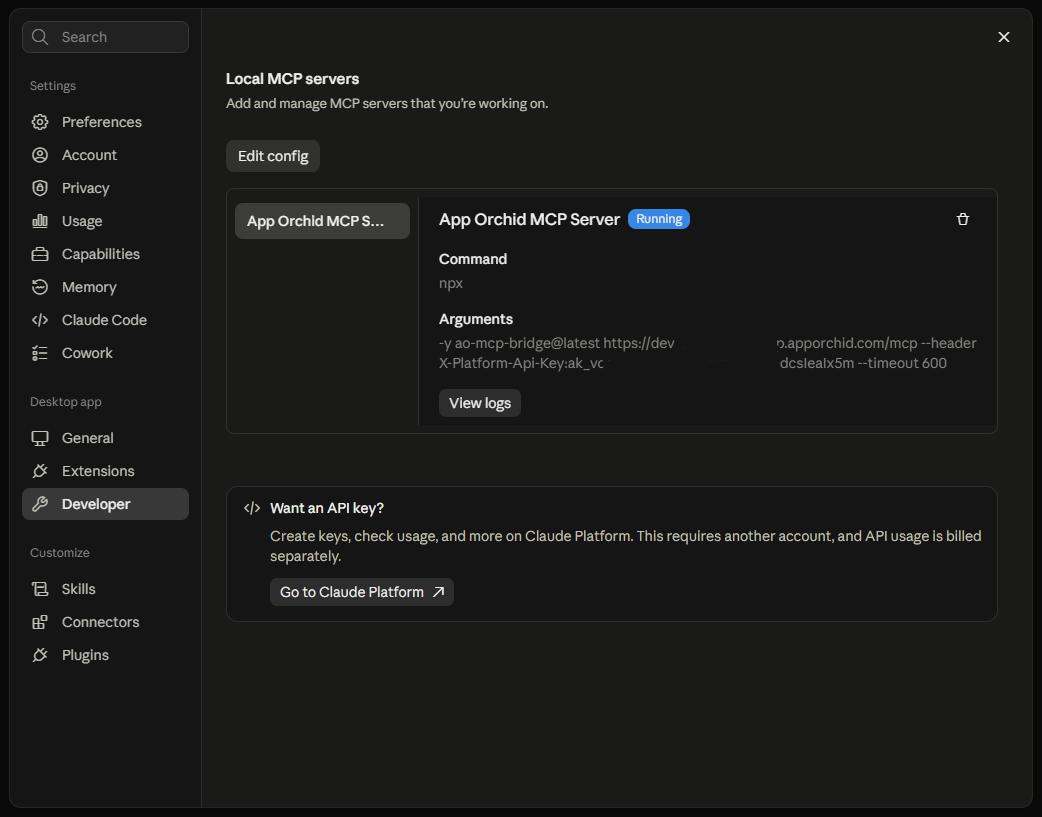
The next piece of the installation to be checked is the availability of the “ao-mcp-query” skill. Select the Skills entry in the Settings > Customize section to find the “ao-mcp-query” entry.
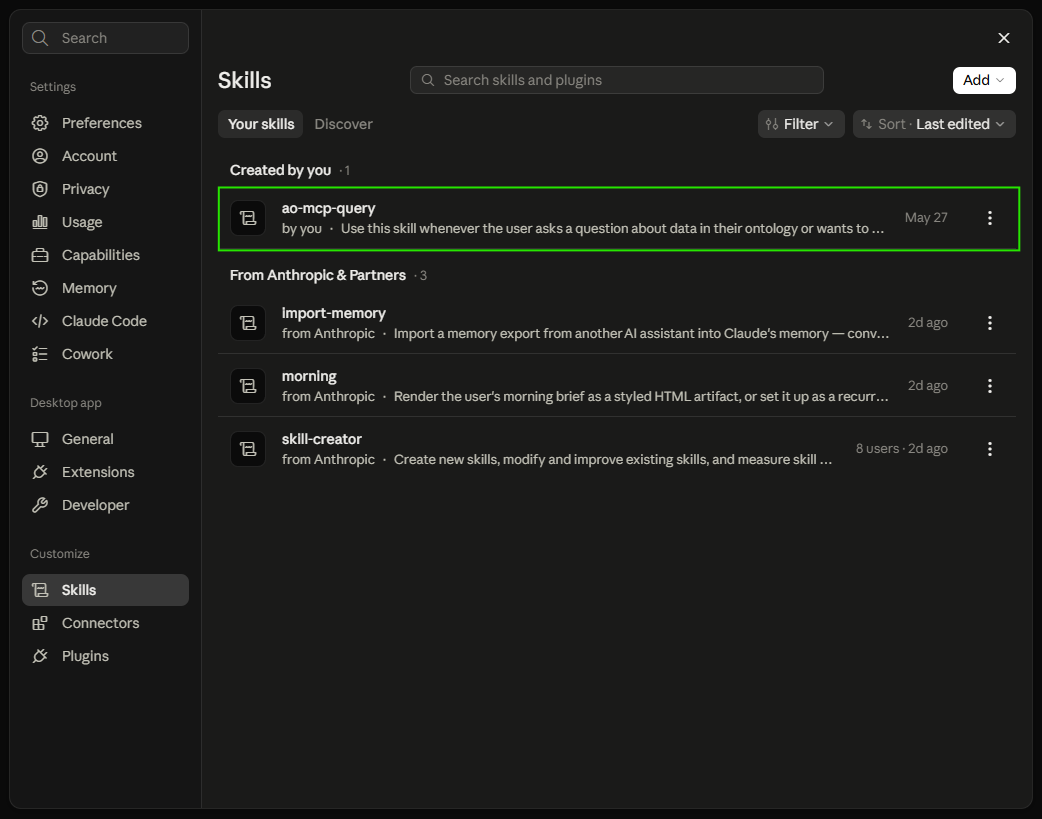
Click the “ao-mcp-query” entry to view both an Overview and additional detailed Contents.
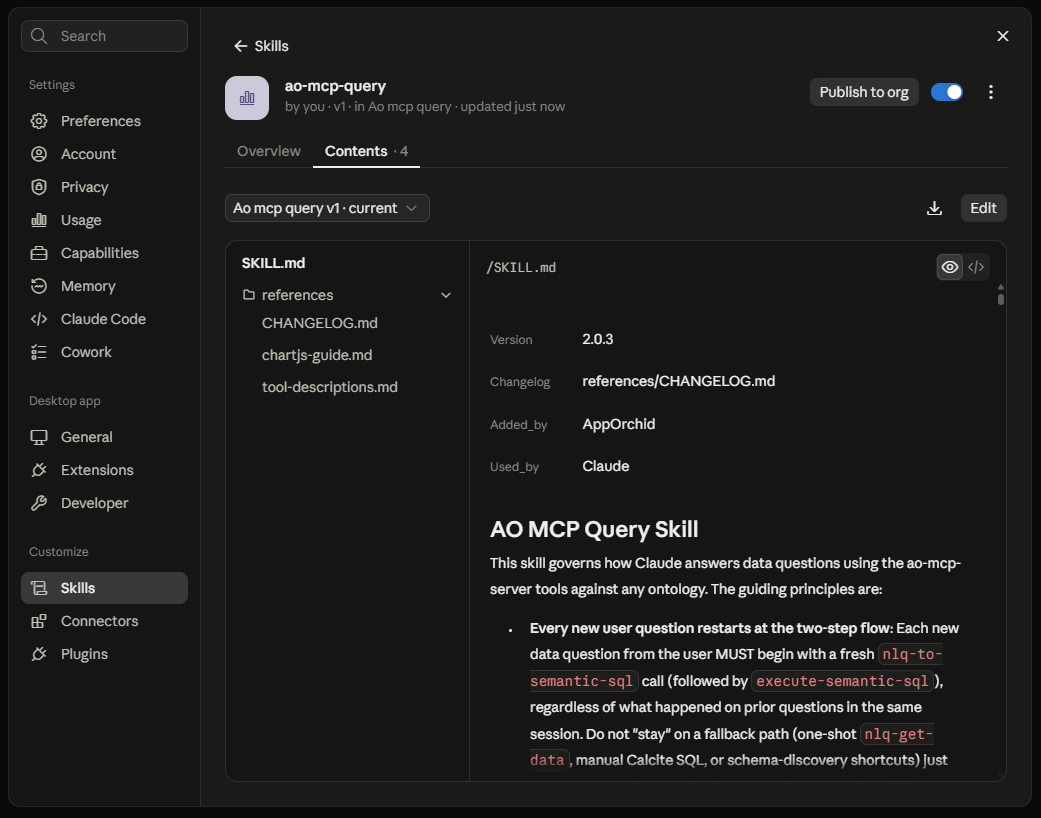
AO MCP Server - Ready to Use!
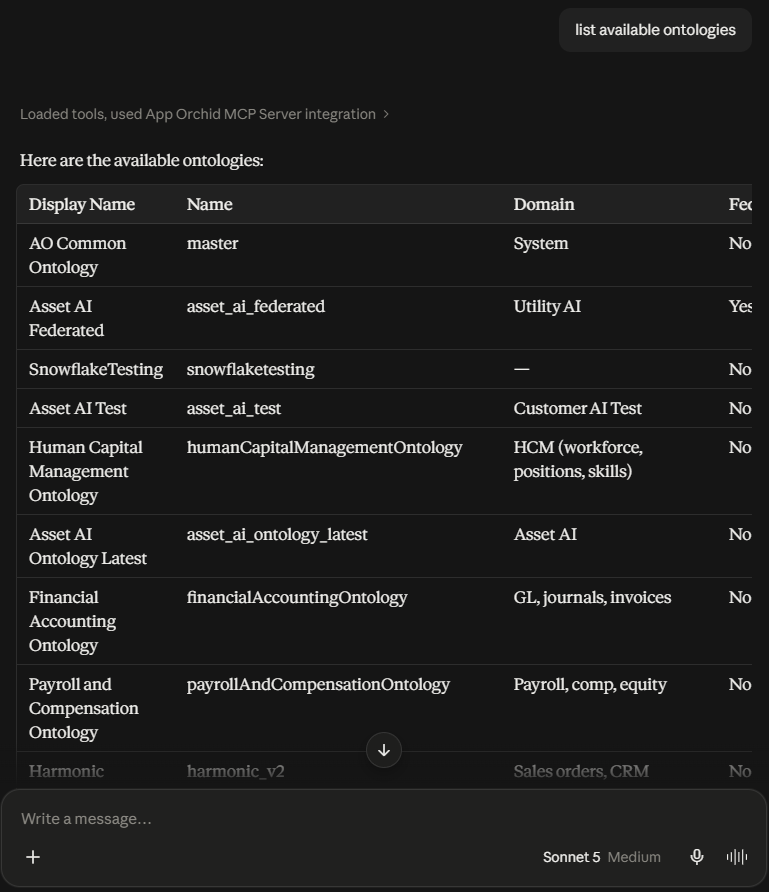
Now, let’s try some prompts that will automatically invoke and execute the AO MCP Server tools.
Prompt: list available ontologies
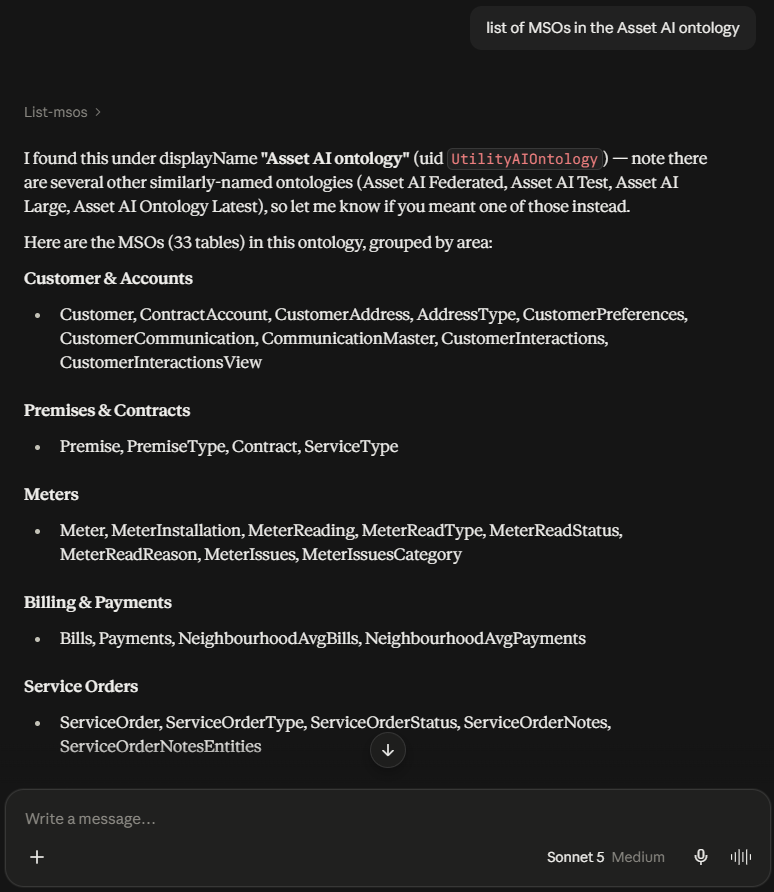
Prompt: list of MSOs in the Asset AI ontology
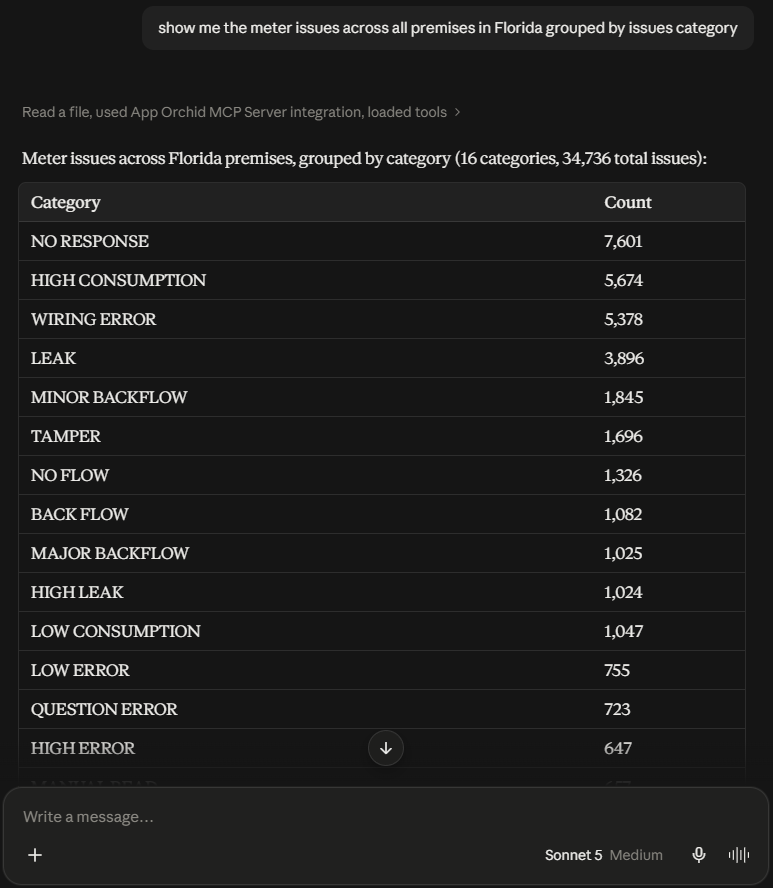
Prompt: show me the meter issues across all premises in Florida grouped by issues category
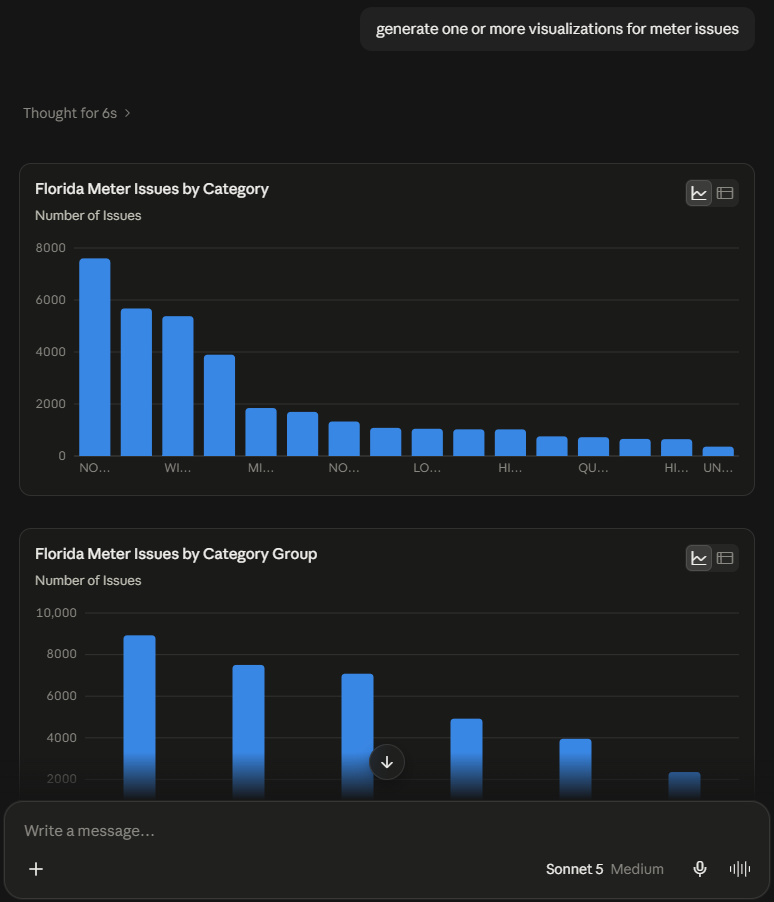
Prompt: generate one or more visualizations for meter issues
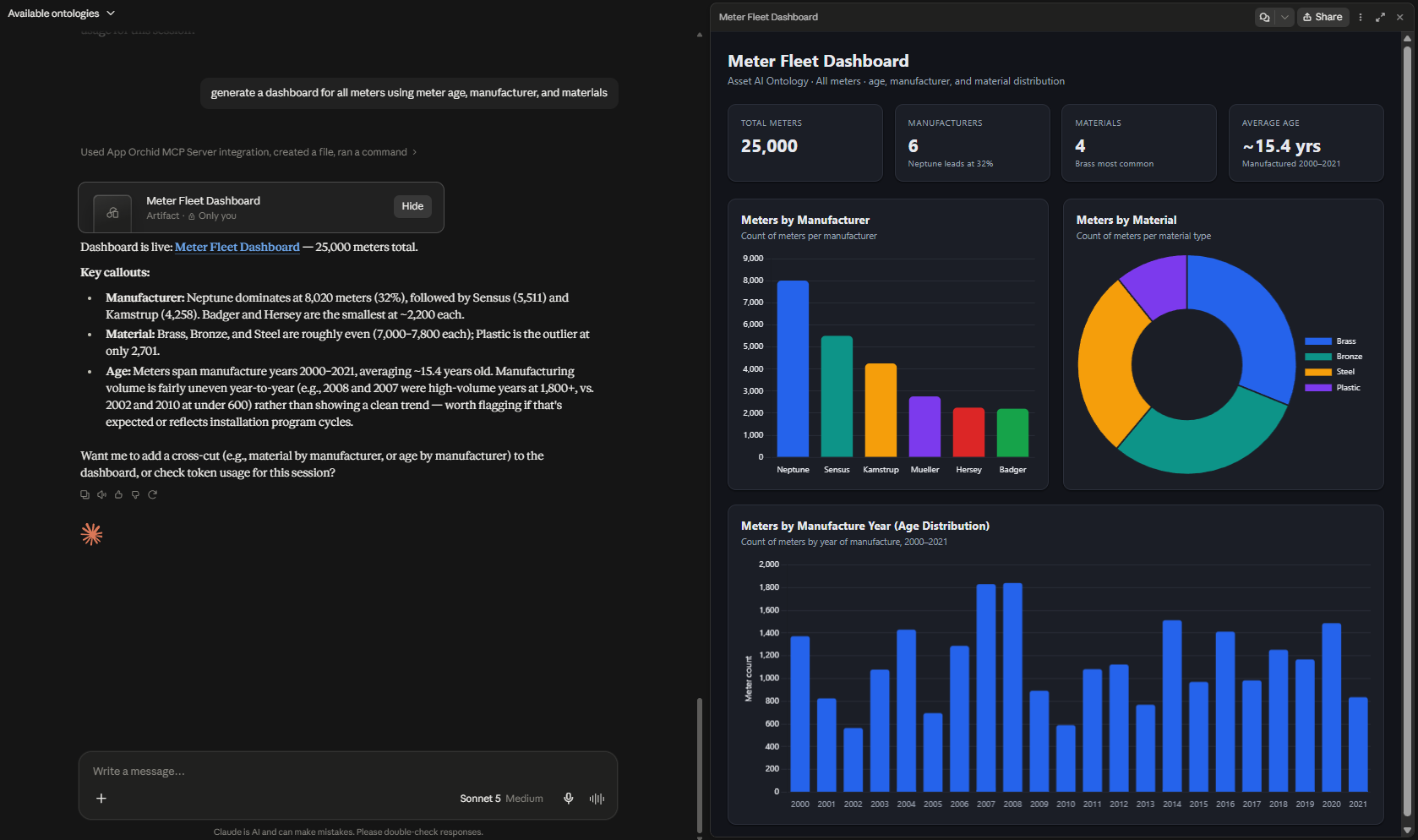
Prompt: generate a dashboard for all meters using meter age, manufacturer, and materials
MCP Server Details
Contact App Orchid | Disclaimer