
Intended audience: analysts developers administrators
AO Platform: 5.0
Overview
Using Role-based permissions, an Ontology can be configured as “Allow Use”. This means that all Ontology and associated MSO configurations will be shown as read-only, and no editing can be performed by users of the Role. Additionally, all entries in the Options menu for both Ontology and MSOs that perform create/edit/delete operations are not available.
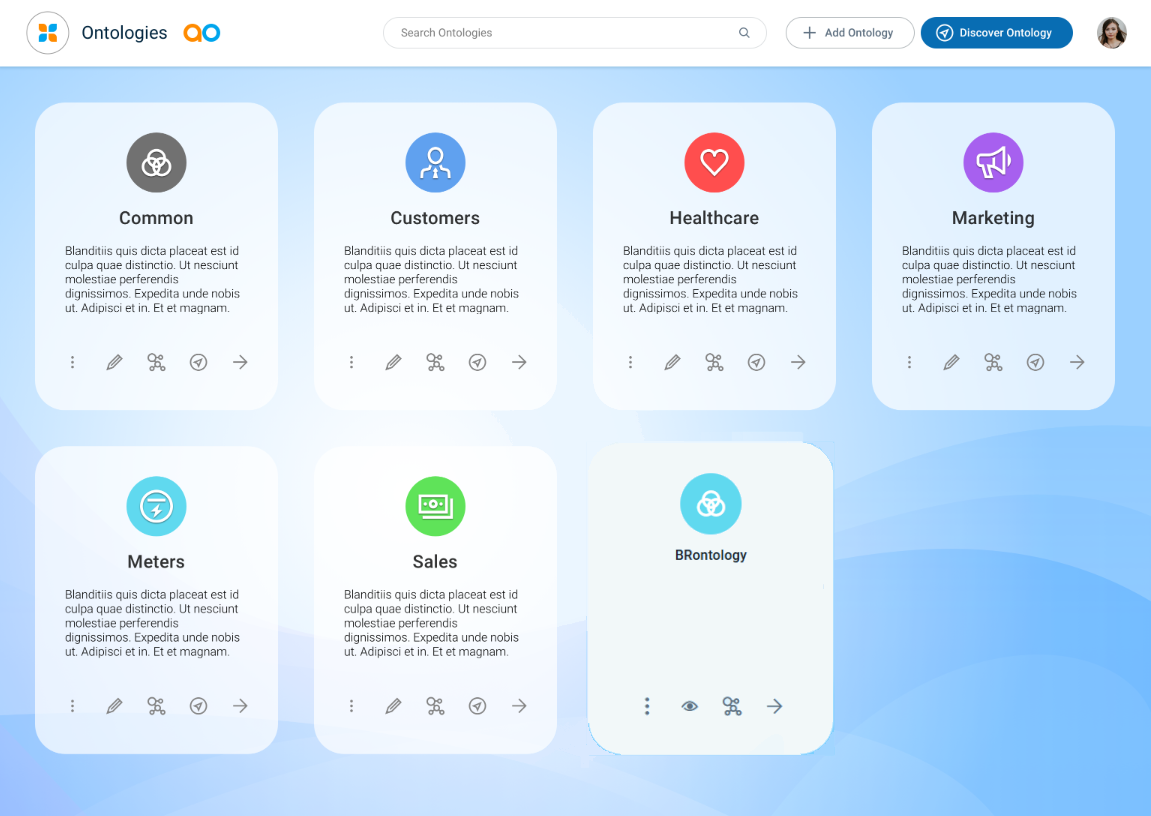
In the above screenshot, the “BRontology” has had the “Allow Use” permission granted for the current user’s Role. Therefore, it’s shown with an “eye” icon instead of a “pencil” icon, indicating that this Ontology can only be viewed, but not edited. Also, the Discovery option has been removed.
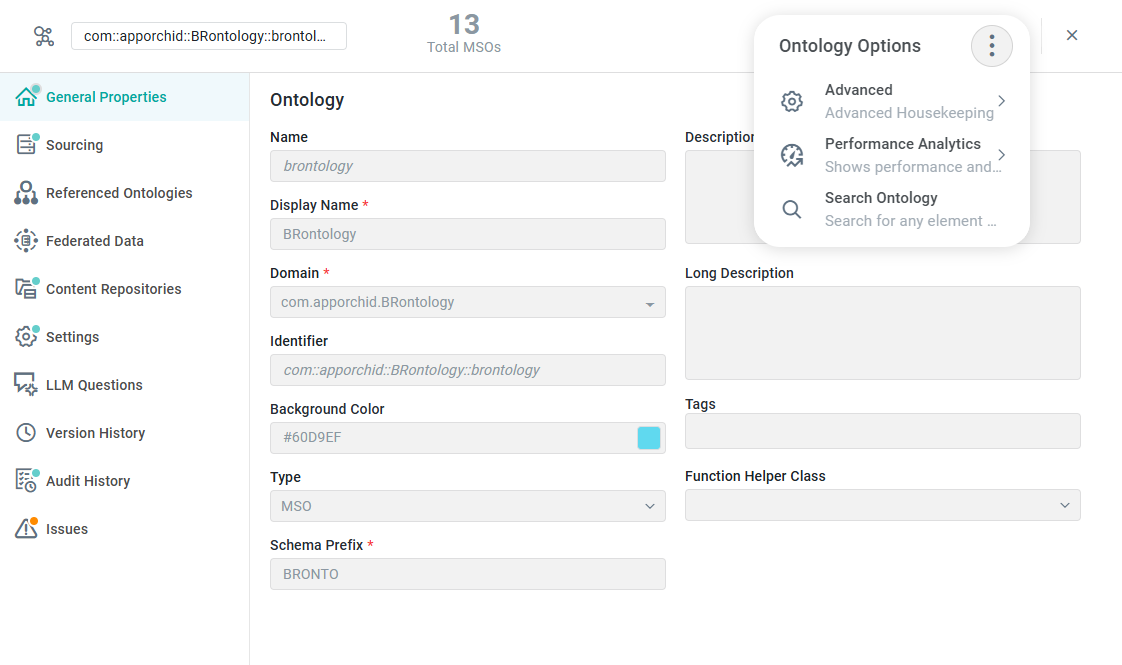
The next screenshot is an example of an Ontology property configuration page showing all properties as read-only, the Save icon missing, and a much reduced Options menu - with only view-only options.
For a full overview of Ontology configurations when the user’s Role has “Allow Edit” permissions, see Editing an Ontology.
Contact App Orchid | Disclaimer