
Intended audience: developers administrators
AO Platform: 5.0
Overview
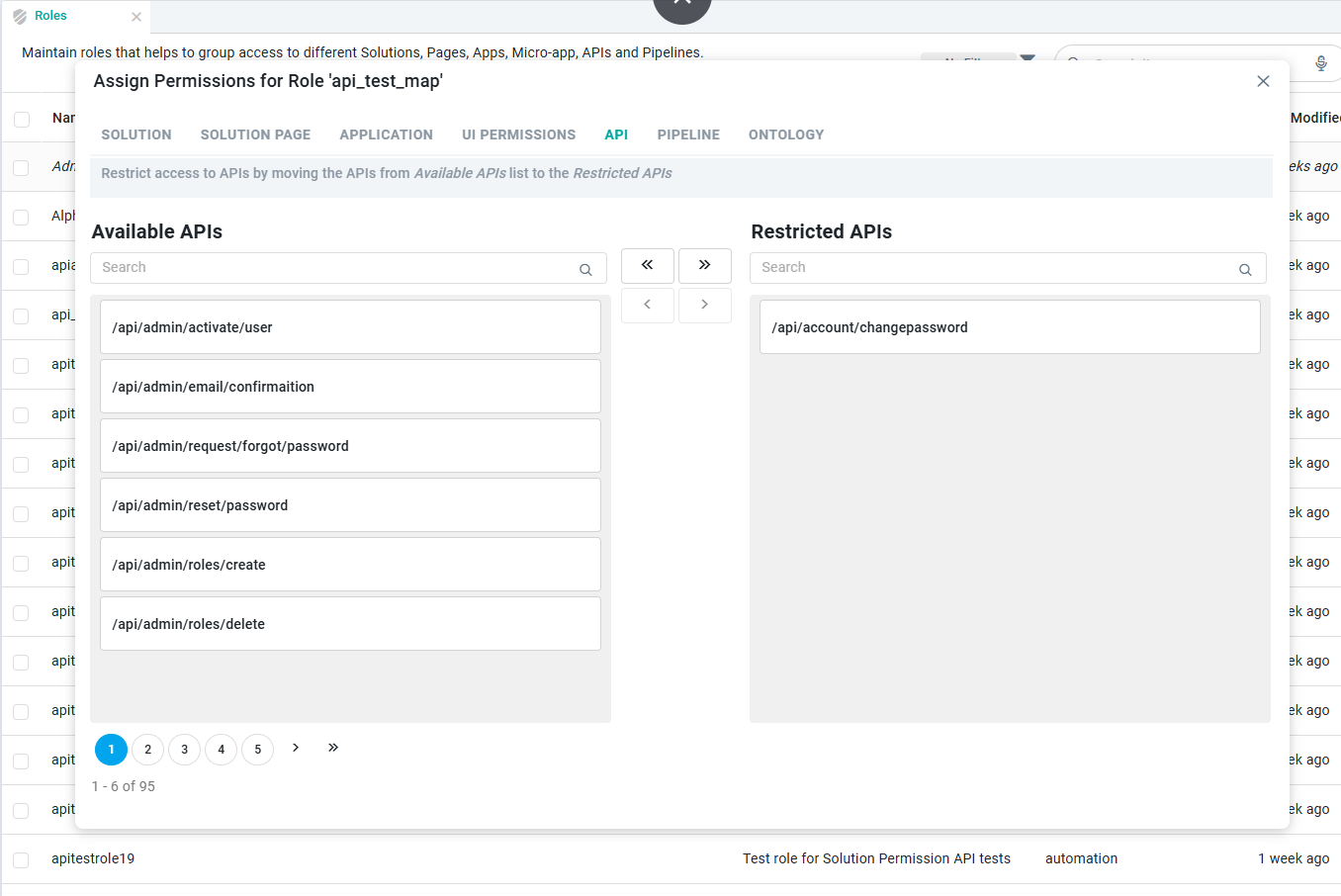
The API tab controls which APIs a Role can call. Every API in the Available APIs list is accessible by default, so this tab works by restriction: you move the APIs a Role shouldn't use over to the Restricted APIs list. It follows the same model as the SOLUTION PAGE and APPLICATION tabs, but it's simpler, since access is all or nothing per API with no further Rights to set.
Assigning API Permissions
The left panel lists the Available APIs that a Role can call, shown by their endpoint paths, and the right panel lists the Restricted APIs.
-
In Available APIs, find an API using the search box or the page controls, then select it.
-
Move it to Restricted APIs with the arrow buttons. The single right arrow (›) moves the API you've selected, and the double right arrow (») moves all of them. The change takes effect as soon as you move it.
-
To restore access, select an API under Restricted APIs and use the left arrows (‹ or «) to move it back.
Contact App Orchid | Disclaimer