
Intended audience: analysts developers administrators
AO Platform: 5.0
Easy Answers Agent
These settings are used to configure the functionality, user interface elements and behaviors of the Easy Answers Agent available in Easy Answers solutions.
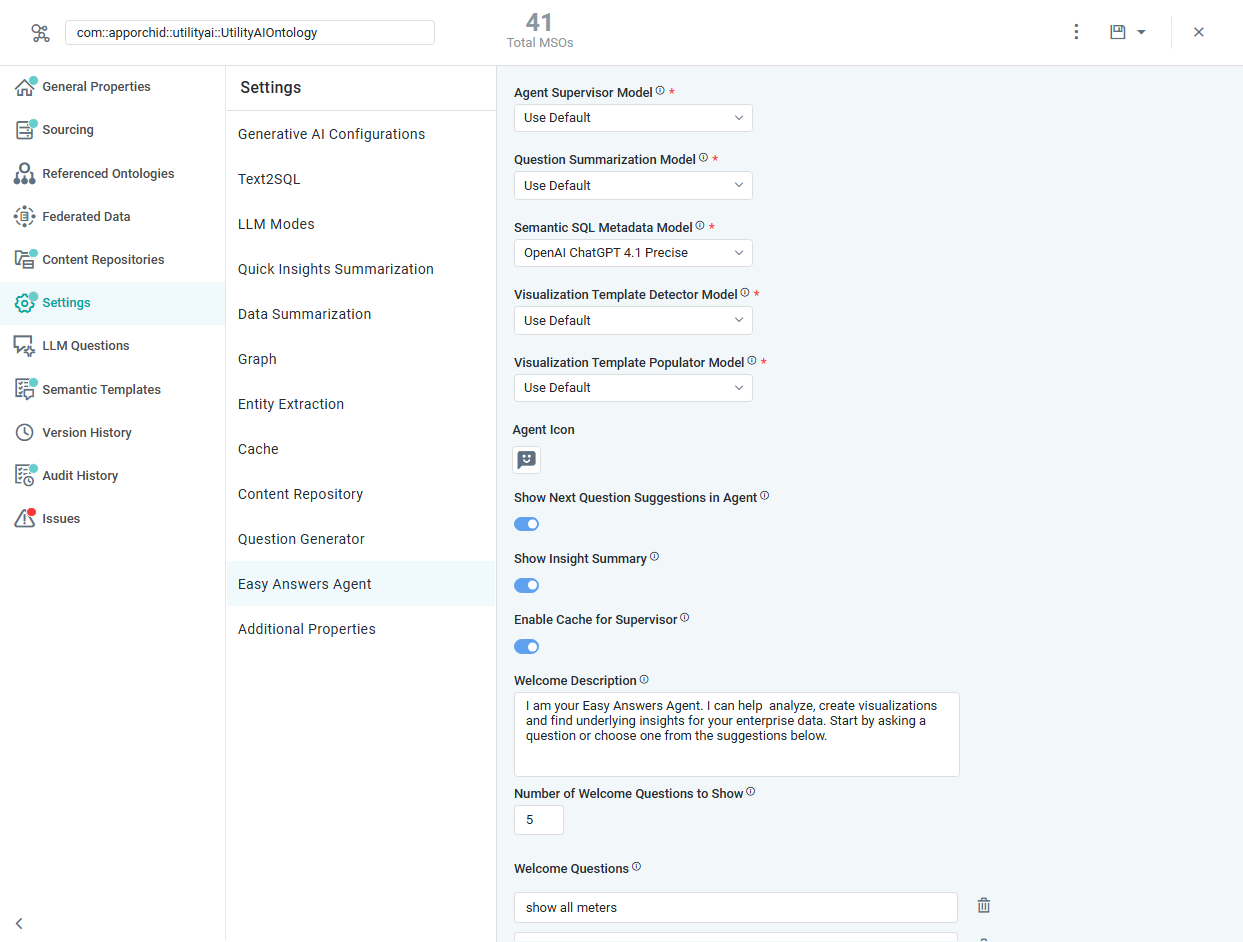
Properties
|
Label |
UI Widget |
Defaults |
Description |
|---|---|---|---|
|
Agent Supervisor Model |
Dropdown |
Use Default |
Select the LLM Model to be used for the Agent Supervisor Model. |
|
Question Summarization Model |
Dropdown |
Use Default |
Select the LLM Model to be used for the Question Summarization Model. |
|
Visualization Template Detector Model |
Dropdown |
Use Default |
Select the LLM Model to be used for the Visualization Template Detector Model. |
|
Visualization Template Populator Model |
Dropdown |
Use Default |
Select the LLM Model to be used for the Visualization Template Populator Model. |
|
Agent Icon |
Icon |
|
|
|
Show Next Question Suggestions in Agent |
ON/OFF Toggle |
ON |
If enabled, the Next Question Suggestions will be displayed in the Agent after a response to a previous question. |
|
Show Insight Summary |
ON/OFF Toggle |
ON |
If enabled, the Insight Summaries will be displayed in the Agent for any Insights generated. |
|
Enable Cache for Supervisor |
ON/OFF Toggle |
ON |
If enabled, the Supervisor response will be retrieved from the cache. |
|
Enable Java Runtime |
ON/OFF Toggle |
ON |
Selects which runtime answers a chat turn: the Java agent when enabled, the Python agentic service when disabled ( |
|
Welcome Description |
Multi-Line Text Field |
I am your Easy Answers Agent. I can help analyze, create visualizations, and find underlying insights for your enterprise data. Start by asking a question or choose one from the suggestions below. |
Enter a description to be displayed on the Agent’s home page. |
|
Number of Welcome Questions to Show |
Number Field |
5 |
Enter the maximum number of Welcome Questions to show on the Agent’s home page. |
|
Welcome Questions |
Text Field |
(none) |
Enter Welcome Questions to display on the Agent’s home page. |

Contact App Orchid | Disclaimer