
Intended audience: analysts developers administrators
AO Platform: 4.5
Overview
The MSO Composer has multiple actions and tools to support the Discovery processes, ongoing updates, troubleshooting, and exchanging an Ontology between different systems.
MSO Options
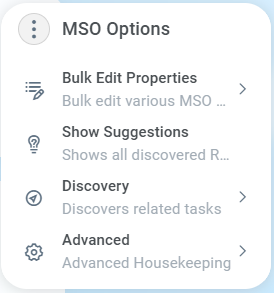
-
Bulk Edit Properties - see Bulk Edit Properties.
-
Show Suggestions - shows all discovered Relationships, Words, Traits, and Insights, - allowing the user to Accept/Reject as needed. See Showing Suggestions for MSO.
-
Discovery - see Discovery submenu below.
-
Advanced - see Advanced submenu below.
Discovery Submenu
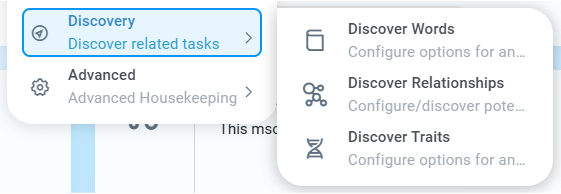
-
Discover Words - configure options for and discover value-based words from data for MSO properties to be used in Easy Answers. See Discover Words for MSO.
-
Discover Relationships - configure/discover potential connections between this and other MSOs. See Discover Relationships for MSO.
-
Discover Traits - configure options for and discover functional traits to be suggested for MSO properties. See Discover Traits for MSO.
Advanced Submenu
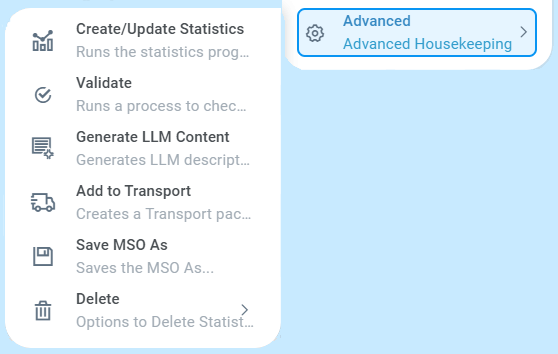
-
Create/Update Statistics - creates (or updates) the Statistics for MSO with Sourcing. See Statistics Levels.
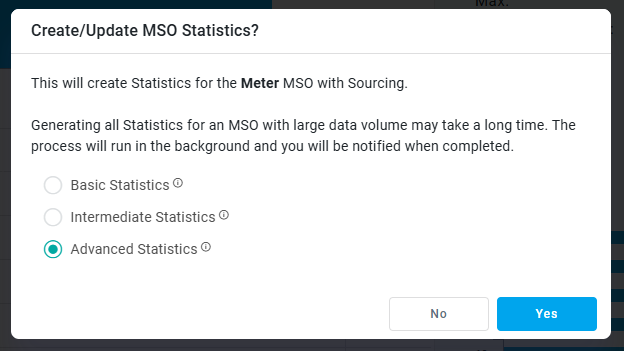
-
Validate - runs a process to check for inconsistency, best practices, structural, and implementation errors in the MSO. View issues found on the Issues page in the MSO. See MSO - Issues.
-
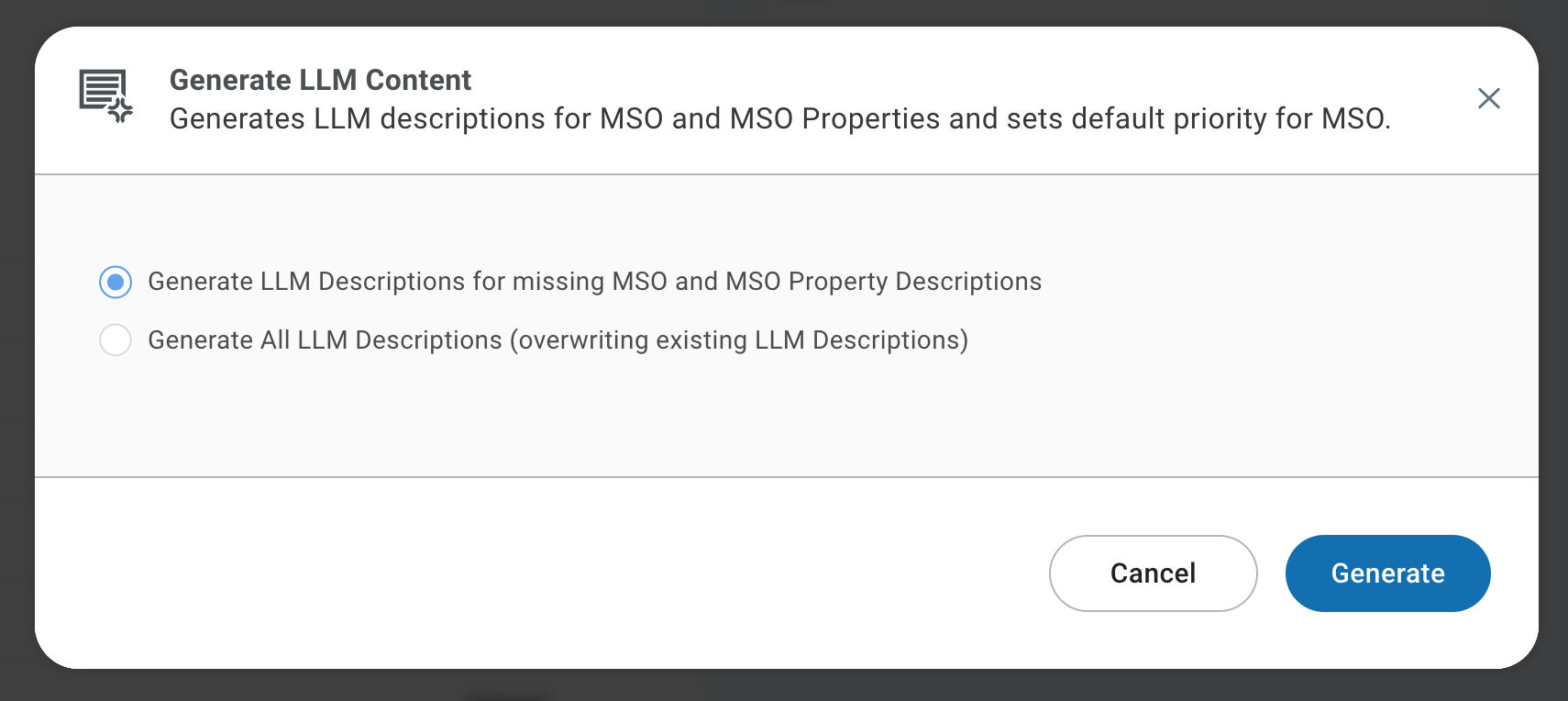
Generate LLM Content - generates LLM descriptions for MSO and MSO Properties and sets default priority for the MSO. When selected, a Generate LLM Content dialog opens to start the process.
-
View ER Diagram - opens a dialog showing the MSO in an ER Diagram. See Viewing ER Diagram.
-
Add to Transport - adds the MSO transport package to (or removes it from) the Transport Tool. See Adding an MSO to Transport.
-
Index Search Store - creates/updates the index for the Search Store to allow easy searching of search terms across various objects in the Ontology. See Search Ontology.
-
Save MSO As - opens a dialog to save the current MSO under a new name, thereby creating a new MSO. See Saving MSO As.
-
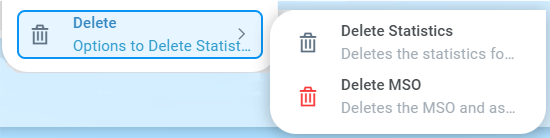
Delete - see Delete submenu below.
Delete Submenu
-
Delete Statistics - deletes the statistics for the MSO in the Ontology. Confirmation is required.
-
Delete MSO - deletes the MSO and associated words, traits, and insights. Related/linked MSOs will not be deleted. This is irreversible and requires confirmation.
Contact App Orchid | Disclaimer