
Intended audience: analysts developers administrators
AO Platform: 4.5
Easy Answers Agent
The Easy Answers Agent configuration is used …
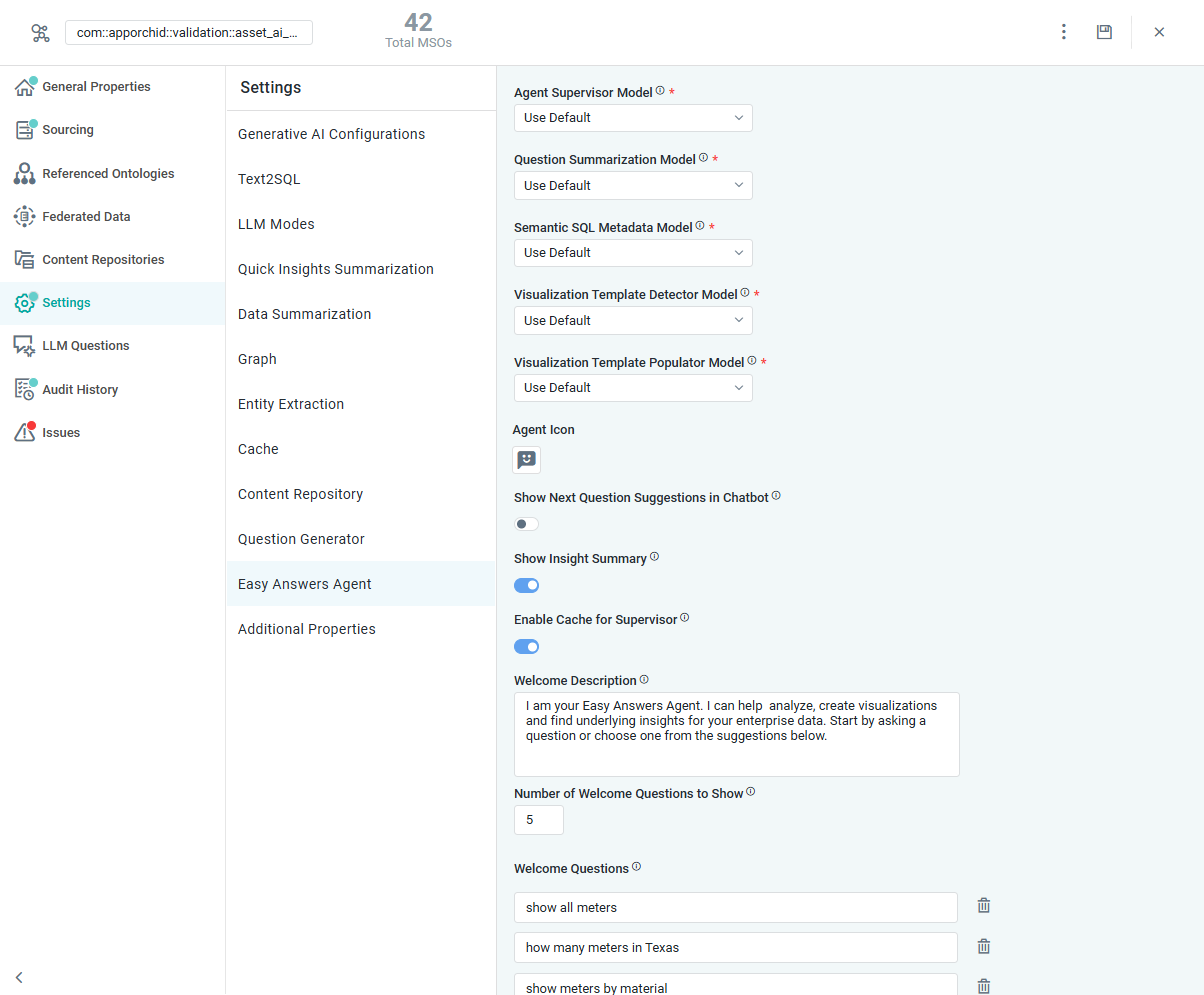
Properties
|
Label |
UI Widget |
Defaults |
Description |
|---|---|---|---|
|
Agent Supervisor Model |
Dropdown |
Use Default |
|
|
Question Summarization Model |
Dropdown |
Use Default |
|
|
Semantic SQL Metadata Model |
Dropdown |
Use Default |
|
|
Visualization Template Detector Model |
Dropdown |
Use Default |
|
|
Visualization Template Populator Model |
Dropdown |
Use Default |
|
|
Agent Icon |
Icon |
|
|
|
Show Next Question Suggestions in Agent |
ON/OFF Toggle |
ON |
If enabled, the Next Question Suggestions will be displayed in the Agent after a response to a previous question. |
|
Show Insight Summary |
ON/OFF Toggle |
ON |
If enabled, the Insight Summaries will be displayed in the Agent for any Insights generated. |
|
Enable Cache for Supervisor |
ON/OFF Toggle |
ON |
If enabled, the Supervisor response will be retrieved from the cache. |
|
Welcome Description |
Multi-Line Text Field |
|
Enter a description to be displayed on the Agent’s home page. |
|
Number of Welcome Questions to Show |
Number Field |
|
Enter the maximum number of Welcome Questions to show on the Agent’s home page. |
|
Welcome Questions |
Text Field |
|
Enter Welcome Questions to display on the Agent’s home page. |

Contact App Orchid | Disclaimer