
Intended audience: developers administrators
AO Platform: 4.4
Overview
The Ontology section provides a single page of master data for the Ontology Function Helper Mapping.
The pages in this section offer the following general actions:
-
Search/Filter - use a search term to find an entry from existing configurations.
-
Delete - batch deletion of any/all selected items.
-
Add New - create a new entry on the page.
-
Refresh - refreshes the page.
-
Import from Excel - allows the provision to import the configuration of one or more entries of the selected configuration page.
-
Download Data - exports the content of the page to a CSV or Excel file.
-
Settings - allows configuration of which columns can be seen on the page.
-
Go to (or select by page number) - allows moving to another page in case of too many entries for one page.
Additionally, these are the actions on individual entries:
-
View - views the properties of an entry in read-only mode.
-
Add to Transport - adds the configuration record to Transport.
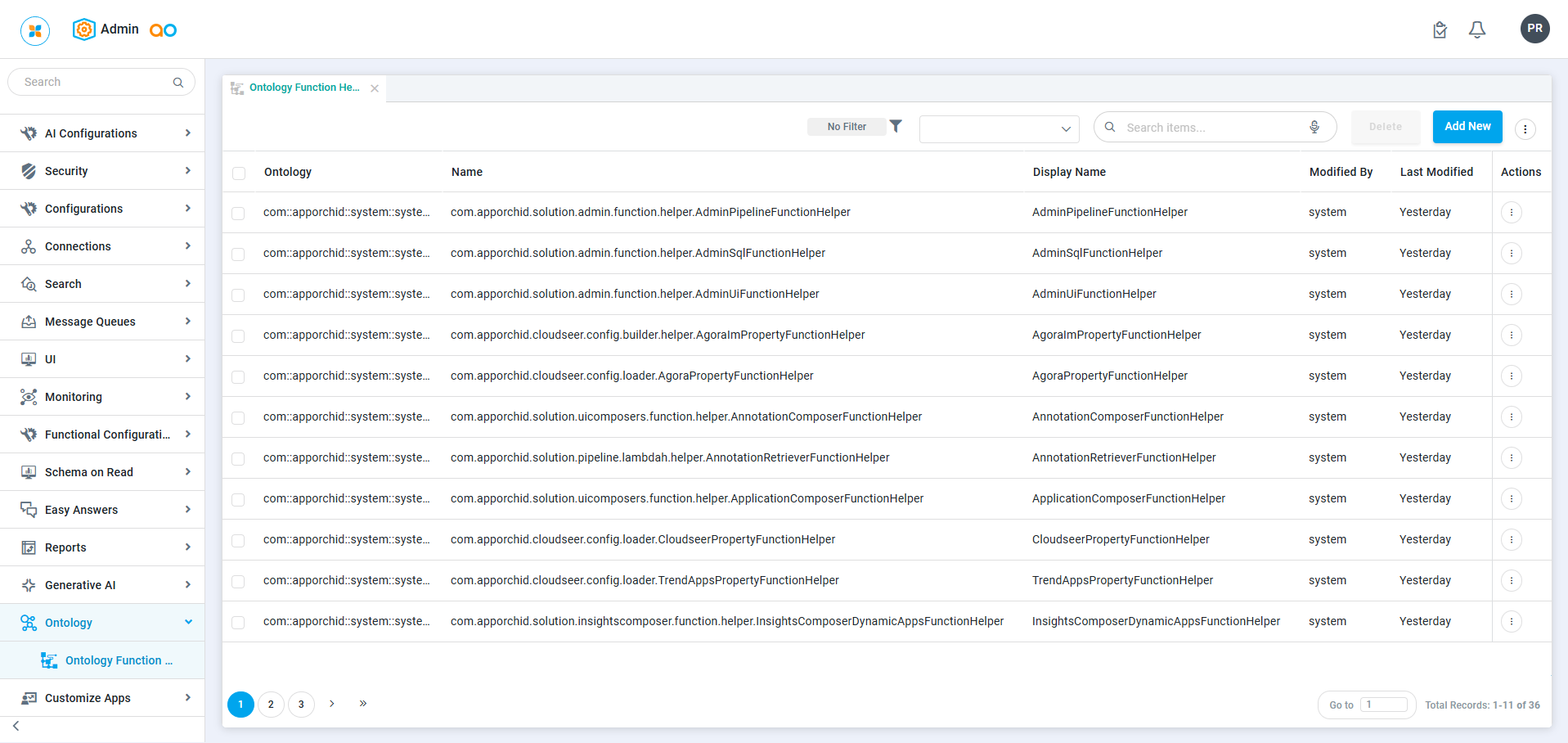
Ontology > Ontology Function Helper Mapping
Most entries are dedicated to the System-level Ontology Function Helper classes. Specific Function Helper classes can be added and attached to a particular Ontology as needed.
A function helper class is a utility class that contains static methods designed to assist with common functionality across an Ontology when doing custom development. Such classes help avoid code duplication and promote reusability by providing shared functions.
Contact App Orchid | Disclaimer