
Intended audience: developers administrators
AO Platform: 4.4
Overview
The Ontology Description is shown on the Ontology cards on the Ontology Composer’s home page. This makes it easy to understand what a given Ontology is about and the highlights of what it contains. Additionally, the same Description also serves a purpose when the Ontology is used in Easy Answers solutions.
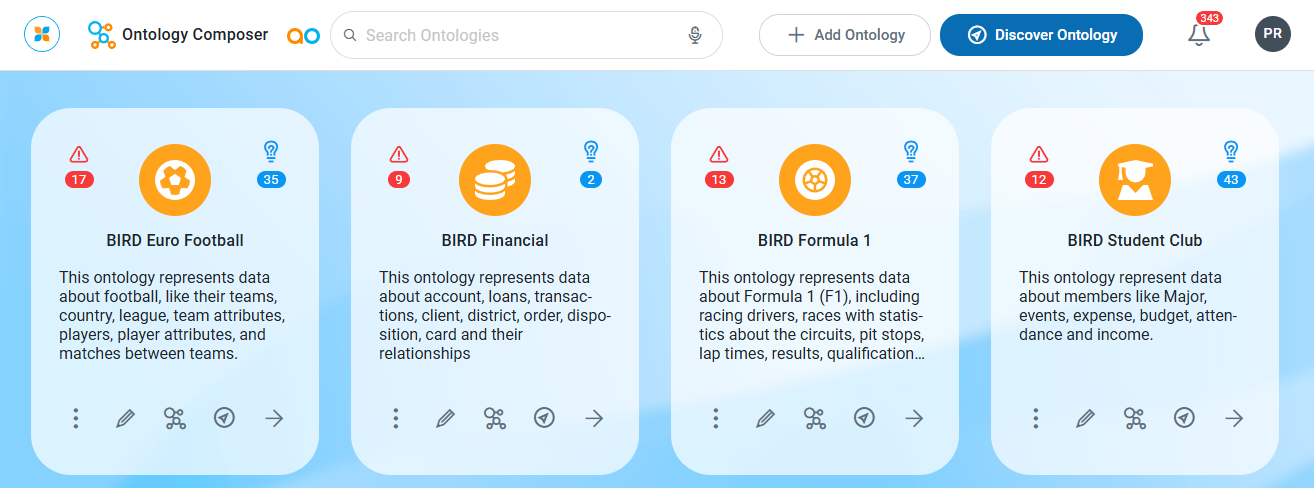
Why Is This Important
The Ontology Description is used when asking questions in Easy Answers solutions, as it provides context for the Large Language Model (LLM) to interpret the questions asked.
What To Do
There are a few places where the Ontology Description can be created and edited:
-
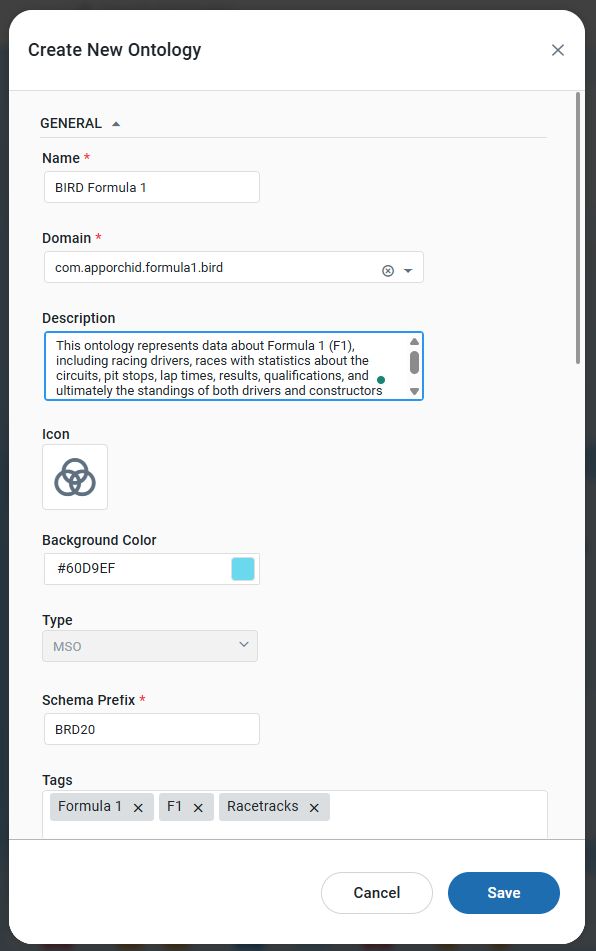
Use the Add Ontology or Discover Ontology buttons at the top of the Ontology Composer page. Both options allow a new Ontology to be created, including the Description of the Ontology. See the Creating an Ontology topic for the Create Ontology dialog.
-
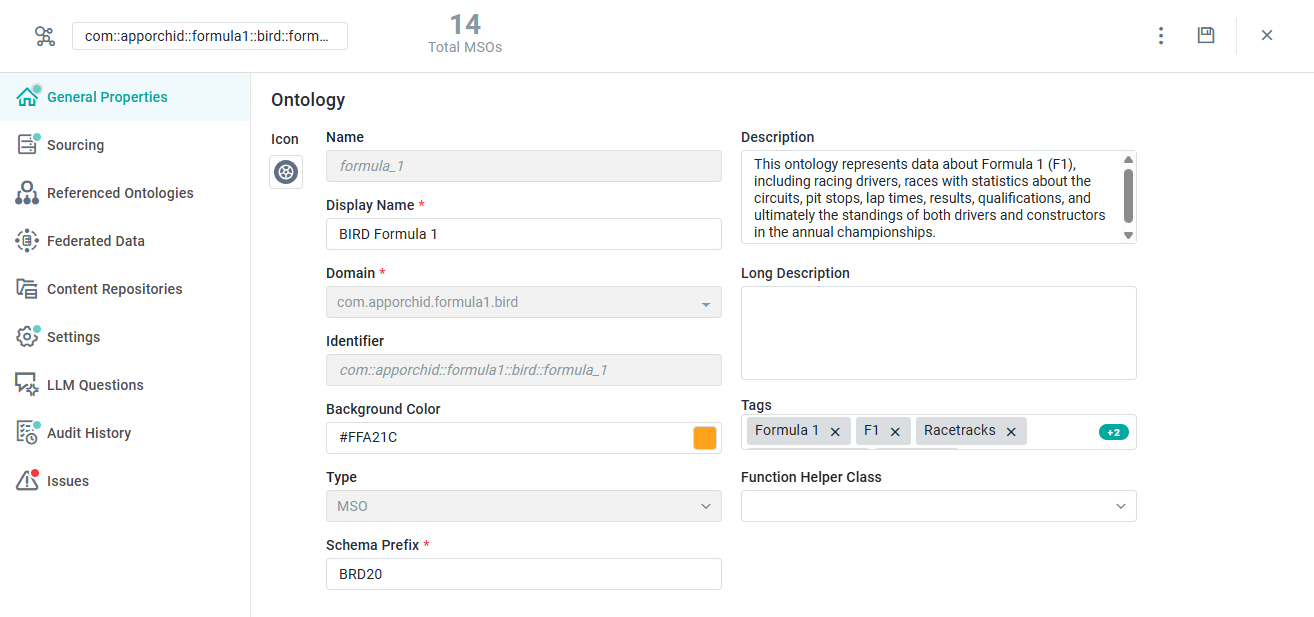
Use the pencil icon on the Ontology Card in the Ontology Composer to edit the Ontology. On the General Properties page, edit the Description field, providing specific information about the purpose of the Ontology as well as primary MSOs that constitute the nodes in the Ontology graph.
Whatever method is used, enter a high-level Ontology Description to provide additional context to the MSO and MSO Property LLM descriptions. See Best Practice > Generating LLM Content.
The key components of this description are:
-
Business Model Summary: A concise description of the business model.
-
MSO Descriptions: A description of the MSOs within the ontology.
Example Ontology Description
[company_name] designs, manufactures, and sells premium [product_name] to [customer_target] globally. This ontology encompasses [company_name]'s Actual Sales, Sales Forecasting, Product Inventory, Sales Representative Performance, [other_key_MSO_names], Customer Demographics, and Subscription Management details.
Create Ontology dialog
Edit Ontology, General Properties page with Description
References
Contact App Orchid | Disclaimer