
Intended audience: analysts developers administrators
AO Platform: 4.4
Cache
Caching is a way to save data to typically achieve greater performance by avoiding having to always retrieve data from a slow data source or having to re-execute the same queries if the data is already available. This functionality uses Redis as the caching layer, which is external to the app server. This particular setting enables caching for Semantic SQL.
Please note that not all queries are cached; the queries where a dynamic filter criterion is sent, for ex: a spatial criterion - the data is not caching as the bounding box can change and will result in too much data in the cache.
Cached data can be cleared through a Scheduler Task.
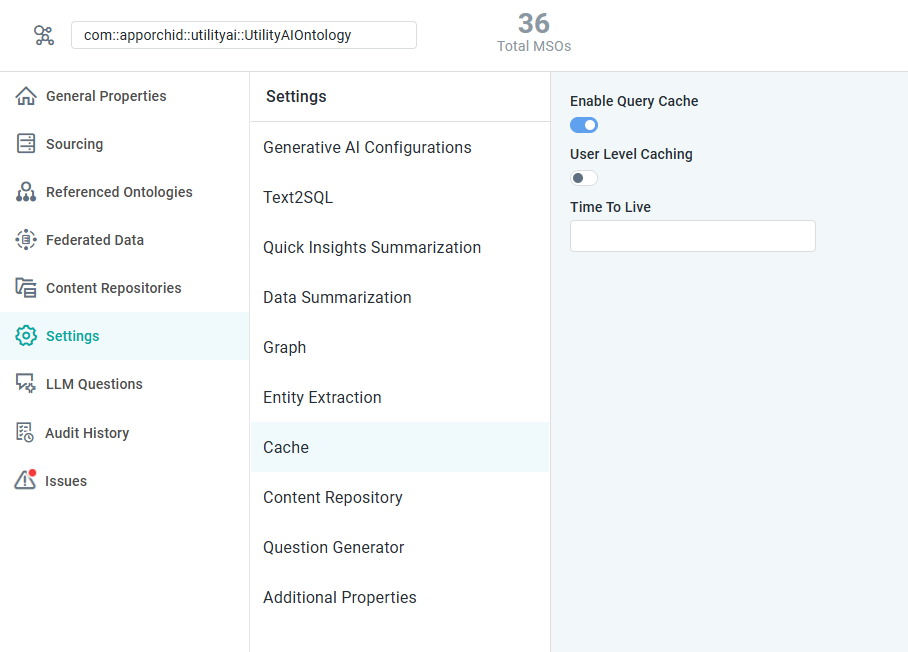
Properties
|
Label |
Defaults |
Description |
|---|---|---|
|
Enable Query Cache |
OFF |
If enabled, will cache data by Semantic SQL. This is useful for an improved user experience and response times + save compute cost if data is not changing or changes only at regular intervals. Some Semantic SQL will not be cached, such as queries with dynamic filters and Spatial filters, eg, with a bounding box, as both scenarios could result in a lot of data in the cache itself. |
|
User Level Caching |
OFF |
If enabled, will enable caching of Semantic SQL per user. If disabled, Semantic SQL is cached only once, independent of the user asking the question. |
|
Time to Live |
|
Add an expiry time (in secs) for the cached Semantic SQL keys in the Cache. |
Contact App Orchid | Disclaimer