
Intended audience: end-users developers
AO Platform: 4.3
Textual Insights tab
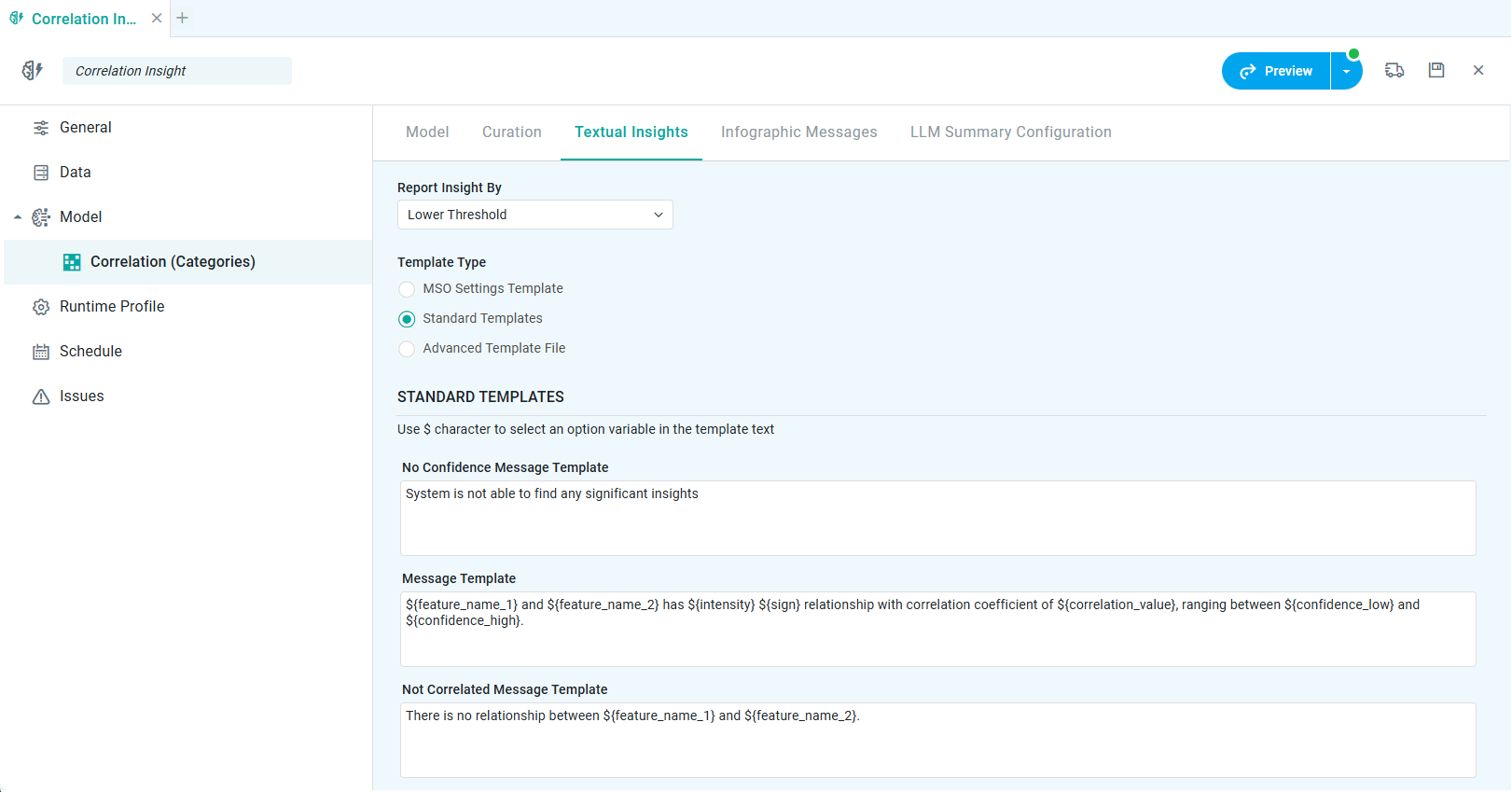
Properties
|
Label |
UI |
Default |
Description |
|---|---|---|---|
|
Template Type |
|
Standard Templates |
|
|
Radio-button |
|
Select MSO Settings Template to use the configuration from the MSO Settings page for the MSO providing the data for the Quick Insight Model. See Settings > Insights. |
|
Radio-button |
|
Select Standard Templates to create Quick Insight Textual Insights unique to the current Quick Insight Model - using the Template Fields below. |
|
Radio-button |
|
Select Advanced Template File to allow selection of a fully customized Template created in advance using the Template Composer. |
|
STANDARD TEMPLATES |
|
|
|
|
HTML Text Fields |
|
One or more multi-line HTML Text Fields will be shown required for the different output options for the selected Quick Insight Model. Enter the $-sign to open a dropdown showing available variables that can be inserted into the template text. |
|
Dropdown |
Lower Threshold |
|
Contact App Orchid | Disclaimer