
Intended audience: end-users developers
AO Platform: 4.3
Time-Series - Multi
The Model tab generally includes one or more of the following sections:
-
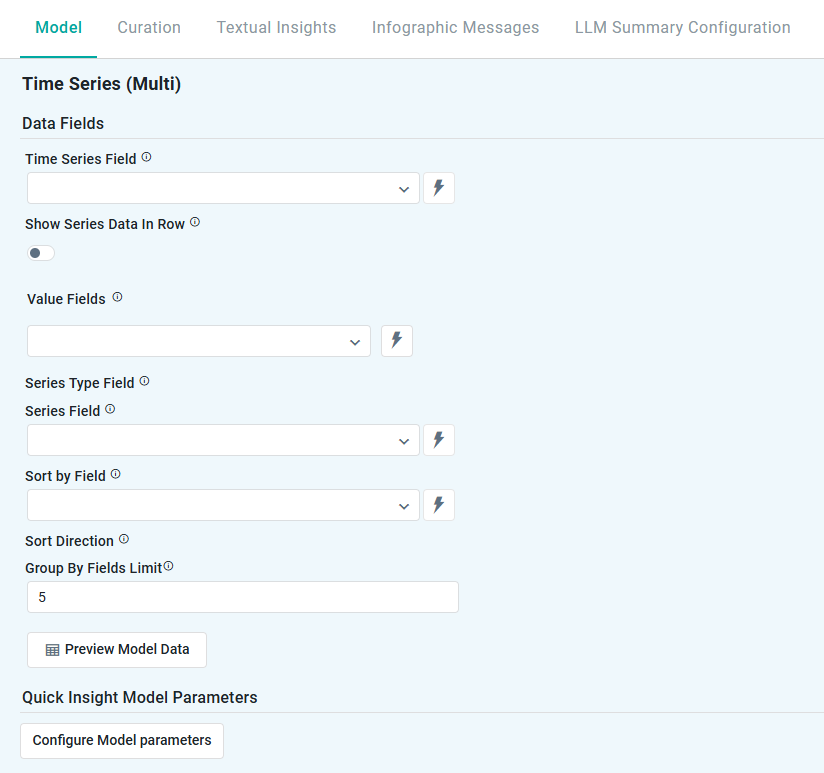
Data Fields - these are the data field configuration properties mandatory for the model to execute.
-
Model Specific Configurations - configuration properties in this section will vary depending on the selected model. If the model does not require additional configuration, the section(s) will not be shown.
Data Fields
Properties
|
Label |
UI |
Default |
Description |
|---|---|---|---|
|
Data Fields |
|
|
|
|
Dropdown w/Expression |
|
Select a Date Field for the time series model. |
|
ON/OFF Toggle |
OFF |
|
|
Dropdown w/Expression |
|
The Value Fields are shown when Show Series Data in Row is OFF. |
|
Dropdown w/Expression |
|
The Series Type Field is shown when Show Series Data in Row is ON. |
|
Dropdown w/Expression |
|
The Series Field is shown when Show Series Data in Row is ON. |
|
Dropdown w/Expression |
|
The Sort By Field is shown when Show Series Data in Row is ON. |
|
Dropdown |
|
The Sort Direction is shown when Show Series Data in Row is ON. Select value from dropdown, including:
|
|
Number Field |
10 |
The Group By Field Limit is shown when Show Series Data in Row is ON. |
|
Button |
|
Opens a dialog to view the data that will be used by the model. See Model > Model tab | Preview Model Data Dialog. |
|
Quick Insight Model Parameters |
|
|
|
|
Button |
|
Opens a dialog to select child models for the current parent model. See Model > Model tab | Quick Insights Model Parameters. |
Configure Model Parameters
Common Properties
|
Label |
UI |
Default |
Description |
|---|---|---|---|
|
Select Series |
Tags field w/dropdown |
|
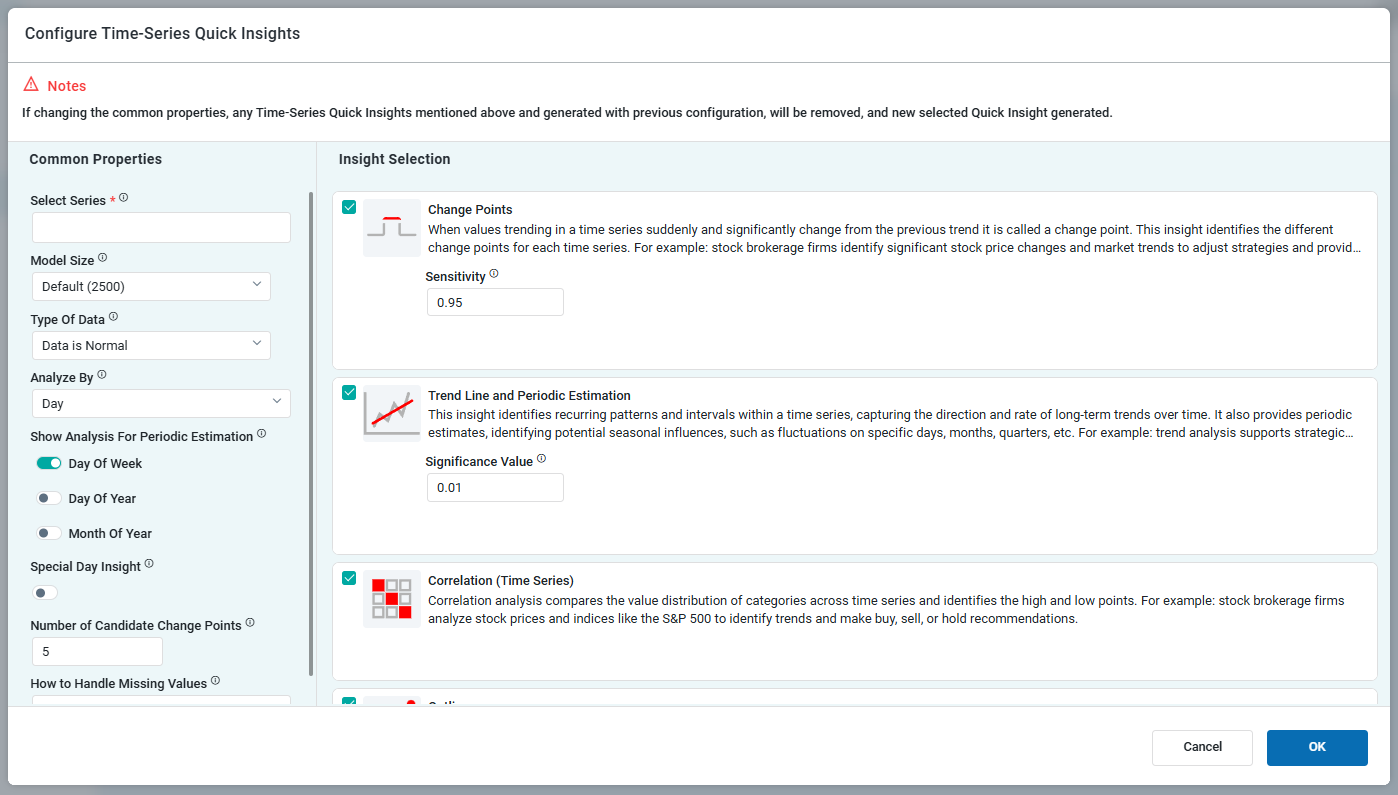
Dropdown with multi-select - The user can select two or more Value Fields as input to the Quick Insight models. |
|
Model Size |
Dropdown |
Default (2500) |
Manage the model’s size. Larger models provide reliable interpretations at the cost of longer insight run times. Smaller models produce quicker results but lack the inclusiveness of larger counterparts.
|
|
Number of Trials |
Number Field |
2500 |
Enter a number for the number of Trial Samples. This field is only visible if the user has selected Custom in the Model Size field above. |
|
Type of Data |
Dropdown |
Data is Normal |
Select the Type of Data from either of the following options:
|
|
Analyze By |
Dropdown |
Day |
Time durations for which the data will be analyzed. Multi-select (tags) for one or more time duration values, including:
|
|
Show Analysis for Periodic Estimation |
ON/OFF Toggles |
|
One or more On/Off Toggles will show depending on the selection for Analyze By above. |
|
Special Day Insight |
ON/OFF Toggle |
ON |
Will generate additional insights relating specifically to configured Special Days for the Ontology. This toggle is only available if Day is selected for Analyze By above. |
|
Number of Candidate Change Points |
Number field |
5 |
Defines how many key trend shifts the system considers when analyzing business data.
|
|
How to Handle Missing Values |
Dropdown |
Replace with previous value |
Select how the Insight model shall handle records with no values
|
Model Configuration - Outliers
Properties
|
Label |
UI |
Default |
Description |
|---|---|---|---|
|
Sensitivity |
Number field |
0.95 |
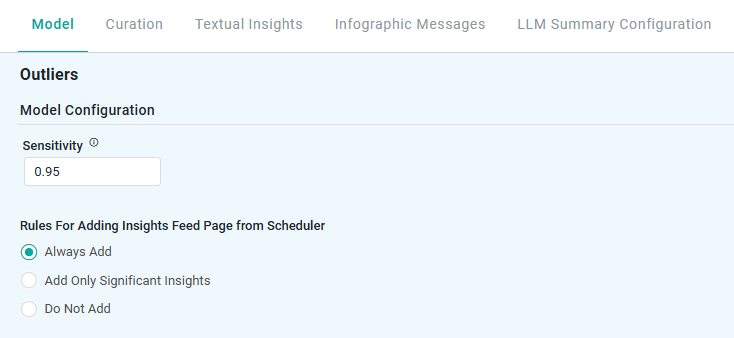
Controls how much the distribution of change point slopes can overlap to be considered individual change points.
|
|
Rules for Adding to Insights Feed Page from Scheduler |
Radio-buttons |
|
This section allows the user to select if the Quick Insight will be added to the Insights Feed page when generated from a Scheduled Task. See Model > Model tab | Rules for Adding Insights Feed Page from Scheduler. |
Model Configuration - Change Points
Properties
|
Label |
UI |
Default |
Description |
|---|---|---|---|
|
Sensitivity |
Number field |
0.95 |
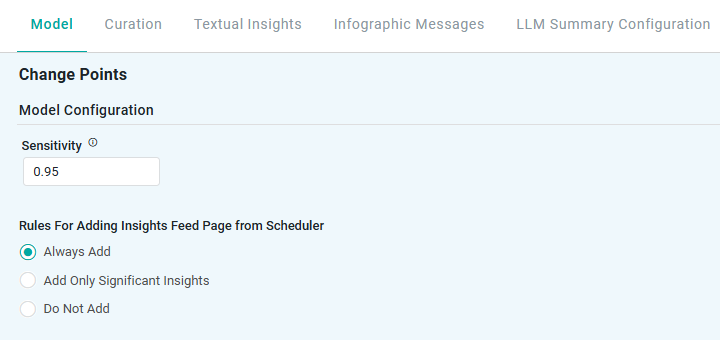
Controls how much the distribution of change point slopes can overlap to be considered individual change points.
|
|
Rules for Adding to Insights Feed Page from Scheduler |
Radio-buttons |
|
This section allows the user to select if the Quick Insight will be added to the Insights Feed page when generated from a Scheduled Task. See Model > Model tab | Rules for Adding Insights Feed Page from Scheduler. |
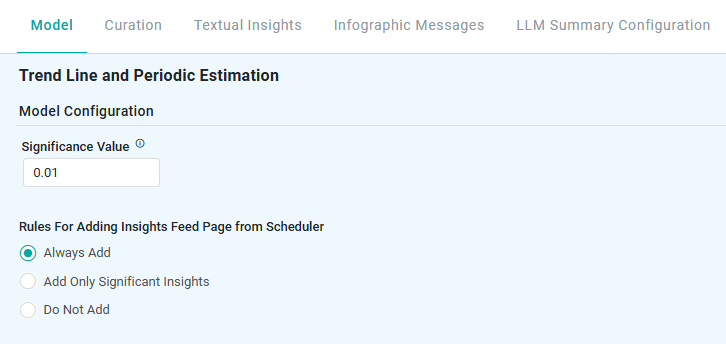
Model Configuration - Trend Line and Periodic Estimation
Properties
|
Label |
UI |
Default |
Description |
|---|---|---|---|
|
Significance Value |
Number field |
0.01 |
Controls how much the distribution of change point slopes can overlap to be considered individual change points
|
|
Rules for Adding to Insights Feed Page from Scheduler |
Radio-buttons |
|
This section allows the user to select if the Quick Insight will be added to the Insights Feed page when generated from a Scheduled Task. See Model > Model tab | Rules for Adding Insights Feed Page from Scheduler. |
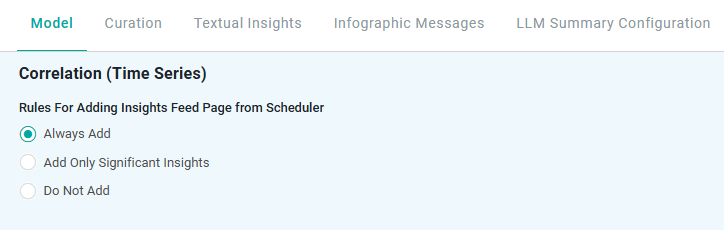
Model Configuration - Correlation
Properties
|
Label |
UI |
Default |
Description |
|---|---|---|---|
|
Rules for Adding to Insights Feed Page from Scheduler |
Radio-buttons |
|
This section allows the user to select if the Quick Insight will be added to the Insights Feed page when generated from a Scheduled Task. See Model > Model tab | Rules for Adding Insights Feed Page from Scheduler. |
Contact App Orchid | Disclaimer