
Intended audience: developers administrators
AO Platform: 4.4
Overview
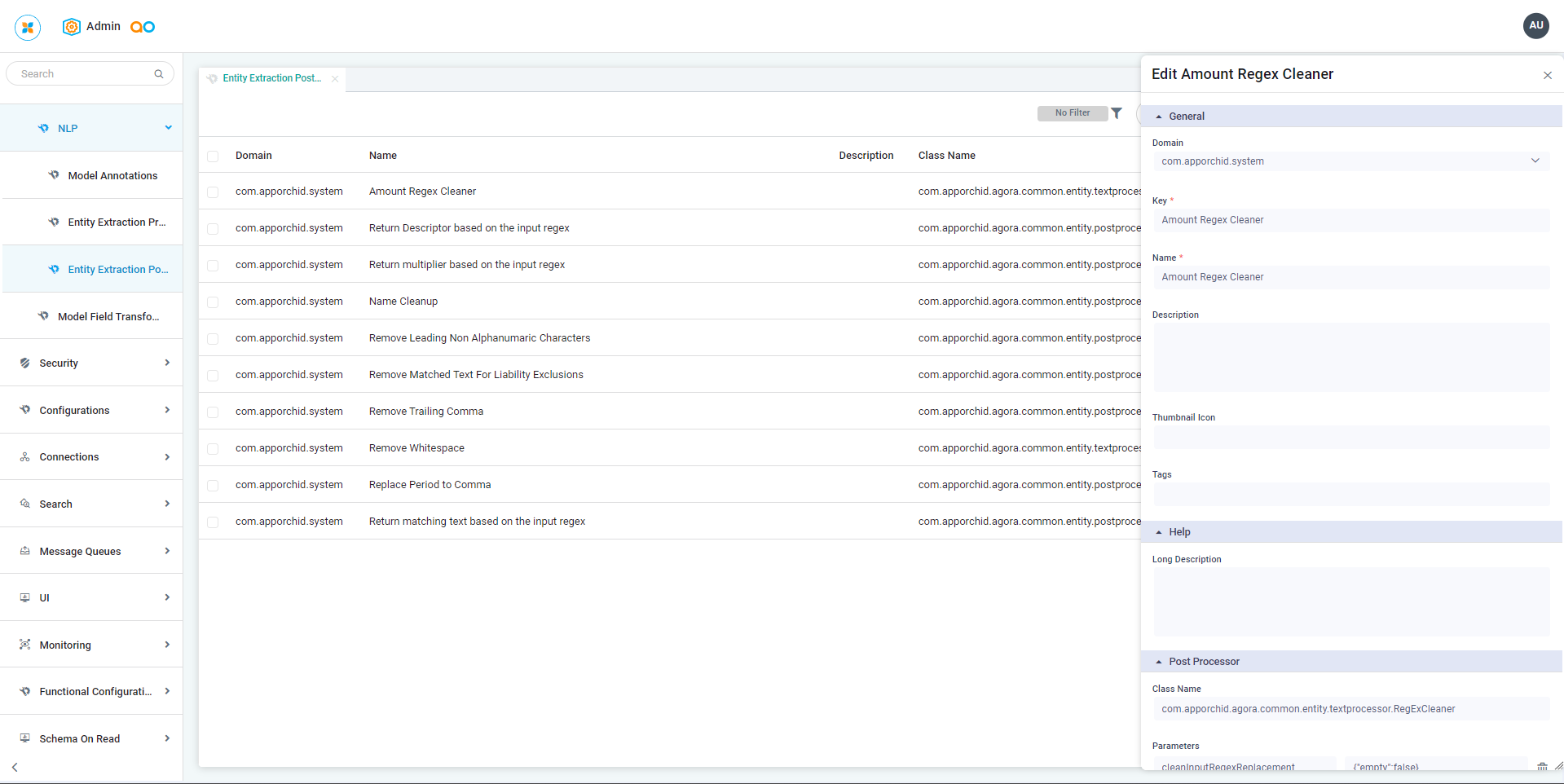
The Entity Extraction Postprocessors are created on this page and then later associated with individual MSOs when configuring Entity Extraction. See MSO - Entity Extraction.
Opening the Entity Extraction Postprocessors page
When the Entity Extraction Postprocessors page is first opened, a list of existing Entity Extraction Postprocessors will be shown. The following actions are available on the page:
-
Add New - opens the Create popup, allowing the user to populate all properties.
-
Delete (bulk) - allows the user to delete one or more selected Entity Extraction Postprocessors from the list.
-
Filter - allows the user to create a filter/view that can be filtered on.
-
Search - allows the user to search for any content across the Entity Extraction Postprocessors.
-
Refresh - allows the user to refresh the list of Entity Extraction Postprocessors.
-
Import From Excel - opens a dialog allowing the user to add an Excel file with entries for the Entity Extraction Postprocessors configuration.
-
Download Data - exports the content of the page to a CSV or Excel file.
-
Settings - opens a dialog allowing the user to change the column layout of the Entity Extraction Postprocessors page.
Additionally, for existing individual Entity Extraction Postprocessors, the following actions are available:
-
View - opens the View popup showing the configuration of the Entity Extraction Postprocessor.
-
Edit - opens the Edit popup, allowing the user to update existing properties.
-
Delete - allows the user to delete an Entity Extraction Postprocessor.
-
Add to Transport - adds the configuration record to Transport.
Contact App Orchid | Disclaimer