
Intended audience: developers administrators
AO Platform: 4.4
Overview
A Derived Property is also sometimes referred to as a calculated field. A Derived Property can take many forms, but the main purpose is most often to create a value for a property that is not directly found in the associated data source.
Some basic examples include:
-
The concatenation of First Name and Last Name results in a single eg, Customer Name field.
-
The calculation of Sales Profit is Cost subtracted from Revenue.
-
The calculation of Duration is Start-Time subtracted from End-Time.
Why Is This Important
Creating Derived MSO Properties allows new MSO Properties to be created that do not have direct representation in the original data source, but can be computed within the Semantic Layer and therefore made available to respond to questions from users in Easy Answers, eg, think of the term “Sales Profit”. This is not normally a fixed value in a data source, but rather calculated by subtracting “Cost” from “Revenue”. By doing this calculation as a Derived MSO Property in the “Sales” MSO, users can ask questions, such as: “What’s the monthly sales profit for each product category during the past 6 months?”, because the words “sales profit” is now known in the Semantic Layer in the Sales MSO its value will be calculated dynamically from the “Cost” and “Revenue” values in the data source.
What To Do
-
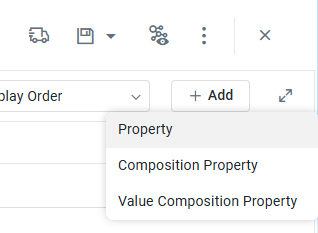
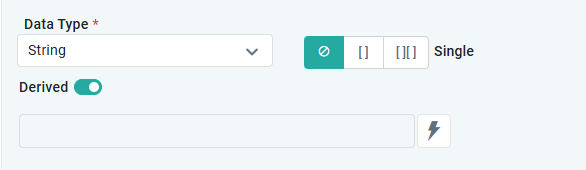
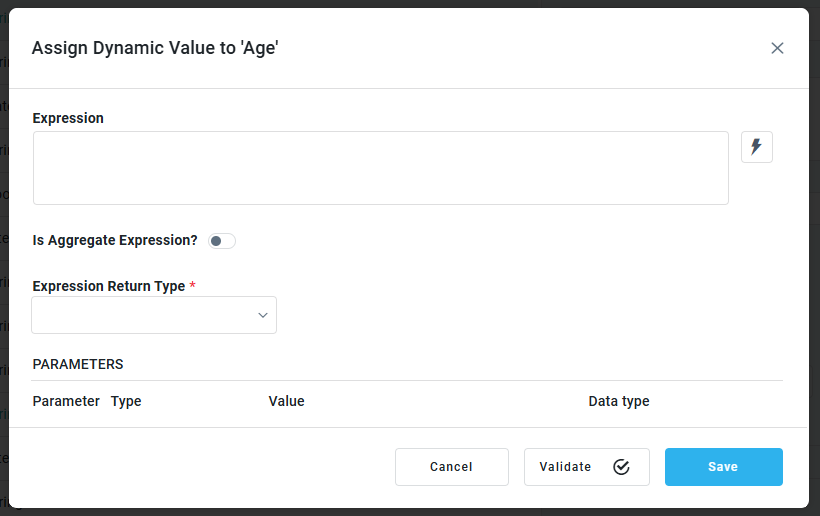
Derived MSO Property configurations can be done in the MSO Composer on the Properties page. Create a new Property from the “+ Add” dropdown, then select the Derived toggle and enable it to see the Expression field. Click the lightning bolt icon to open the “Assign Dynamic Value” dialog.
-
See MSO - Properties and Using Expressions.
|
|
|
References
Contact App Orchid | Disclaimer