
Intended audience: developers administrators
AO Platform: 4.4
Overview
This step is very similar to the Best Practice > Describing the Ontology step. In addition to having an Ontology Description, each MSO and each MSO Property shall also be provided with a Description and a Priority value. Given that there can be many MSOs in an Ontology and even more MSO Properties per MSO, sometimes more than a hundred MSO Properties, the Ontology Composer features a task that can auto-generate Descriptions and Priority values, using LLM.
An MSO and associated MSO Properties have, in fact, two different Description properties. One is located on the MSO page in the MSO Composer, and another is located on the LLM Content page. This topic focuses on the Description property on the LLM Content page in the MSO Composer.
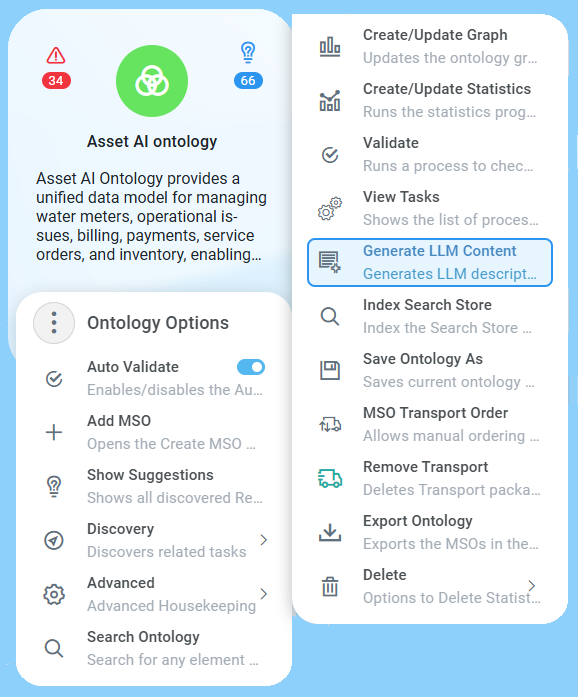
Generate LLM Content entry in the Advanced section of the Ontology Options menu.
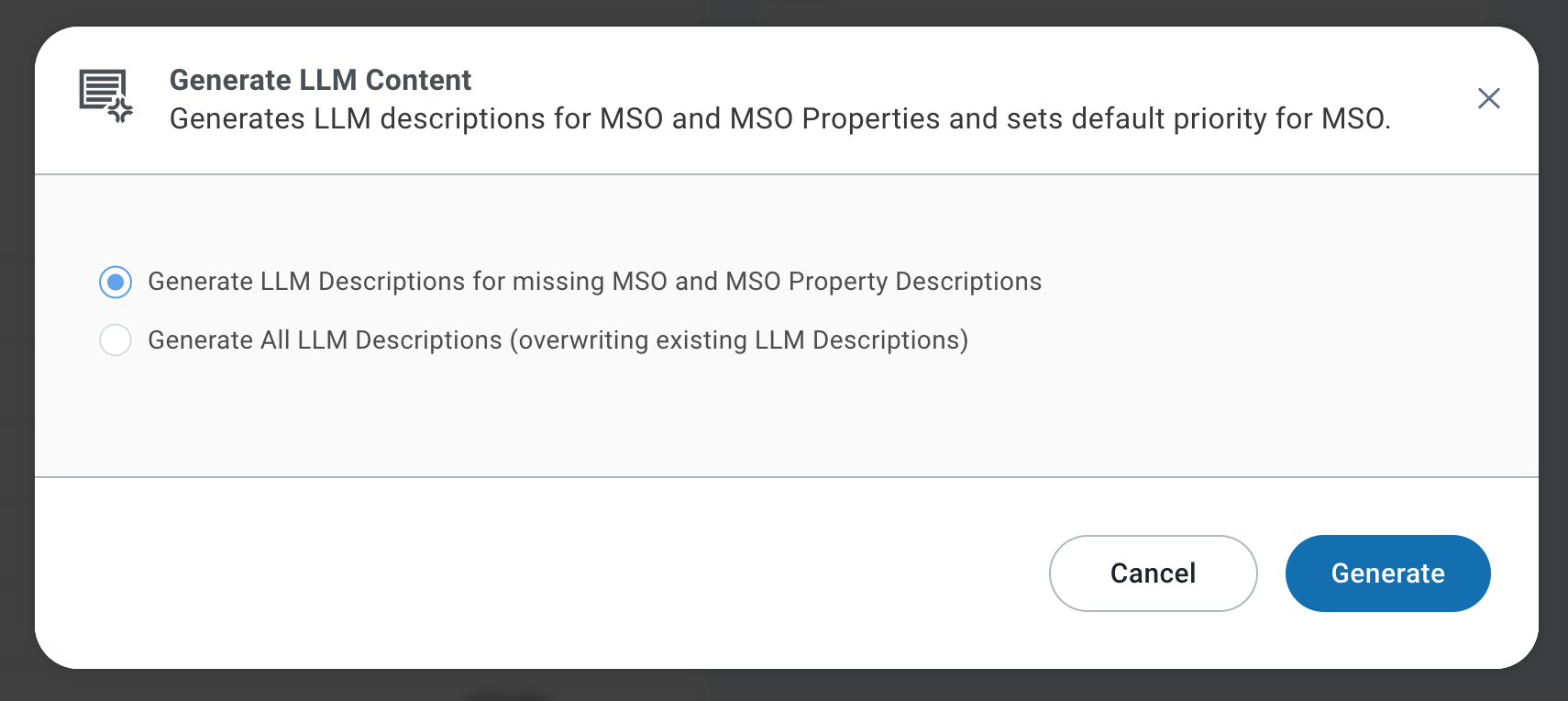
Generate LLM Content dialog
Why Is This Important
When a question is asked in an Easy Answers solution using natural language, the question will be interpreted by a Large Language Model (LLM). In order to provide context to the LLM, the MSO Description (from the LLM Content page) and the Properties structure are sent to the LLM based on the MSOs that have been identified in the question. The MSO Name and MSO Property Names are not always enough for the LLM to interpret a given question, and it will sometimes get confused due to ambiguities between different MSOs and Properties. The Description provides additional clarity, mitigating ambiguities and LLM hallucinations, ultimately ensuring a more precise and trustworthy outcome.
What To Do
Generate LLM Descriptions for MSOs and MSO Properties
Use the Generate LLM Content in the Options > Advanced menu to generate LLM Descriptions for both MSOs and MSO Properties. Options to auto-generate for all MSOs or only for MSOs with missing LLM Descriptions.
The same process will automatically set the MSO Priority to “low” by default (same as MSO Settings configuration). Once MSO Priority has been automatically configured via the Generate LLM Content process, the user can manually set the MSO Priority according to the following options:
-
Low/Medium/High - no difference in 4.1.x.
-
None - apply to “meter_installation”, but use “low” for connected MSOs, like “meter” and “premise”.
-
Never - only use for stale/backup MSOs, or MSOs not yet used.
References
Contact App Orchid | Disclaimer