
Intended audience: end-users developers
AO Platform: 4.2
Overview
Create an Insight by clicking the '+ Add New' button in the top-right corner of the landing page. The New Insight dialog will open.
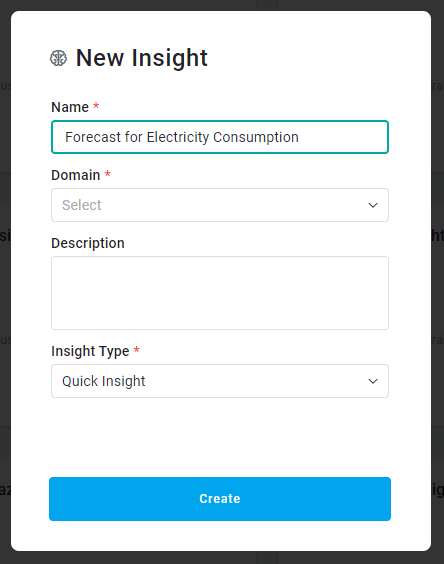
Properties
|
Label |
Description |
|---|---|
|
Name |
Add any Name for the Insight being created. |
|
Domain |
Read-only field. Shows the Domain relating to the Ontology selected. |
|
Description |
The Description field allows the user to enter a description for the Insight. |
|
Insight Type |
Select from dropdown:
|
|
Insight Model |
Select from the dropdown an Insight Model created on the Insight Model Configurations Page. Only available for Model-Based Insight. |
Once the Create New Insight has been finalized, the user is now ready to edit the Insight. See Editing an Insight.
Contact App Orchid | Disclaimer