
Intended audience: end-users developers
AO Platform: 4.3
Overview
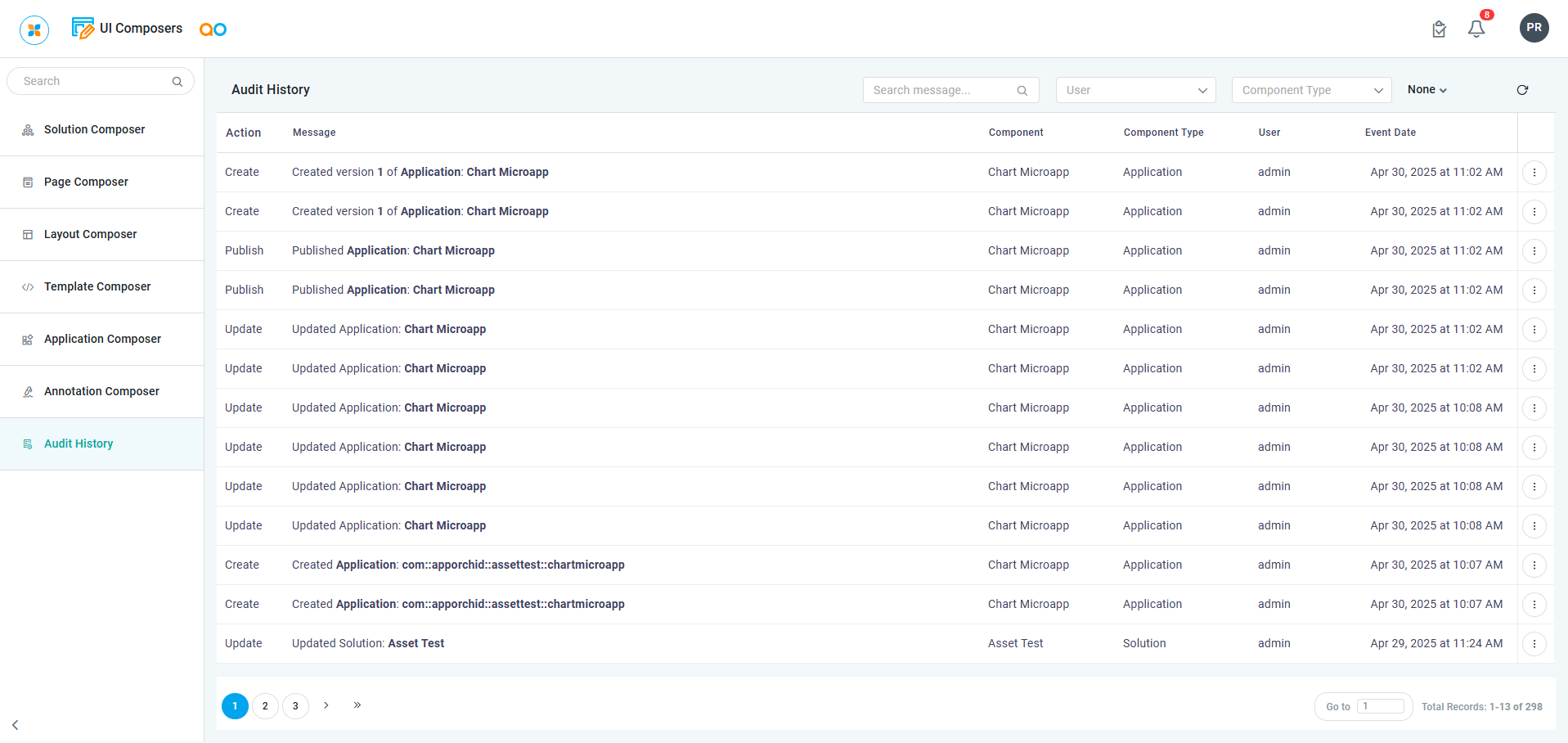
This page allows the user to view a list of Audit History records across all UI Composers. It contains an entry for each change made to the configuration, who made the change, and when the change was made.
Audit History page - all UI Composers
User Actions
-
Search - enter a search term to find specific audit records.
-
User - select from the dropdown to filter audit records based on a specific user.
-
Component Type - select from the dropdown to filter audit records based on a specific component type.
-
Period - select from the dropdown to filter audit records based on a specific time period.
-
Refresh - click to refresh the list of audit records on the page.
-
Download - allows the user to download the Audit History records to Excel/CSV.
-
Options menu for each Audit record
-
View Details - select to open a dialog that shows Audit History Details for the selected audit record.
-
Properties
|
Labels |
UI Widget |
Description |
|---|---|---|
|
Action |
Read-only Text Field |
Displays which action was done, including Create, Update, Delete, Save, Publish, Run, Add-to-Transport, etc… |
|
Message |
Read-only Text Field |
Displays the Message with some details to indicate action taken in the UI, eg. Updated Ontology, Published App, Saved version of Ontology, Added Ontology to Transport, Deleted Pipeline |
|
Component |
Read-only Text Field |
Displays which Component the action was done for. |
|
Component Type |
Read-only Text Field |
Displays a category Type of the Component. |
|
User |
Read-only Text Field |
Displays the Username for who performed the action. |
|
Event Date |
Read-only Text Field |
Displays a Timestamp for when the action was done. |
View Audit History Details
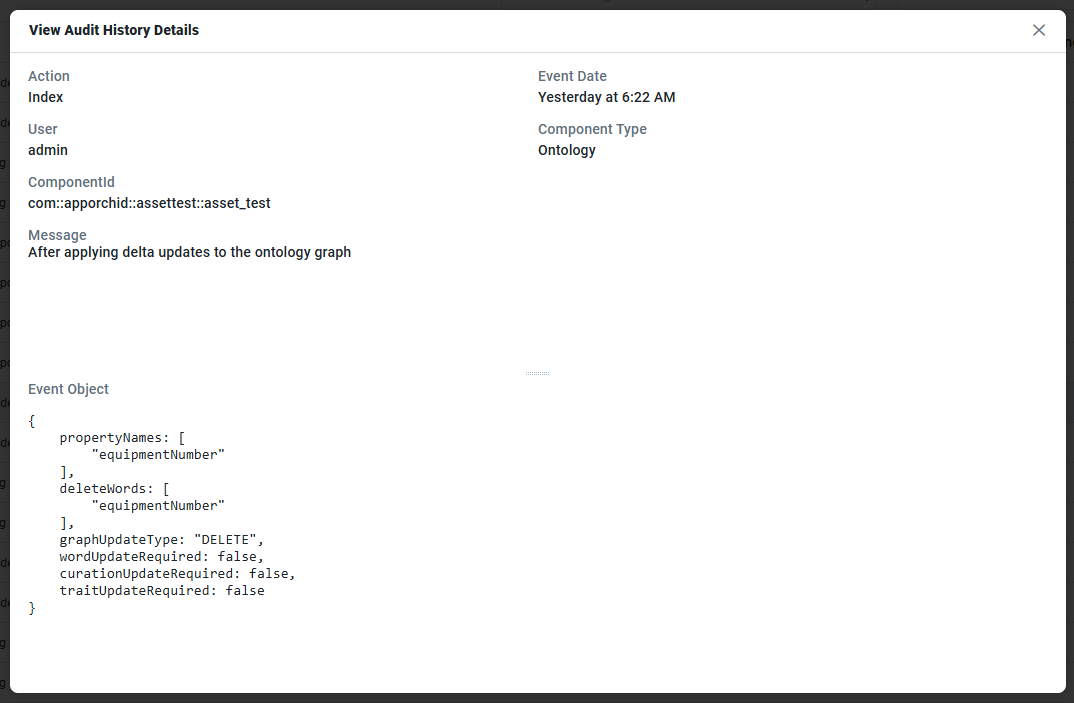
The Audit History Details dialog shows more details of each audit record, most importantly, the Event Object that captures all the details of the actual changes to the underlying properties.
Properties
|
Labels |
UI Widget |
Description |
|---|---|---|
|
Action |
Read-only Text Field |
Displays which action was done, including Create, Update, Delete, Save, Publish, Run, Add-to-Transport, etc… |
|
User |
Read-only Text Field |
Displays the Username for who performed the action. |
|
Component |
Read-only Text Field |
Displays the specific Component that was changed. |
|
Message |
Read-only Text Field |
Displays the Message with some details to indicate action taken in the UI, eg. Updated Ontology, Published App, Saved version of Ontology, Added Ontology to Transport, Deleted Pipeline |
|
Event Date |
Read-only Text Field |
Displays a Timestamp for when the action was done. |
|
Component Type |
Read-only Text Field |
Displays a category Type of the Component, including: Application, Layout, Solution, Solution Page, Template. |
|
Event Object |
JSON-formatted Text |
This shows a JSON-formatted text string for each property in the object that has been changed. |
Contact App Orchid | Disclaimer