
Intended audience: end-users analysts developers administrators
AO Platform: 4.3
Overview
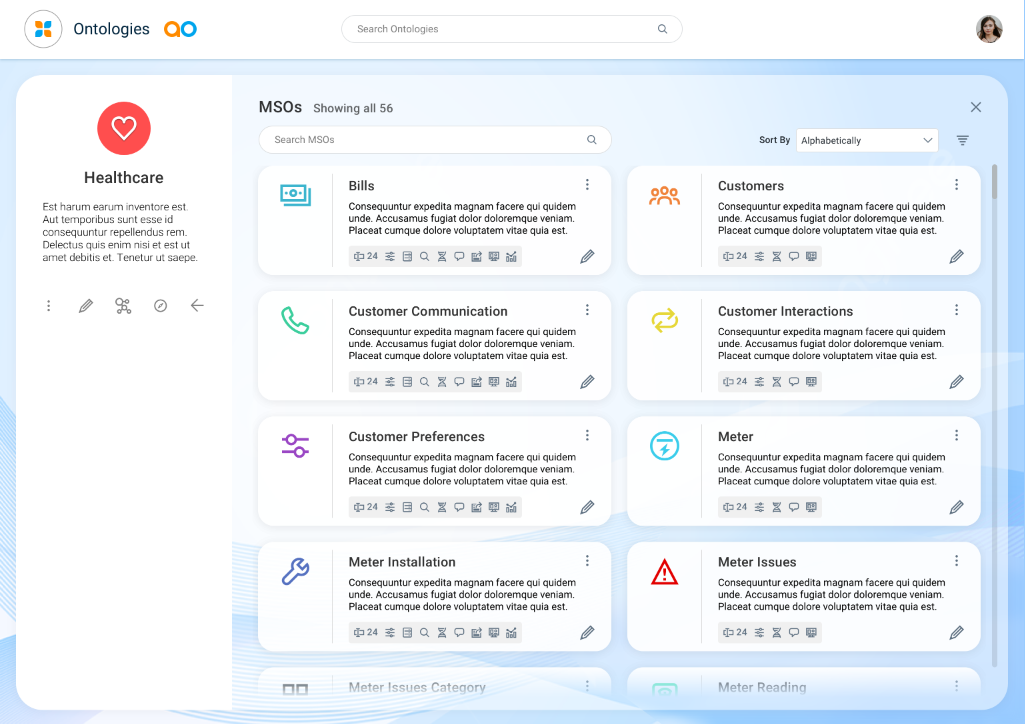
With one or more MSOs created, users will see a Card view of existing MSOs. Click the Edit icon on the Card to open the MSO for configuration.
Editing
Editing an MSO can be very comprehensive given the many options available. The MSO configuration includes the following sections:
User Actions
From the header section during editing
-
Save - saves the MSO.
-
Save as - saves a version of the current MSO. Saved MSO versions can be viewed in the Version History panel.
-
-
Transport - enables the MSO for export via Transport Tool.
-
View Ontology - uses Ontology Viewer to check the MSO-specific ontology, including relationships to other MSOs.
-
Options menu
-
Show Suggestions - see Showing Suggestions for MSO.
-
Discovery
-
Discover Words - see Discover Words for MSO.
-
Discover Relationships - see Discover Relationships for MSO.
-
Discover Traits - see Discover Traits for MSO.
-
-
Advanced
-
Create/Update Statistics
-
Delete Statistics
-
Delete MSO
-
-
-
Close - closes the MSO Composer after prompting the user to Save or Discard any changes made.
Contact App Orchid | Disclaimer