
Intended audience: end-users analysts developers administrators
AO Platform: 4.4
Overview
This topic provides an overview of a Clientside Treemap Chart. A Clientside Treemap Chart in curation is a visualization tool that represents hierarchical data using nested rectangles. A Clientside Treemap chart is rendered on the client side, enabling interactive and dynamic data exploration, offering meaningful insights tailored to the needs of the curation process.
Examples
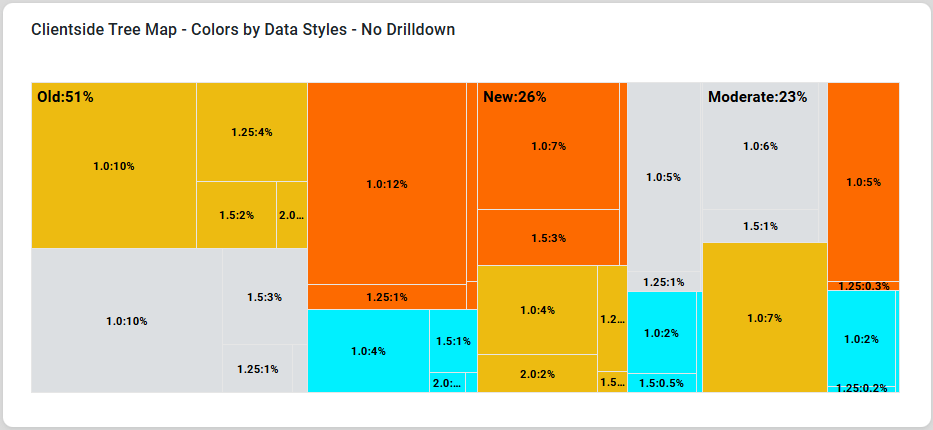
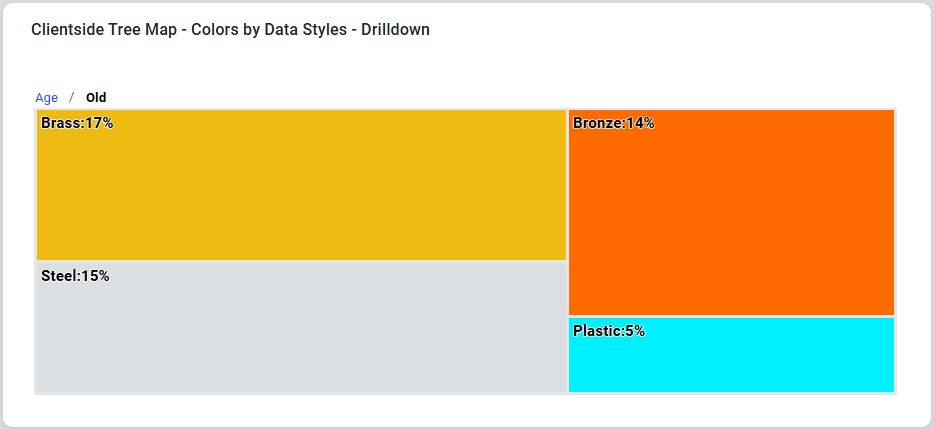
Configuration of Clientside Treemap Chart
DATA Properties
|
Label |
UI Widget |
Default |
Description |
|---|---|---|---|
|
Dropdown w/Expression option |
|
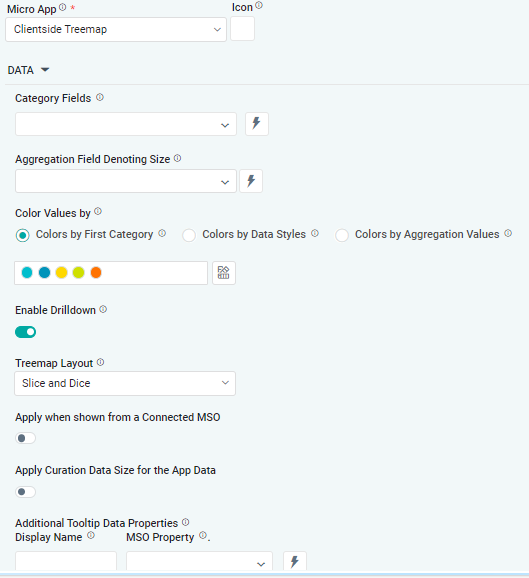
The Category Fields are columns or attributes in the dataset that represent the grouping levels in the treemap. Each field corresponds to a layer in the hierarchy, with higher-level categories nesting lower-level ones. |
|
Dropdown w/Expression option |
|
The Aggregation Field Denoting Size dropdown allows the user to determine the size of each rectangle in the treemap. It typically represents a quantitative metric and other numerical values, and is aggregated to calculate the total value for each category or subcategory. |
|
|
|
|
|
Radio button |
|
The Colors by First Category allows the user to visually distinguish the main groups in the dataset at a glance while maintaining consistency across subcategories through inherited color shades or tones. |
|
Radio button |
|
The Colors by Data Styles refers to a feature where the color of each rectangle is determined by specific data values or styles applied to the dataset. This approach provides an additional layer of meaning to the visualization, allowing users to interpret the data more effectively based on color variations. |
|
Radio button |
|
The Colors by Aggregate Values refers to assigning colors to rectangles based on aggregated numerical values for each category or subcategory. This method uses aggregated data, such as totals, averages, or counts, to define the color intensity, gradient, or specific hues, visually representing the data's magnitude or category. |
|
ON/OFF Toggle |
ON |
If enabled, allows the user to drill down to see group details in the treemap. |
|
Dropdown |
|
The Treemap Layout dropdown allows the user to choose from layout options such as Slice and Dice, Stripes, Squarified, and Strip. |
|
ON/OFF Toggle |
OFF |
The Apply When Shown from a Connected MSO ON/OFF Toggle determines whether the settings or actions are applied specifically when data is displayed through a connected MSO.
|
|
ON/OFF Toggle |
OFF |
If enabled, the Record Count rules will be applied. If the Record Count rules are not met, the series will not be shown. |
|
Display Name - Text Field MSO Property - Dropdown |
|
The Additional Tooltip Data Properties allow the user to select one or more MSO Field Properties to display their values in the tooltip when the user hovers over a data point. |
DATA LABELS Properties
|
Label |
UI Widget |
Default |
Description |
|---|---|---|---|
|
Dropdown w/Additional Properties option |
Percentage |
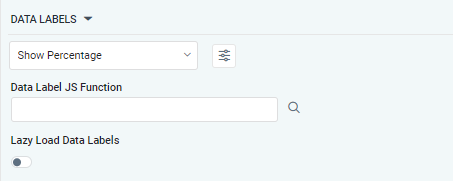
Optional Additional Properties - expressed as a Key/Value pair. |
|
… Additional Properties |
|
|
Optional Additional Properties - expressed as a Key/Value pair. |
|
Text Field w/Search |
|
The Data Label JS function allows the user to search for and define JavaScript functions that control the display or behavior of data labels in a chart. |
|
ON/OFF Toggle |
OFF |
If enabled, in Clientside Treemap Chart, curation controls whether data labels are loaded gradually as the chart is interacted. |
TOOLTIP Properties
|
Label |
UI Widget |
Default |
Description |
|---|---|---|---|
|
Key / Value - Text Fields |
|
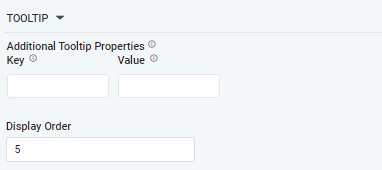
Optional Additional Tooltip Properties - expressed as a Key/Value pair. |
Contact App Orchid | Disclaimer