
Intended audience: developers administrators
AO Platform: 4.4
Overview
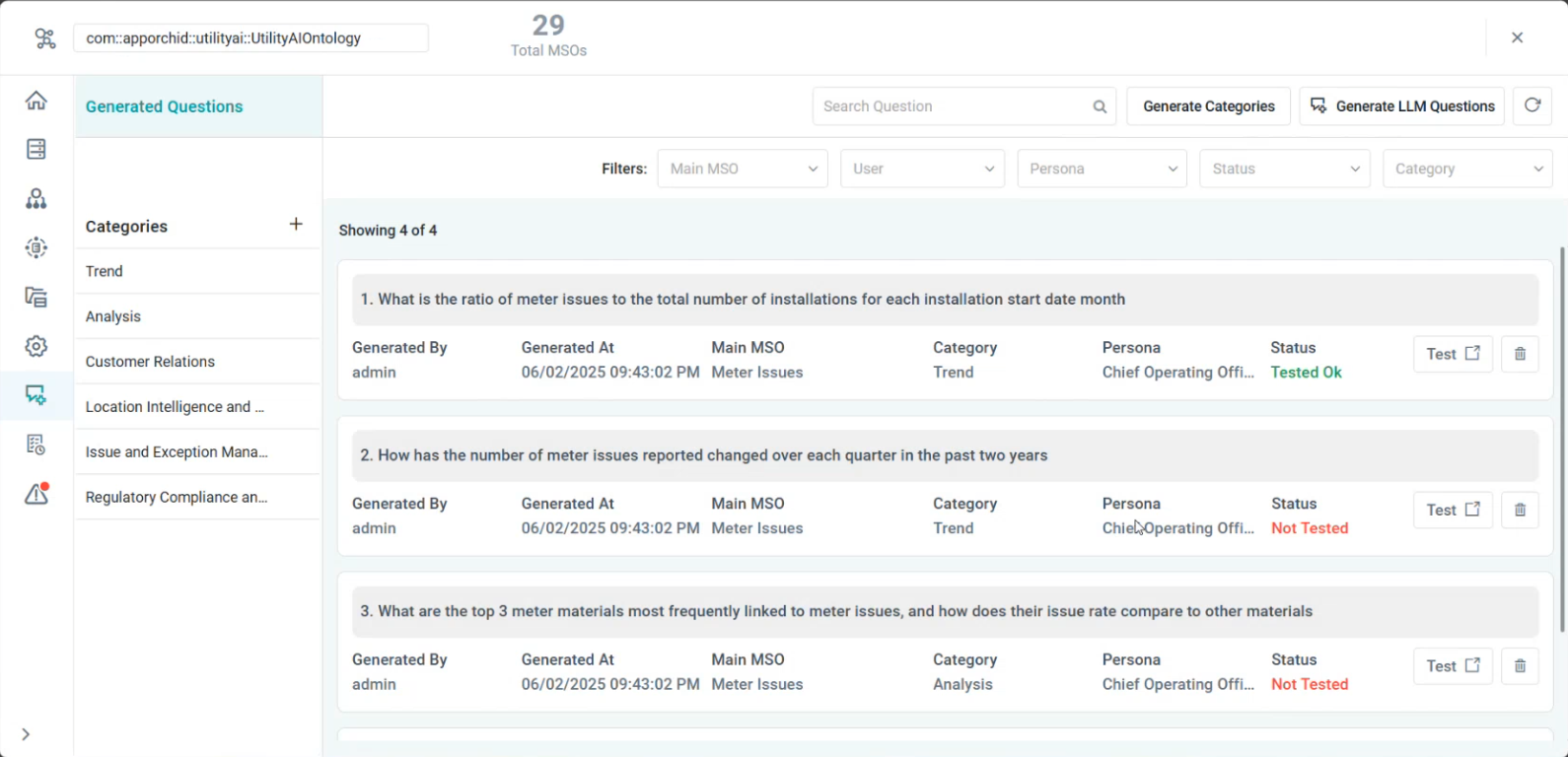
The LLM Questions page in the Ontology Composer allows questions to be pre-generated by an LLM for use in Easy Answers. This is a way for the solution developer to bootstrap an Easy Answers solution with questions for different personas, thereby featuring an Easy Answers solution with ready-to-go questions for new users to use and learn from.
Why Is This Important
Both new or experienced users of Easy Answers solutions may not always understand the full scope of the possibilities waiting to be found in their organizations data. Once the Ontology has been enriched, it’s a good idea to take help from the AI LLM system by letting it generate questions that are suitable, meaningful, and relevant for the Ontology to give users a much improved starting point for their data journeys. Generating LLM-based Questions is an optional type of enrichment, but highly recommended - even if it is just for reducing the learning curve, so users can hit the ground running (rather than walking 😉)
What To Do
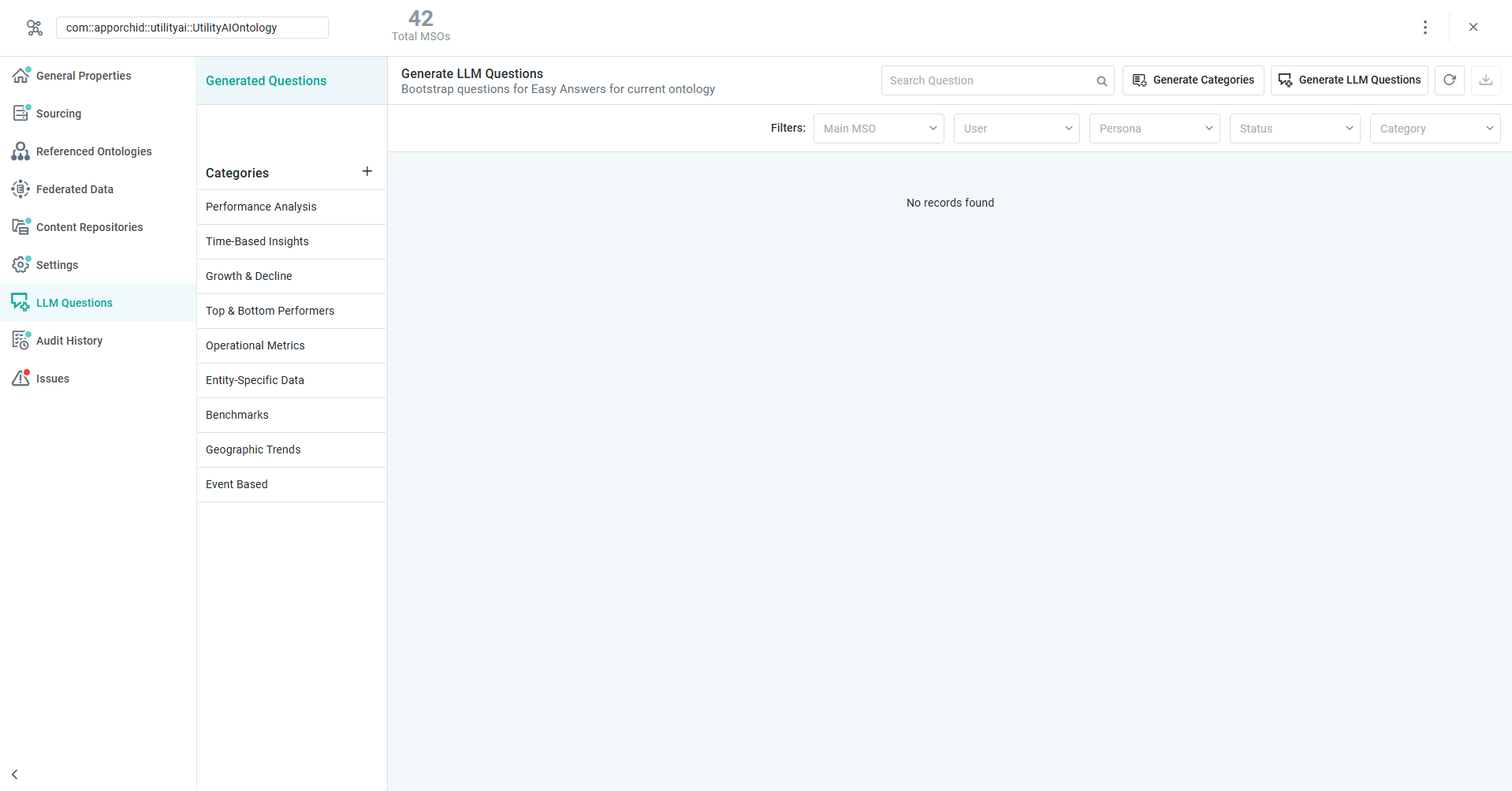
Start by going to the Ontology Composer > LLM Questions page. The initial page will have no questions generated, but likely some Categories configured.
Generate Categories
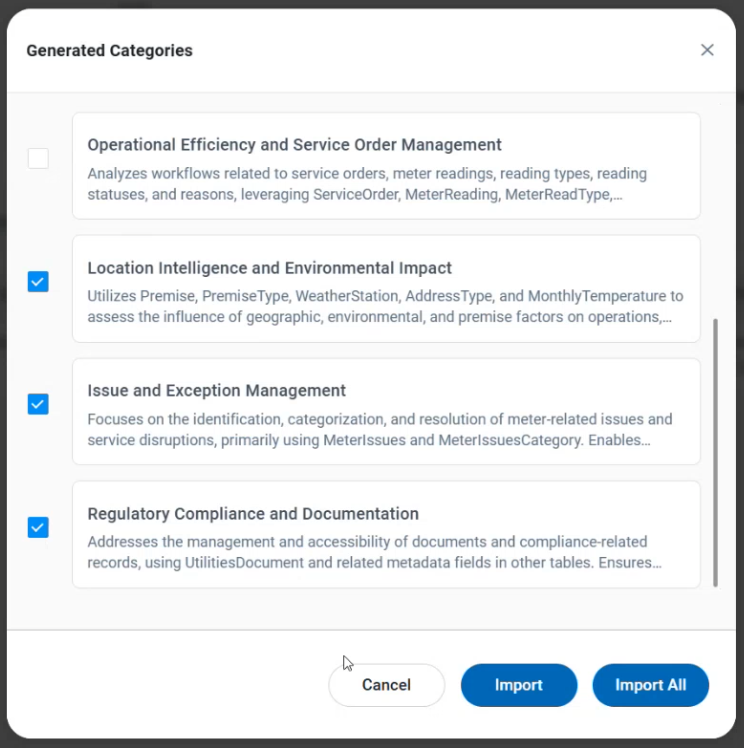
If existing Categories are not relevant to the current Ontology, - they can easily be removed and new Categories can be added. Select the Generate Categories button (top/right) to generate new Categories from LLM, or click “+” icon next to the Categories title to manually create. If LLM-generated, select the Categories that are meaningful to your Ontology and questions, then click Import button.
Generate LLM Questions
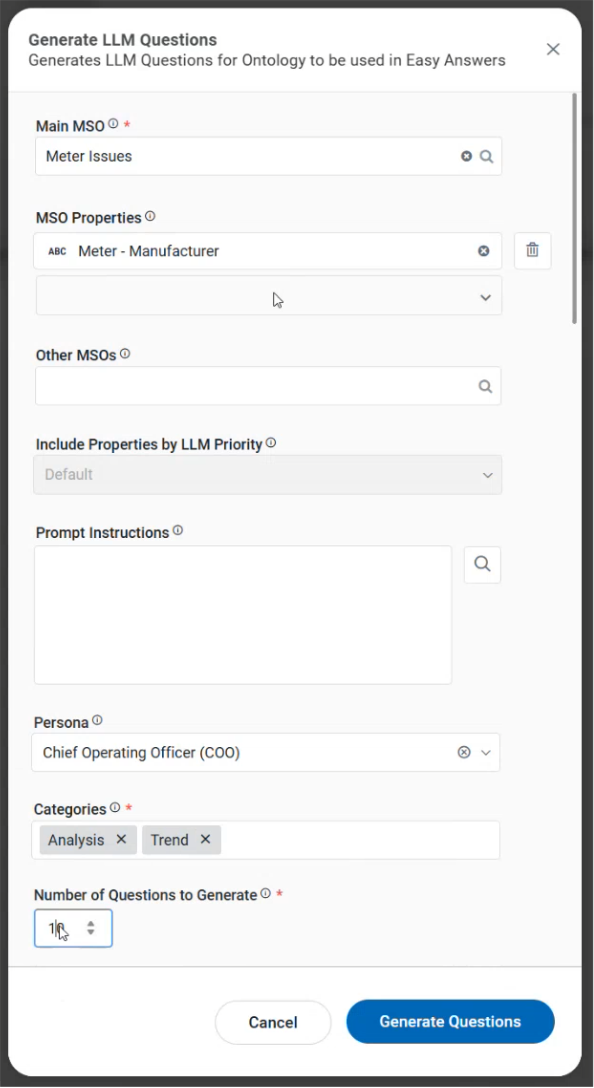
Start by clicking the Generate LLM Questions button (top/right) to open a dialog that has configuration options for the LLM-generation process. Populate as many properties and be as specific as possible to have the generated questions be relevant and useful to the Persona selected.
Click Generate Questions button to send request to LLM.
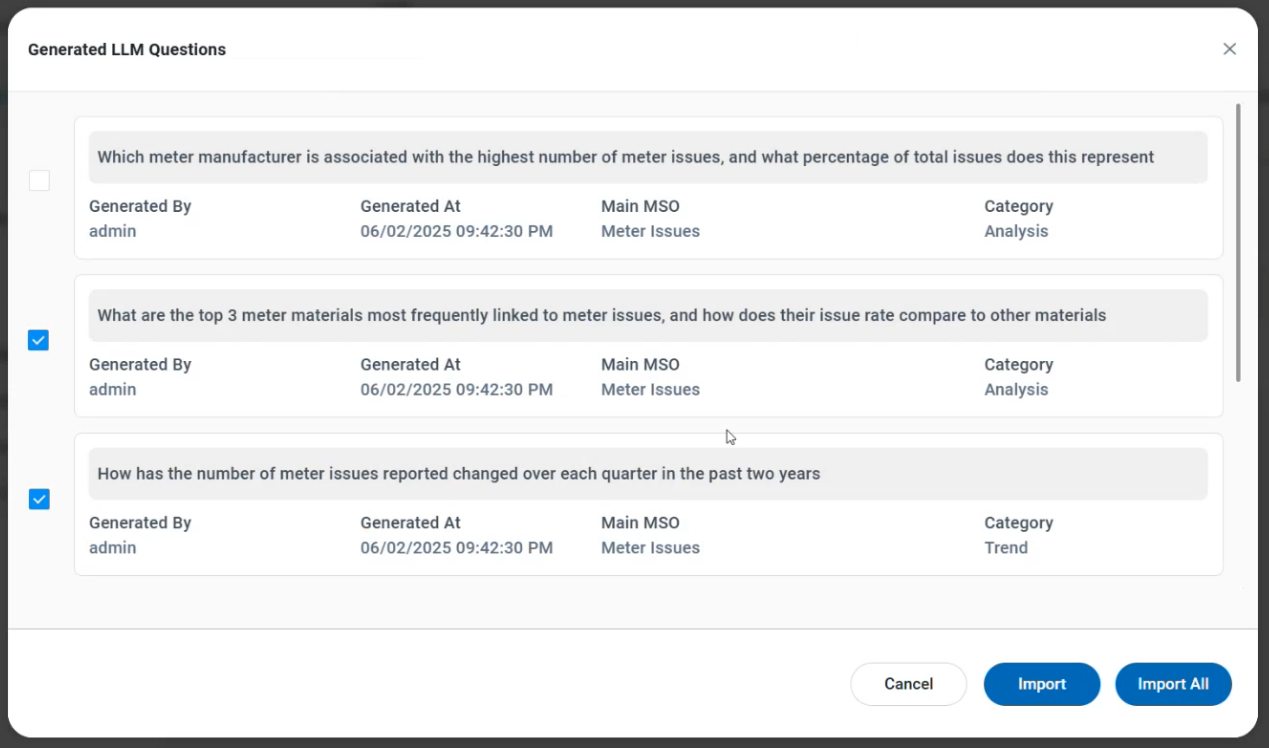
Once questions have been generated, a dialog opens with the list of questions. Validate relevance of questions, select questions, then click Import button to add to the Ontology.
|
Configure the Input to the LLM Question Generation Process |
Generated Questions from LLM |
|---|---|
|
|
Validate Questions
Once questions have been added to the LLM Questions page, the user will be able to Test each question within the associated Easy Answers solution to ensure that they can be interpreted by Easy Answers and successfully generate Results. Generated and successfully tested questions will immediately become available in the Easy Answers solution that make use of this Ontology.
References
Contact App Orchid | Disclaimer