
Intended audience: end-users analysts developers administrators
AO Platform: 4.4
Runtime Views
Runtime Views are automatically created for federated data queries that are considered “long-running” queries, ie, those queries that have a computed “guardrail score” between Min and Max (on the General page). The limit of Runtime Views created will be determined by the property at the top of the Runtime Views page (default: 100). Once a Runtime View has been auto-created, subsequent questions in Easy Answers that makes use of the same MSOs from which the Runtime View was created, will automatically retrieve data from the Runtime View instead, and thereby execute with improved performance.
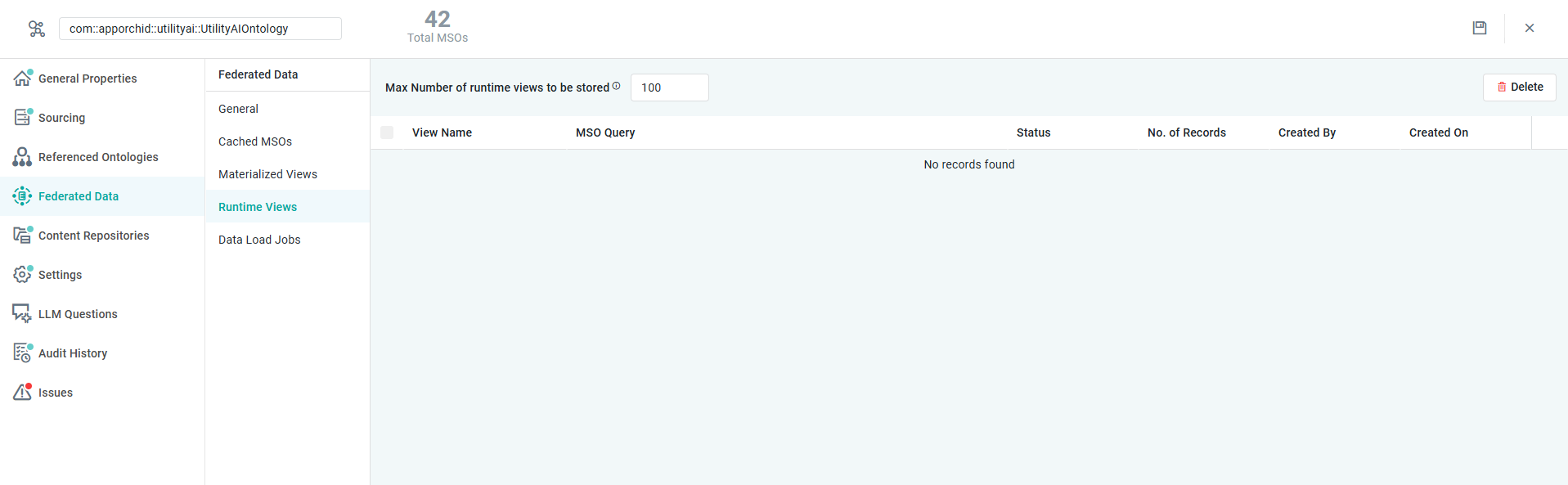
Properties
|
Label |
UI Widget |
Default |
Description |
|---|---|---|---|
|
Number Field |
100 |
Enter the number for the maximum number of Runtime Views to be stored. |
|
Button |
|
Click to delete selected Runtime Views. |
|
View Details |
|
|
|
|
Checkbox |
Unchecked |
Check the checkbox to select a Runtime View. Used if multiple Runtime Views are to be deleted. |
|
Read-Only Text Field |
|
Displays the Name of the Runtime View. |
|
Read-Only Text Field |
|
Displays the MSO Query for the Runtime View. |
|
Read-Only Text Field |
|
Display the Status of the Runtime View. |
|
Read-Only Number Field |
|
Displays the number of records stored in the Runtime View. |
|
Read-Only Text Field |
|
Displays the user name of the user who created the Runtime View. |
|
Read-Only Timestamp |
|
Displays the timestamp for when the Runtime View was created. |
Contact App Orchid | Disclaimer