
Intended audience: Data scientists developers administrators
AO Platform: 4.3
Overview
The purpose of Testing a Model is to validate that the deployed Model-as-a-Service executes as expected with a small sample data set.
Workflow
The Testing a Model page is enabled for configuration, but actual testing cannot take place until the Model has been deployed.
Two types of input can be applied as test data:
-
Manual
-
Comma-Separated Values (CSV) data
Manual
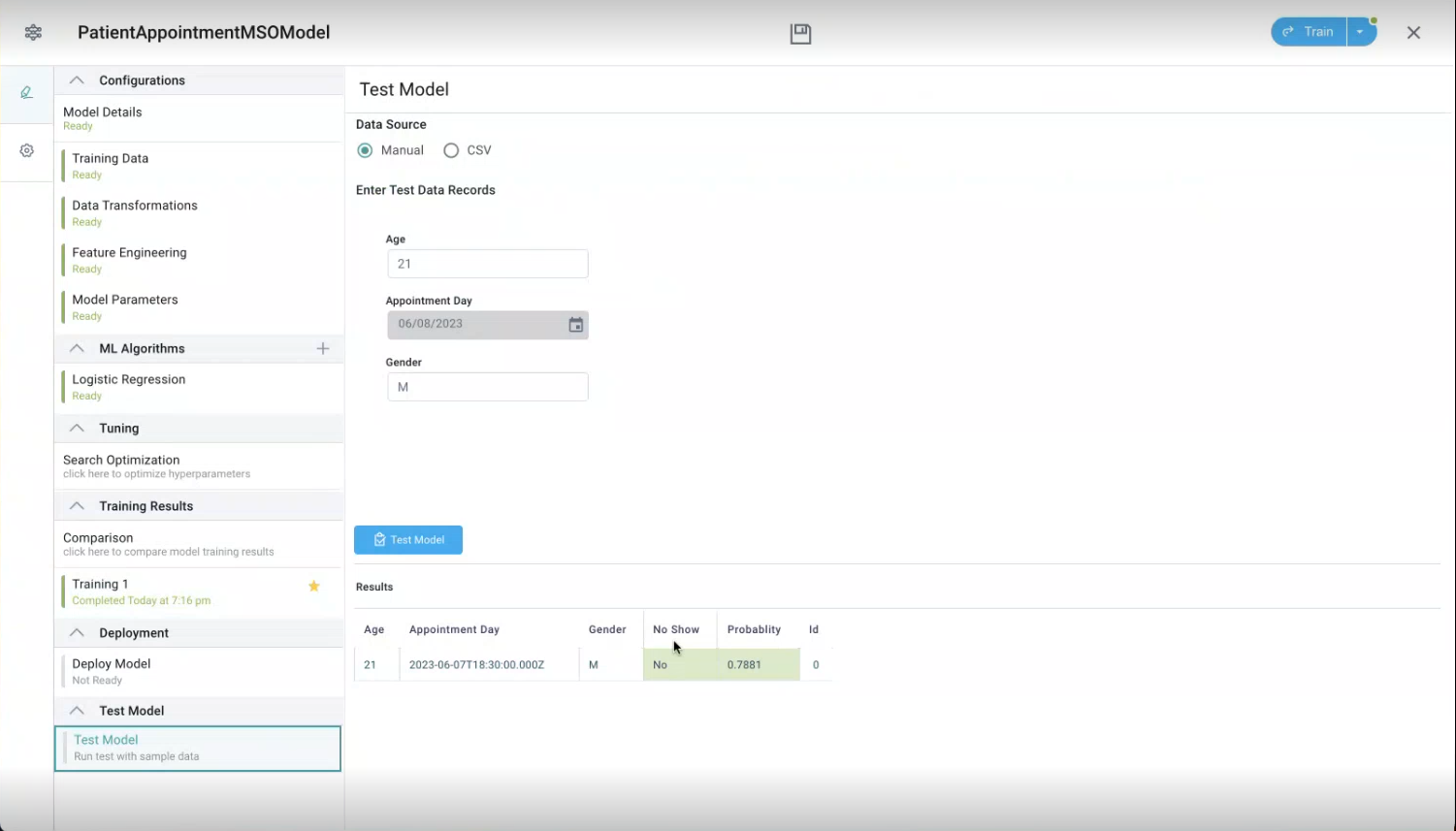
This is the simplest way to test the ML Model that has been configured and trained. The input data comes from what has been configured for the ML Algorithm used. Enter relevant values in the input fields, then click Test Model button to get the Result.
CSV
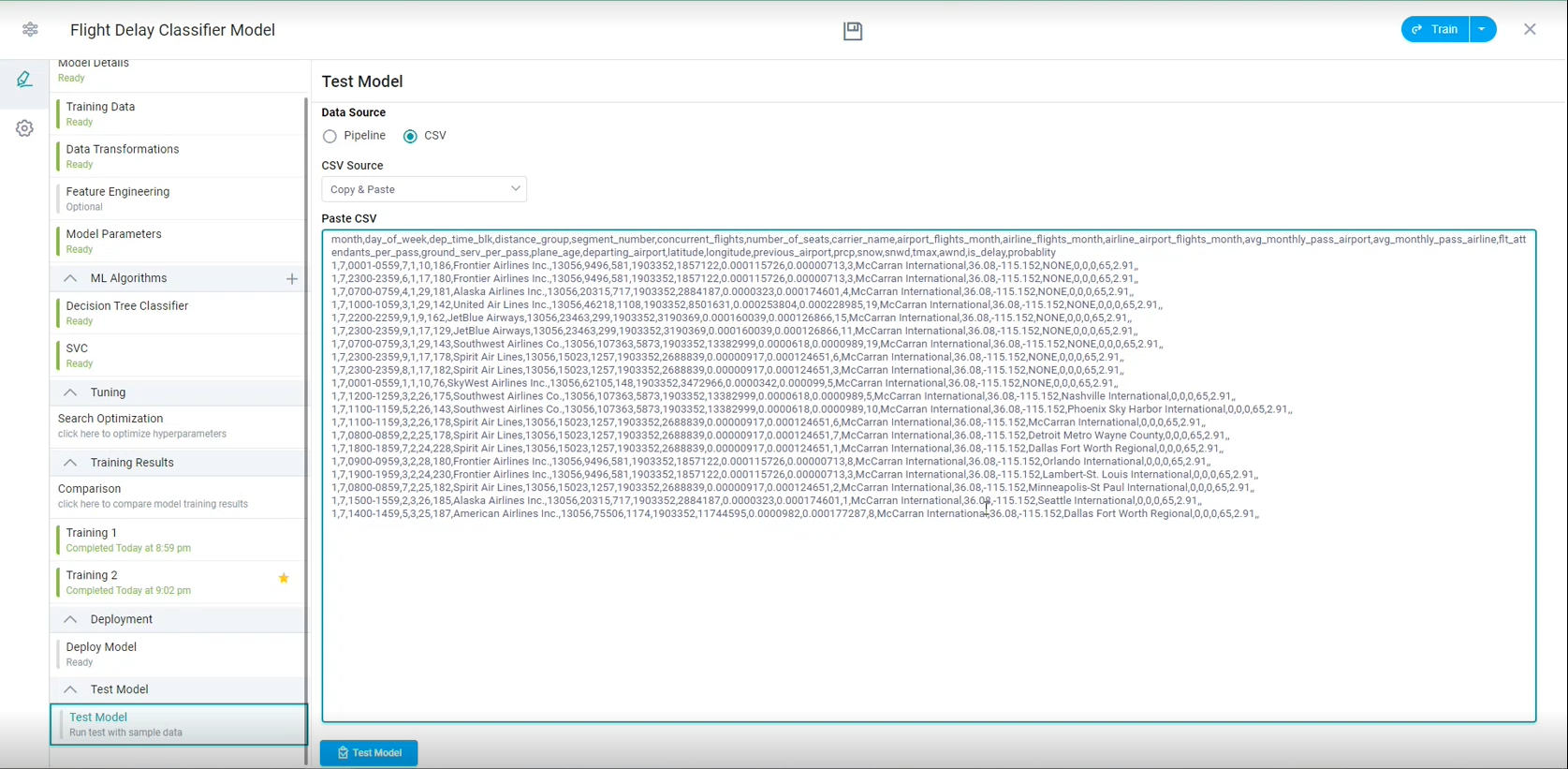
The CSV data can be added via two different methods. Select a method using the CSV Source dropdown:
-
Upload - upload and select a .csv file via a File Manager dialog.
-
Copy & Paste - copy a CSV file content and paste it into the Paste CSV multi-line text box.
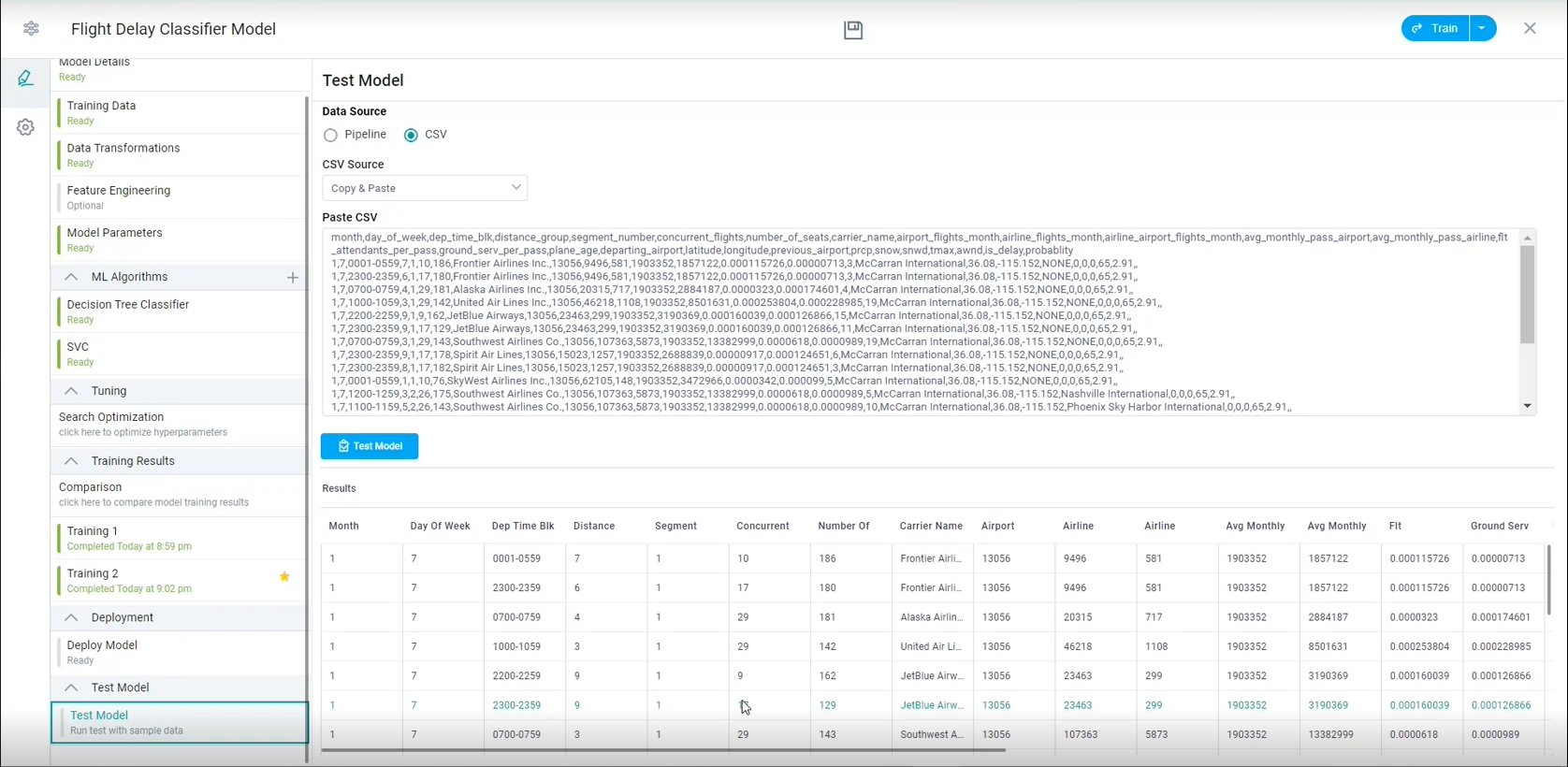
Once the Test Model button is clicked, the test data is submitted to the service and after successful execution, the Results table will be populated.
Contact App Orchid | Disclaimer