
Intended audience: end-users developers
AO Platform: 4.3
Survival Events
The Model tab generally includes one or more of the following sections:
-
Data Fields - these are the data field configuration properties mandatory for the model to execute.
-
Model Specific Configurations - configuration properties in this section will vary depending on the selected model. If the model does not require additional configuration, the section(s) will not be shown.
Data Fields
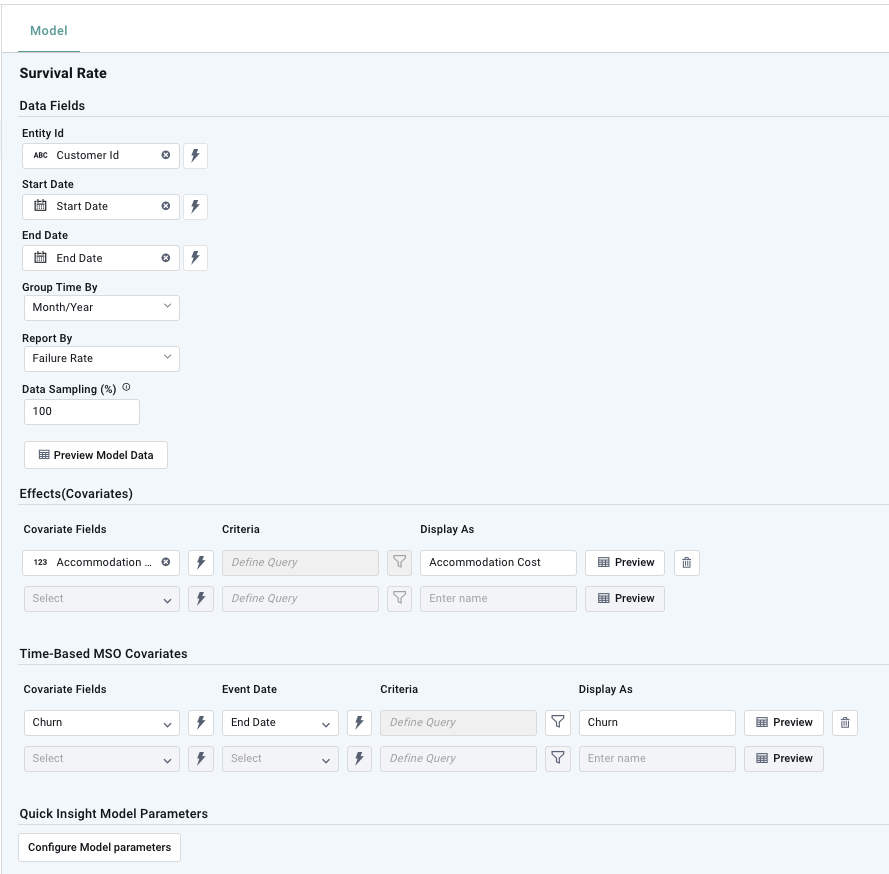
Properties
|
Label |
UI |
Default |
Description |
|---|---|---|---|
|
Data Fields |
|
|
|
|
Dropdown w/Expression |
|
|
|
Dropdown w/Expression |
|
|
|
Dropdown w/Expression |
|
|
|
Dropdown |
|
|
|
Dropdown |
|
|
|
Number Field |
10 |
|
|
Button |
|
Opens a dialog to view the data that will be used by the model. See Model > Model tab | Preview Model Data Dialog. |
|
Effects (Covariates) |
|
|
|
|
Dropdown w/Expression |
|
|
|
Dropdown w/Filter Icon |
|
|
|
Text Field |
|
|
|
Button |
|
|
|
Time-Based MSO Covariates |
|
|
|
|
Dropdown w/Expression |
|
|
|
Dropdown w/Expression |
|
|
|
Dropdown w/Filter Icon |
|
|
|
Text Field |
|
|
|
Button |
|
|
|
Quick Insight Model Parameters |
|
|
|
|
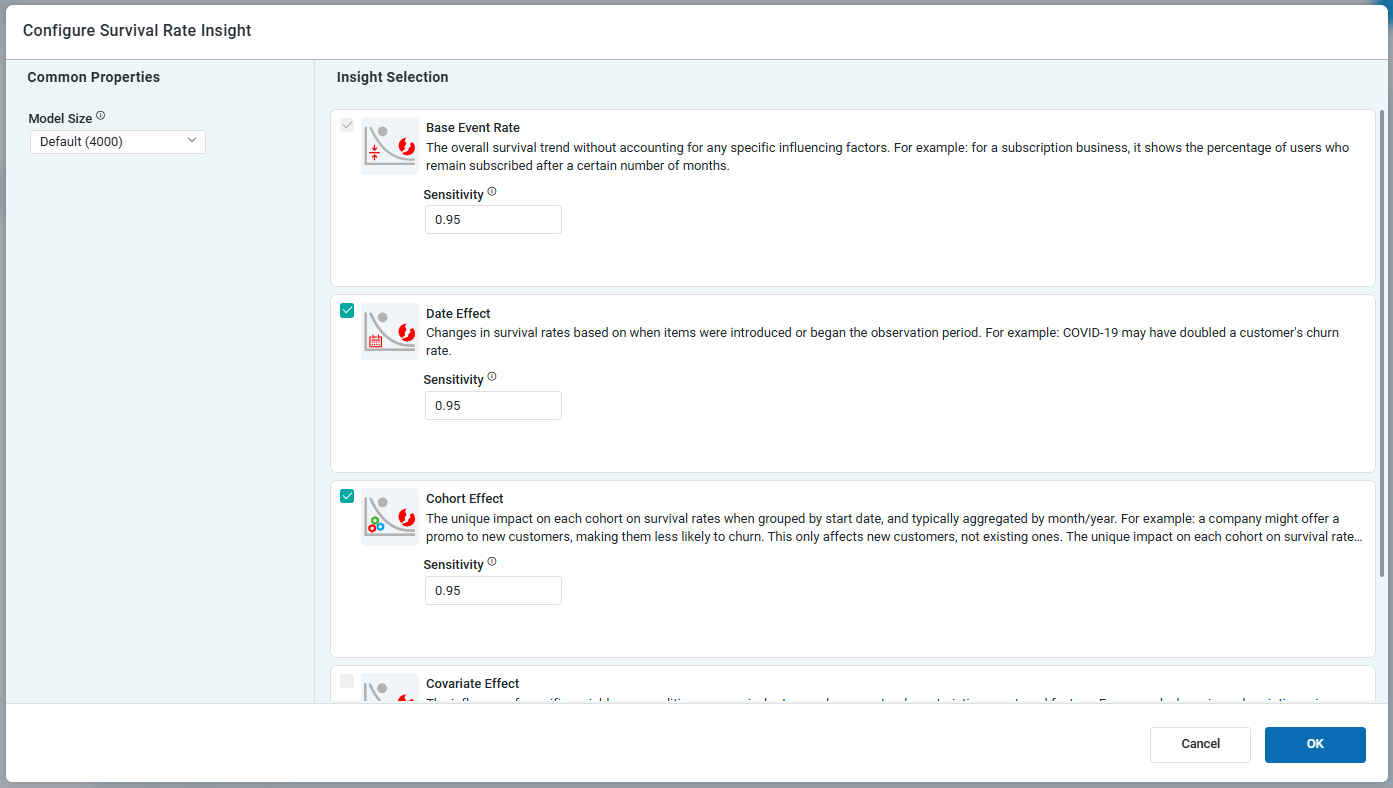
Button |
|
Opens a dialog to select child models for the current parent model. See Model > Model tab | Quick Insights Model Parameters. |
Configure Model Parameters
Model Configuration - Base Event Rate
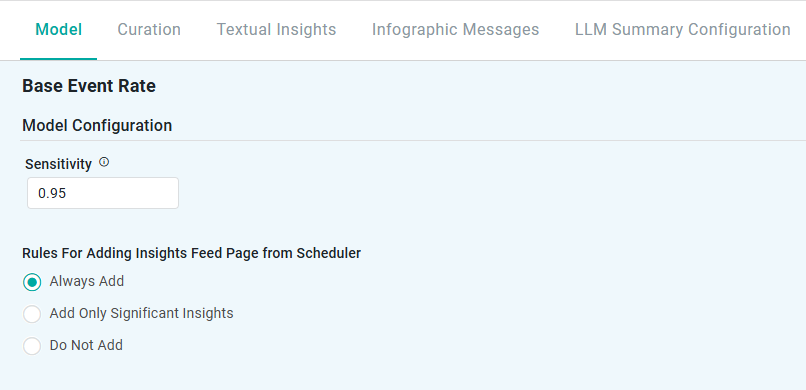
Properties
|
Label |
UI |
Default |
Description |
|---|---|---|---|
|
Model Size |
Dropdown |
|
|
|
Sensitivity |
Number Field |
0.95 |
|
|
Rules for Adding to Insights Feed Page from Scheduler |
Radio-buttons |
|
This section allows the user to select if the Quick Insight will be added to the Insights Feed page when generated from a Scheduled Task. See Model > Model tab | Rules for Adding Insights Feed Page from Scheduler. |
Model Configuration - Date Effect
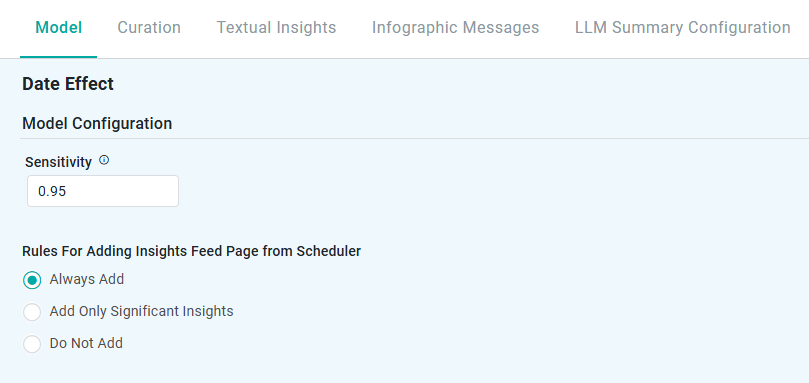
Properties
|
Label |
UI |
Default |
Description |
|---|---|---|---|
|
Model Size |
Dropdown |
|
|
|
Sensitivity |
Number Field |
0.95 |
|
|
Rules for Adding to Insights Feed Page from Scheduler |
Radio-buttons |
|
This section allows the user to select if the Quick Insight will be added to the Insights Feed page when generated from a Scheduled Task. See Model > Model tab | Rules for Adding Insights Feed Page from Scheduler. |
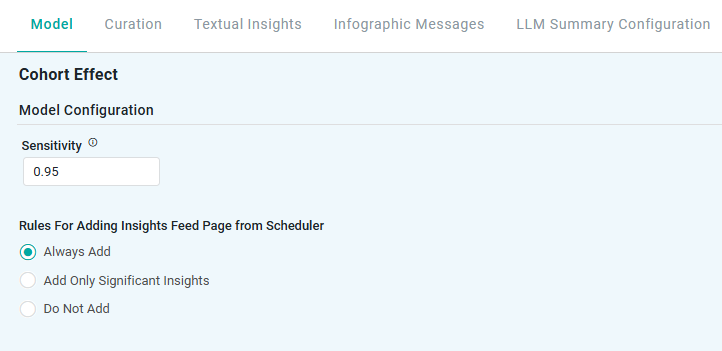
Model Configuration - Cohort Effect
Properties
|
Label |
UI |
Default |
Description |
|---|---|---|---|
|
Model Size |
Dropdown |
|
|
|
Sensitivity |
Number Field |
0.95 |
|
|
Rules for Adding to Insights Feed Page from Scheduler |
Radio-buttons |
|
This section allows the user to select if the Quick Insight will be added to the Insights Feed page when generated from a Scheduled Task. See Model > Model tab | Rules for Adding Insights Feed Page from Scheduler. |
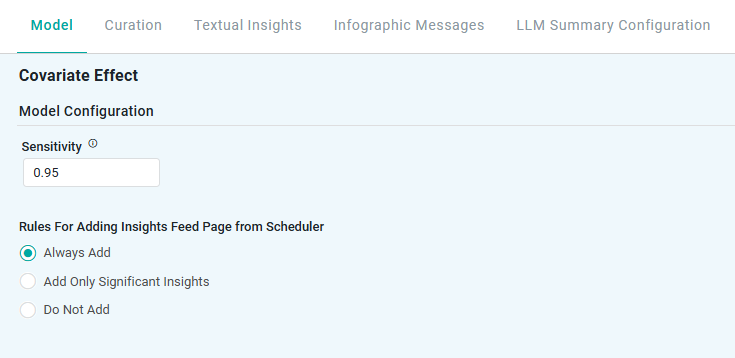
Model Configuration - Covariate Effect
Properties
|
Label |
UI |
Default |
Description |
|---|---|---|---|
|
Model Size |
Dropdown |
|
|
|
Sensitivity |
Number Field |
0.95 |
|
|
Rules for Adding to Insights Feed Page from Scheduler |
Radio-buttons |
|
This section allows the user to select if the Quick Insight will be added to the Insights Feed page when generated from a Scheduled Task. See Model > Model tab | Rules for Adding Insights Feed Page from Scheduler. |
Contact App Orchid | Disclaimer