
Intended audience: end-users developers
AO Platform: 4.3
Overview
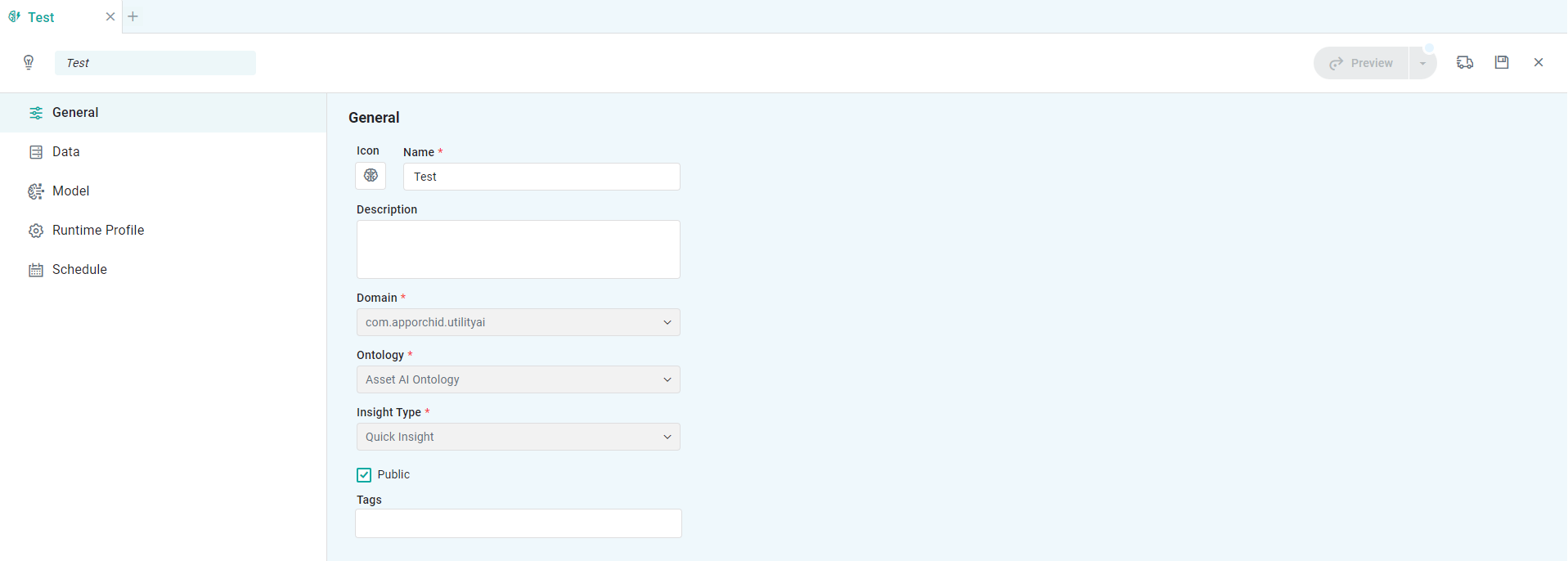
Properties
|
Label |
UI |
Default |
Description |
|---|---|---|---|
|
Icon |
Icon Selection |
“Brain” icon |
The Icon button allows the user to upload/select an icon to represent the Insight configuration. Click to open the File Manager dialog. |
|
Name |
Text Field |
|
Add a Name to represent the Insight. |
|
Description |
Multi-Line Text Field |
|
Add a short Description about the Insight. |
|
Domain |
Read-only Field |
|
Shows the Domain as selected during the creation of the Insight. |
|
Ontology |
Read-only Field |
|
Shows the Ontology as selected during the creation of the Insight. |
|
Insight Type |
Read-only Field |
Quick Insight |
Shows the Quick Insight as selected during the creation of the Insight. |
|
Public |
Checkbox |
Unchecked |
Enable the checkbox to create the new Insight as Public, - otherwise it’ll be Private to the user. |
|
Tags |
Tags |
|
Add any additional Tags to help when searching for Insights. |
Contact App Orchid | Disclaimer