
Intended audience: developers administrators
AO Platform: 4.4
Overview
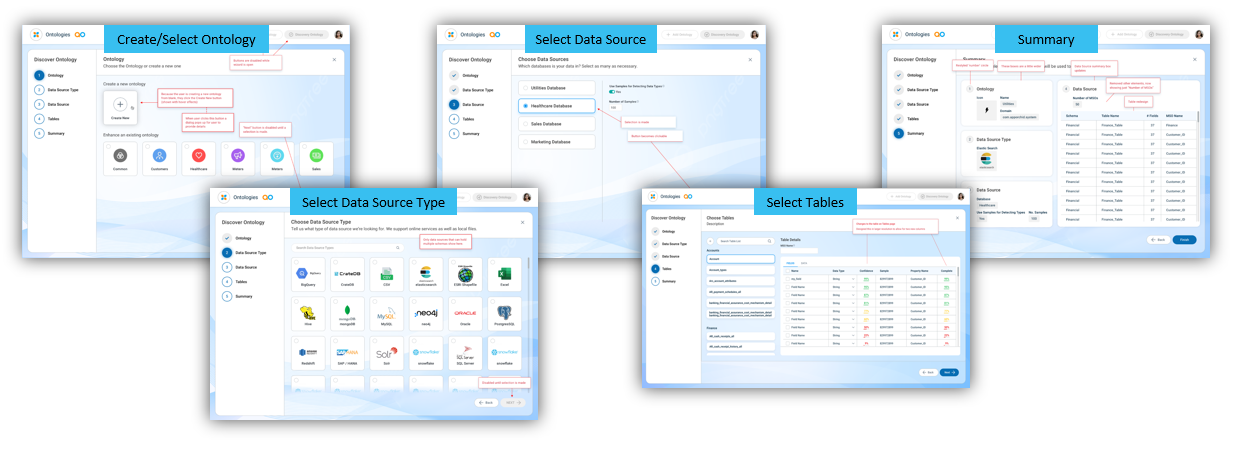
The starting point for any Easy Answers solution created in the AO Platform is to create an Ontology. The fastest way to create an Ontology from scratch is to use the Discover Ontology wizard. The Discover Ontology wizard, however, has additional functionality that allows enrichment of the Ontology, including creating Statistics for the data in the data source tables associated with the Ontology, as well as suggesting Relationships, Words, and Traits. Before continuing with the remaining Best Practice topics, make sure to run the Discover Ontology wizard first, so that the Semantic Ontology graph is created and the initial enrichment has been executed.
Why Is This Important
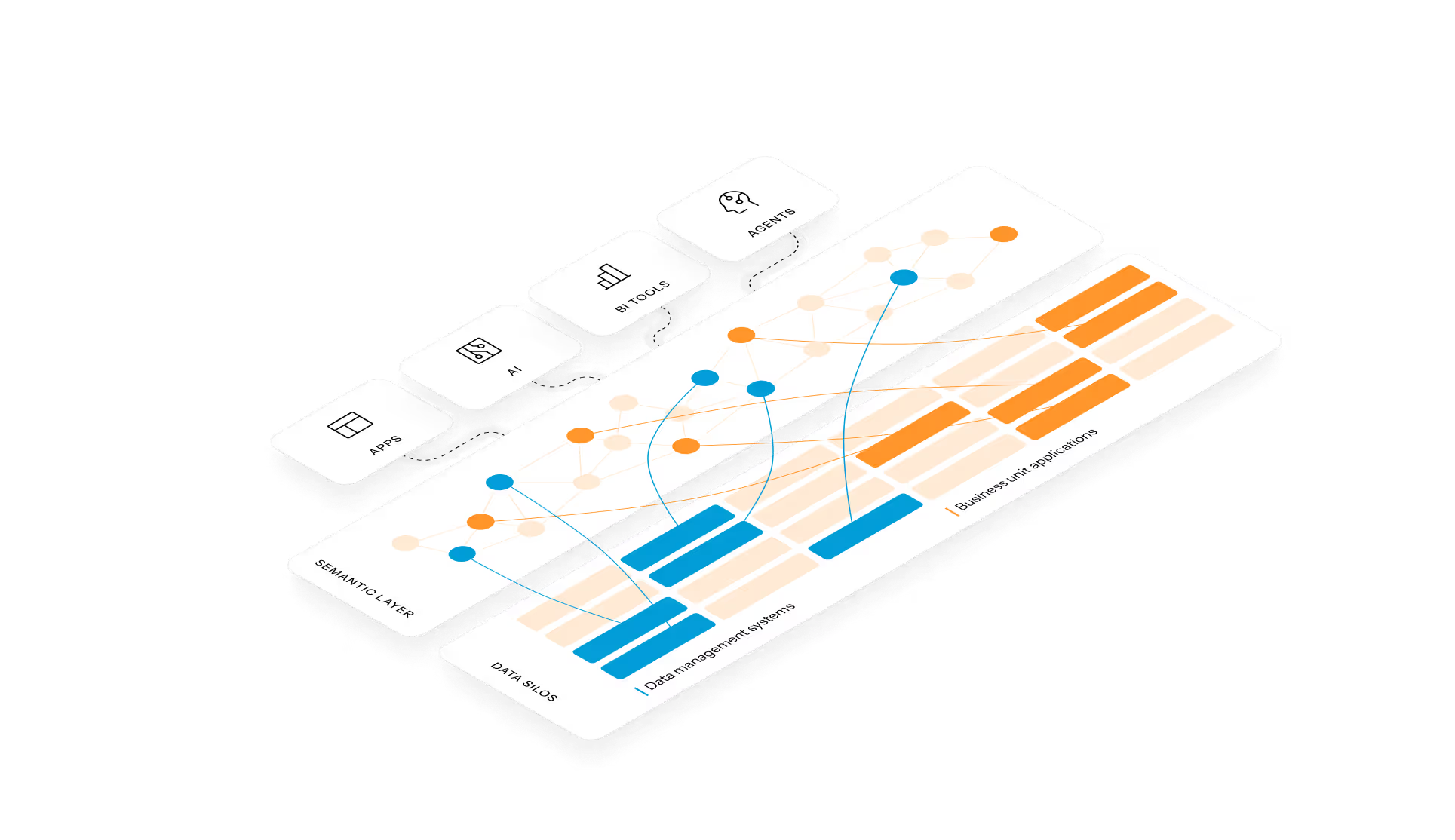
The “heart” of the AO Platform is the Ontology, the main component of the Semantic Layer. Any and all access to data from Easy Answers solutions happens by accessing the Ontology and the associated Managed Semantic Objects (MSOs). Other than being connected to the raw data, the Ontology provides greater flexibility, power, and metadata that greatly improve any request for data from Easy Answers. This Best Practice guide is all about getting the most out of the Ontology, by understanding how to create metadata and continue to enrich the Ontology with generated Statistics, Relationships between nodes in the Ontology graph, Linguistics vocabulary, functional Traits, Derived Properties, created Curations, and generated LLM Content and Questions, - all without making any changes to the source data!
The Ontology/Semantic Layer is the perfect companion to any organization's data sources, whether centralized or fragmented in departmental silos.
What To Do
Although creating an Ontology and enriching it with metadata can be done manually through the Ontology and MSO Composers, the fast-track option is to use the Discover Ontology wizard. In short, the Discover Ontology wizard allows the user to:
-
Create the Ontology’s core configuration.
-
Select Data Source Types, associated Schemas, Tables, and Fields to be included in the Ontology.
-
Create Statistics for the data in all the selected tables.
-
Scan data to suggest Relationships, Words, and Traits.
The Reference section below has links to documentation topics that are key to the Discovery processes.
References
Contact App Orchid | Disclaimer