
Intended audience: end-users analysts developers administrators
AO Platform: 4.4
Overview
This topic provides an overview of a Cue Card. A Cue Card is a component used to provide quick, summarized information or instructions to the user. Cue cards are often used in dashboards, data visualizations, or interfaces to highlight key insights, explain features, or guide the user through a curation process.
Example
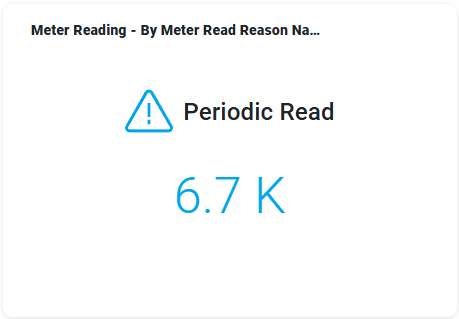
Configuration of Cue Card
DATA Properties
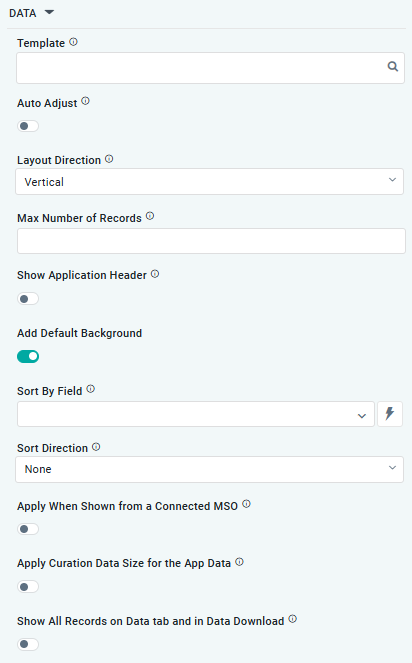
|
Label |
UI Widget |
Default |
Description |
|---|---|---|---|
|
|
|
Select a preconfigured Cue Card / Infographics Template from the Search dialog. |
|
ON/OFF Toggle |
OFF |
If enabled, allows the user to specify the Width, Height, and Pagination Type for the Template. If disabled, provide the Layout Direction. |
|
Dropdown |
|
Select a Layout Direction: Vertical or Horizontal. This is to support adjusting the rendering of the Cue Card / Infographics on both Desktop and Mobile devices. |
|
Number Field |
|
Sets a limit for how many records will be used. |
|
|
|
Sets the sorting order for data, including Ascending, Descending, or None. Only available for Infographics |
|
ON/OFF Toggle |
OFF |
If enabled, the App will display the App Header with the Icon and Title. If disabled, only the visual component from the Template will be visible. |
|
ON/OFF Toggle |
ON |
If enabled, a default background will be applied to the visual component. When disabled, the visual component will have no background. |
|
Dropdown w/Expression option |
|
The Sort By Field allows the user to select an MSO Field Property to be used to Sort the data in the App. |
|
ON/OFF Toggle |
OFF |
The Apply When Shown from a Connected MSO ON/OFF Toggle determines whether the settings or actions are applied specifically when data is displayed through a connected MSO.
|
|
ON/OFF Toggle |
OFF |
If enabled, the Record Count rules are applied. If the criteria are not met, the series will not be displayed. |
|
ON/OFF Toggle |
OFF |
If enabled, all records, otherwise excluded by the LIMIT clause when “Show TopN Plus Other” is enabled, and used by the App, will be shown on the App’s Data tab as well as in the Download Data option. |
|
Number Field |
|
The Display Order determines the priority or order in which grouped or categorized data is presented. |
Contact App Orchid | Disclaimer