
Intended audience: end-users developers
AO Platform: 4.3
Curations tab
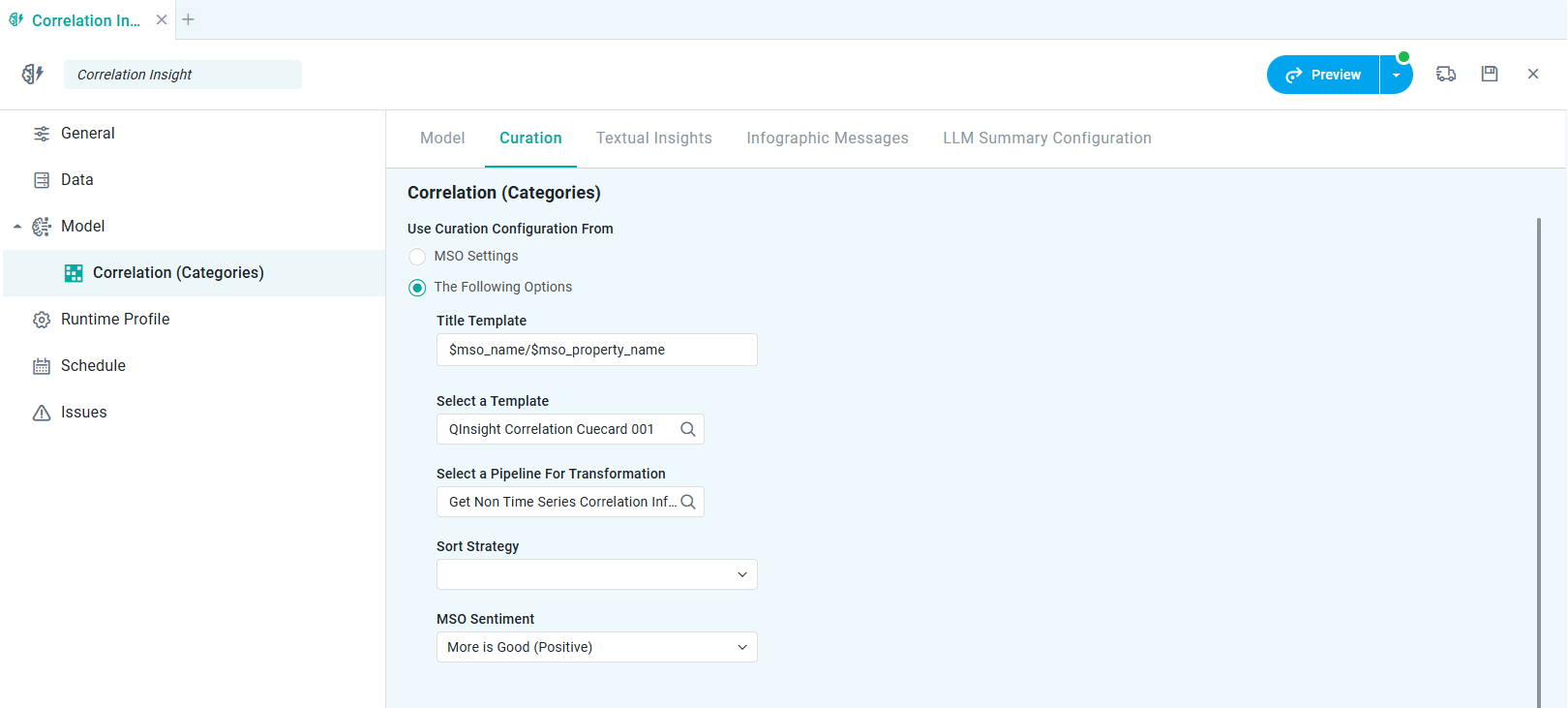
Properties
|
Label |
UI |
Default |
Description |
|---|---|---|---|
|
FILTER FOR CURATIONS |
|
|
|
|
Dropdown |
|
The Fields list (repeater) is used to determine which Curation will be used for the visualization - depending on the words used in the NLP query matching the property fields configured (from one or more MSOs). |
|
Text Field |
|
Group Name is used to identify a group of property fields - configured under Group Fields. |
|
Multi-select Tags |
|
Group Fields allows user to configure multiple property fields (from one or more MSOs) for each Group Name. |
|
LINGUISTICS |
|
|
|
|
Tags |
|
|
|
Tags |
|
|
|
TEMPLATE CONFIGURATION |
|
|
|
|
Search Field |
|
|
|
Dropdown |
|
|
|
Search Field |
|
|
|
Use Curation Configuration from… |
|
|
|
|
Radio-button |
|
Select MSO Settings Template to use the configuration from the MSO Settings page for the MSO providing the data for the Quick Insight Model. See Settings > Insights. |
|
Radio-button |
|
Select The Following Options to configure properties unique to the current Quick Insight Model - including MSO Sentiment and one or more Value Colors. |
|
Dropdown |
|
|
|
Color select |
|
One or more Color properties to allow configuration of needed colors to represent the data in the output from the Quick Insight Model. |
Contact App Orchid | Disclaimer